Loading Table of Contents...
What Is a Cluster? How It Works and Real-World Applications
Quick Summary
Collapse
What is a cluster? Explore its architecture, operating principles, common types, advantages, limitations, and applications in server and website infrastructure.
A cluster (server cluster) is an architecture that connects multiple servers or processing nodes so they can work together within a single system. Depending on its design, a cluster can distribute workloads, increase processing capacity, scale resources, and maintain services when a component fails. So how do clusters work, what types are available, and where are they used? Join Connect Tech as we explore these questions in detail.
What Is a Cluster?
A cluster is a group of independent servers or computers connected and configured to operate together as one coordinated system. Each server in the group is called a node and may have its own processor (CPU), memory (RAM), operating system, and storage resources.
Rather than relying entirely on a single server, the system can use several nodes to process workloads, deliver services, or provide redundancy. Depending on the deployment goal, nodes may operate simultaneously or some may remain on standby until a failure occurs.
In information technology, clusters commonly address three main needs:
- Improved processing performance: Distribute workloads across multiple servers to reduce pressure on individual nodes.
- Higher availability: Help transfer services to another node when one server can no longer operate.
- System scalability: Allow processing resources to be added as demand grows.
For example, an e-commerce website serving thousands of simultaneous visitors may run multiple application servers in a cluster. Requests are distributed to servers with available capacity rather than being handled by a single machine.
However, using a cluster does not automatically mean the system will always be faster or never experience an outage. Actual results depend on the architecture, applications, network connectivity, and data management.
Basic Components of a Cluster
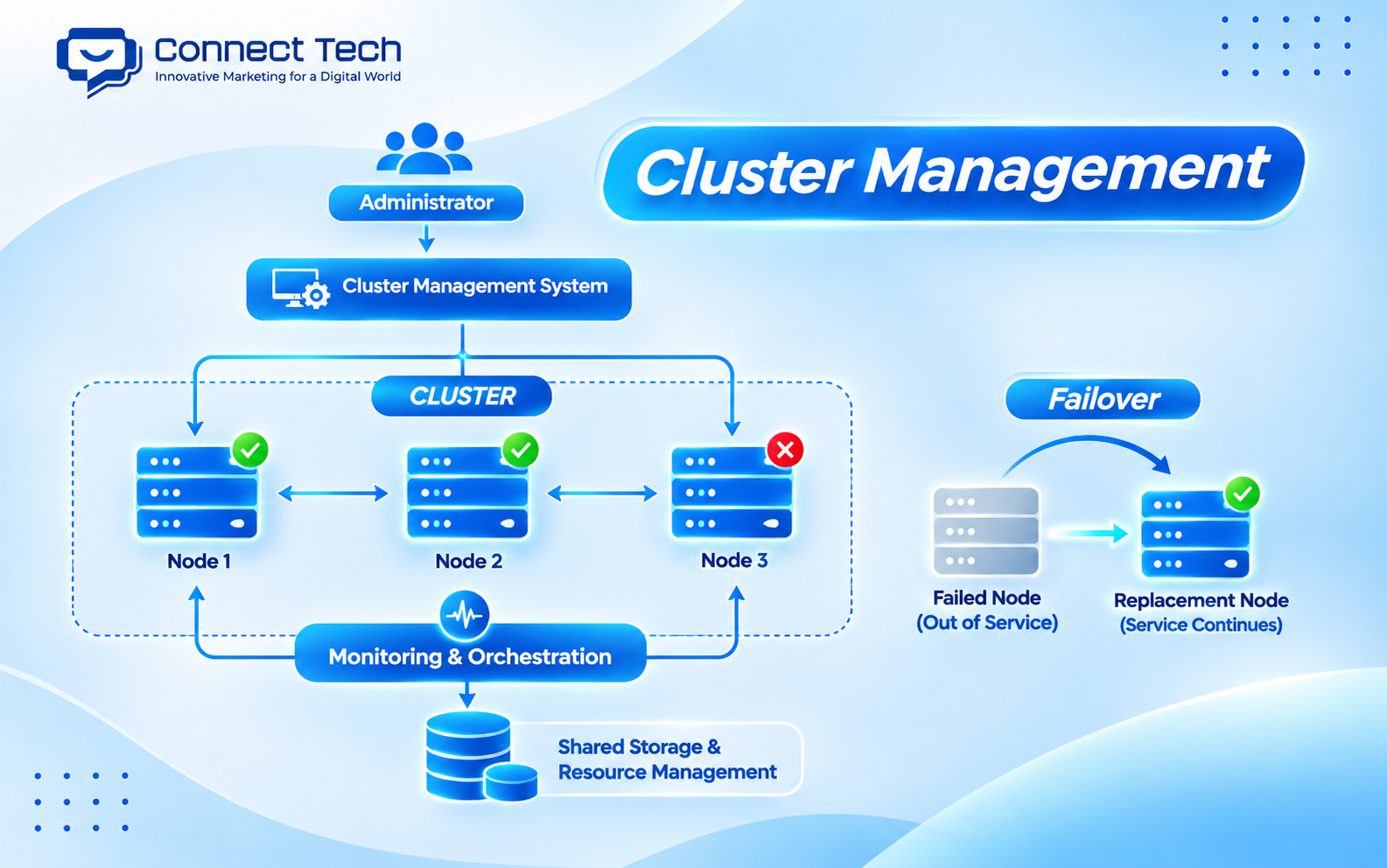
A cluster typically comprises multiple components that work together to execute tasks, manage resources, and keep services running. Nodes, cluster management, storage, networking, and resources are among the most important elements.
Node – Server Node
A node is a server or processing instance that participates in a cluster and performs assigned tasks. A server cluster may include nodes with similar or different hardware configurations, depending on system requirements.
Nodes may take on roles such as:
- Active node: Directly executes workloads or delivers services to users.
- Passive node: Stands ready to take over services if an active node fails.
- Controller node: Coordinates or distributes work among other nodes in certain architectures.
These roles are not universal or fixed across all clusters. In an active-active design, several nodes may deliver services at the same time, while an active-passive design prioritizes one or more standby nodes.

Cluster Management – Management System
Cluster management refers to the components responsible for managing, monitoring, and coordinating the server cluster. These tools help nodes operate according to defined policies rather than functioning independently.
Common functions include:
- Monitoring the health of each node.
- Managing resources and services across the cluster.
- Detecting failures or connection losses.
- Coordinating service restarts or failovers when needed.
- Supporting the addition, removal, or maintenance of nodes.
Technologies such as Pacemaker, Corosync, and Kubernetes can be used in cluster management, although they serve different purposes. Pacemaker often manages resource availability, Corosync supports communication and cluster membership, and Kubernetes orchestrates containerized applications.
Storage – Storage System
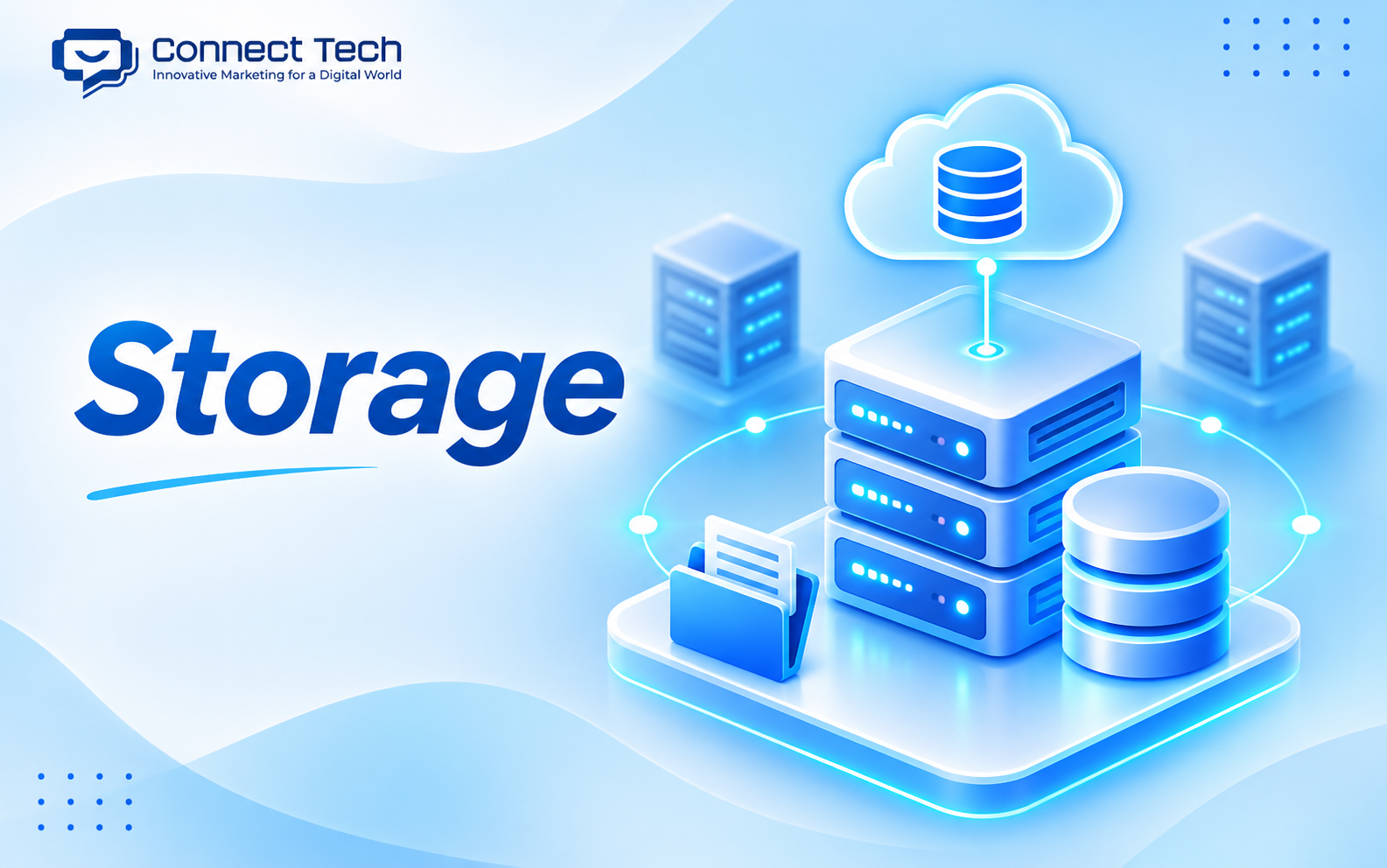
Storage holds the data required for cluster operations, including application data, databases, files, and configuration information.
Depending on the architecture, a server cluster may use two common storage approaches:
- Shared storage: Multiple nodes access a common storage system, such as a SAN or NAS, using appropriate access controls.
- Distributed storage: Data is spread across several servers and may be replicated or protected with erasure coding to improve fault tolerance.
The storage approach directly influences performance, recovery capabilities, and data consistency. Not every cluster requires a shared storage system.
Network – Network Infrastructure
The network allows nodes to communicate, exchange data, and coordinate workloads. Reliable connectivity is essential because cluster operations often depend on communication between components.
Some deployments separate network traffic by purpose, including:
- Networks serving requests from end users.
- Networks exchanging data between nodes.
- Management and health-monitoring networks.
- Networks connecting nodes to storage systems.
Stable networking helps reduce disconnections, slow transfers, and incorrect node-health assessments. In systems that require continuous synchronization, network latency is also an important design consideration.

Resource – System Resources
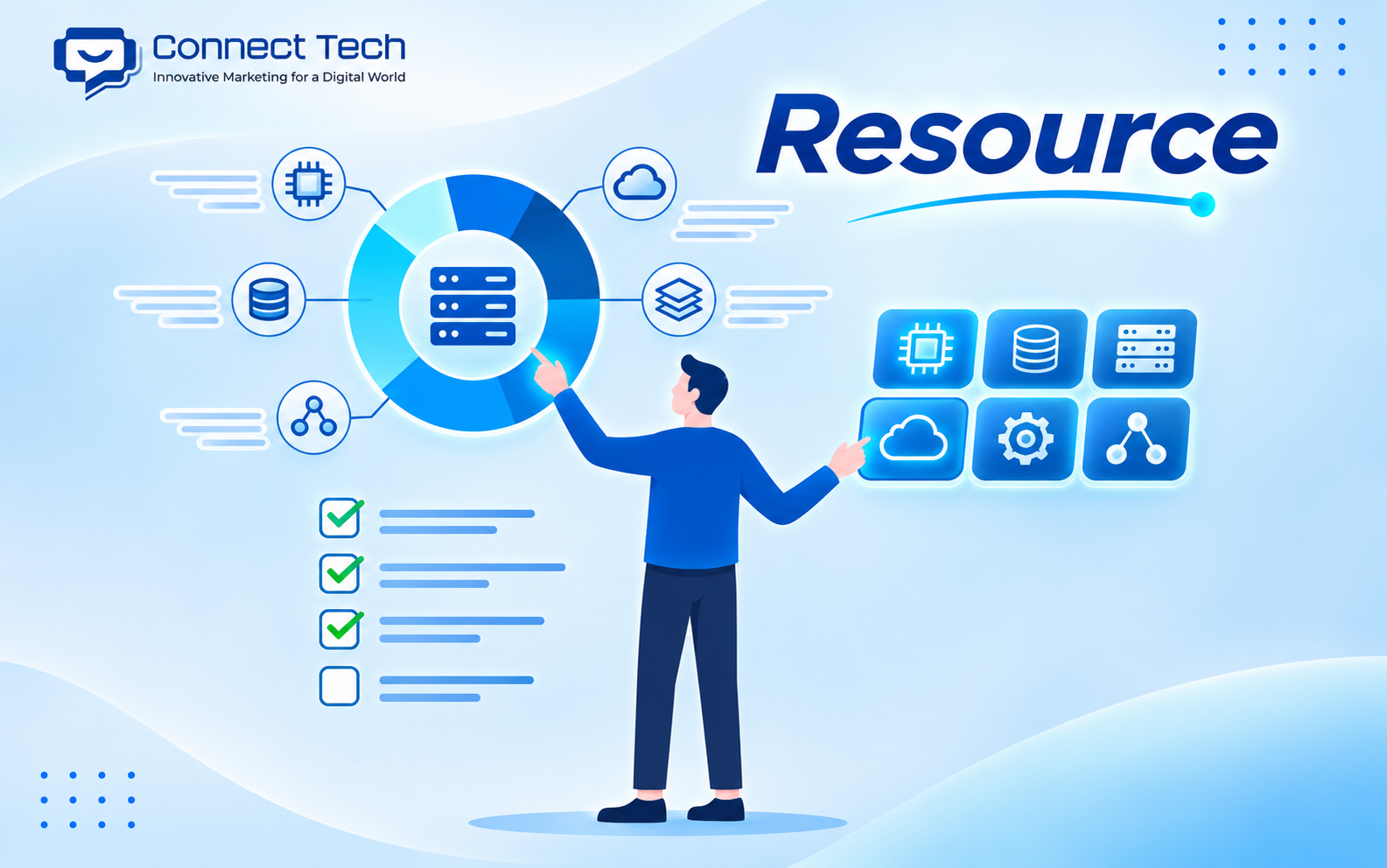
Resources are the hardware and software assets used and managed within a cluster. They can include CPUs, RAM, disks, IP addresses, services, applications, and other operational components.
Resources are managed according to policies specific to the architecture. For example, an application cluster may distribute processing requests across nodes, whereas a failover cluster may move a service and its associated IP address to another server when a failure occurs.
Effective resource management helps the system make better use of server capacity and limits localized overload.
How Does a Cluster Work?
A cluster works by connecting multiple nodes, coordinating tasks, and monitoring their health so the servers can deliver services together. Depending on its architecture, the system may distribute workloads concurrently or keep standby nodes ready for failures.
The following mechanisms explain how cluster operations work.

Connecting and Coordinating Nodes
Nodes are linked through network infrastructure and configured to participate in the same cluster. Once established, they can exchange health information, access appropriate resources, and perform tasks according to their assigned roles.
This coordination is usually supported by cluster management software or an application orchestrator. It determines which nodes can provide services, which resources are in use, and how to respond when system conditions change.
High-availability clusters may also use quorum to determine which group of nodes has sufficient authority to remain active. Quorum helps prevent split-brain scenarios, in which disconnected groups each believe they can control the same resource.
Distributing Workloads Through Load Balancing
Load balancing distributes requests or workloads across multiple servers to reduce the risk of overloading any single node. It is commonly used for websites, applications, and online services.
When a user submits a request, a load balancer can select a suitable server according to an algorithm and system-health information.
Common distribution methods include:
- Round robin: Sends requests to servers in sequence.
- Least connections: Favors servers with fewer active connections.
- Weighted load balancing: Distributes requests according to assigned weights, often reflecting capacity or priority.
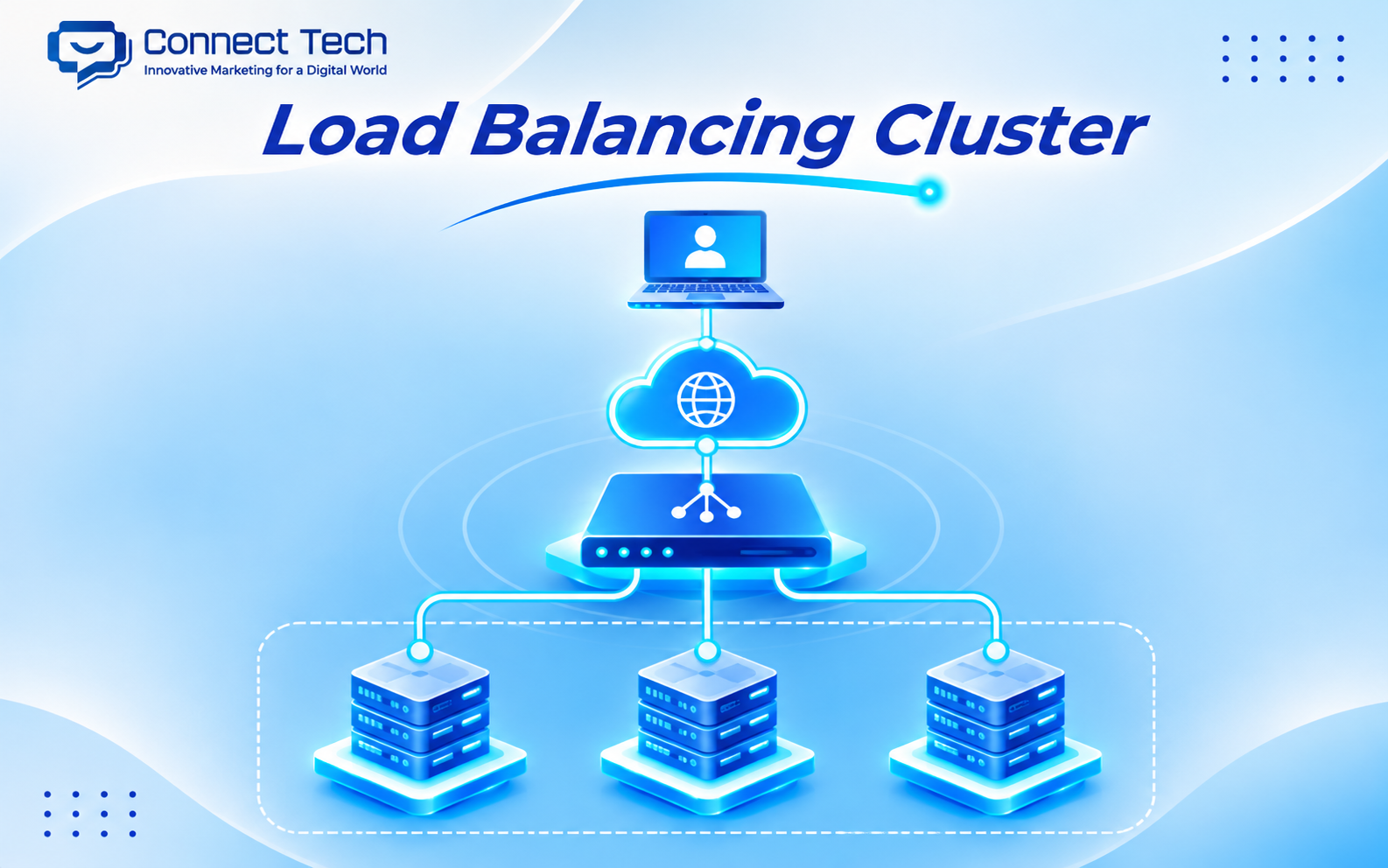
For example, a website with three application servers can use a load balancer to spread visitor traffic. As one server handles more requests, new requests may be routed to other servers according to the chosen algorithm.
Load balancing improves resource utilization, but it cannot solve every performance issue. If the database or storage layer is the main bottleneck, adding application servers may deliver little improvement.
Monitoring Node Health with Heartbeats
A heartbeat is a signal used to check communication or operational status between cluster components. It helps the system detect nodes that no longer respond under configured conditions.
If a node fails to respond within a defined interval, management software may mark it as unavailable and initiate health checks or recovery procedures.
However, a missing heartbeat does not always mean the server has stopped running. The cause could also be a network problem or temporary loss of connectivity.
Some systems therefore combine quorum and fencing mechanisms to determine cluster state, isolate faulty nodes, or prevent nodes that have lost authority from continuing to access sensitive resources.
Handling Failures Through Failover
Failover is the process of moving a service or resource from a failed node to another node capable of taking over. It is a central feature of high-availability clusters.
In an active-passive setup, one node provides the primary service while a standby node is prepared to take over if necessary.
The failover process may follow these steps:
1. Monitoring detects abnormal behavior in a node or service.
2. Management software verifies the condition and failover criteria.
3. The failing node is handled or isolated when required.
4. The service is started or moved to an eligible node.
5. The system checks the new state and resumes handling requests.
Failover can reduce downtime but does not guarantee completely uninterrupted service. Transition time depends on the application, data storage model, and the time required to restart or relocate services.
Synchronizing Data Across Servers
Data synchronization allows the nodes that need information to access appropriate data during normal operation or service transitions. Synchronization methods depend on performance, latency, and consistency requirements.
Two common approaches are:
- Synchronous replication: A write is typically acknowledged only after the required replicas satisfy the write conditions. This can reduce data divergence but may increase latency.
- Asynchronous replication: Data is copied to another node after the original write, reducing immediate response requirements but potentially introducing replication lag and data loss around a failure.
Not all clusters synchronize data in the same way. Some use shared storage, while others implement replication or data partitioning.
Common Types of Clusters
Clusters can be categorized by their purpose, such as maintaining service availability, balancing traffic, increasing computing power, or managing applications and data. Each category has its own characteristics, and several functions can be combined within one architecture.
High Availability Cluster
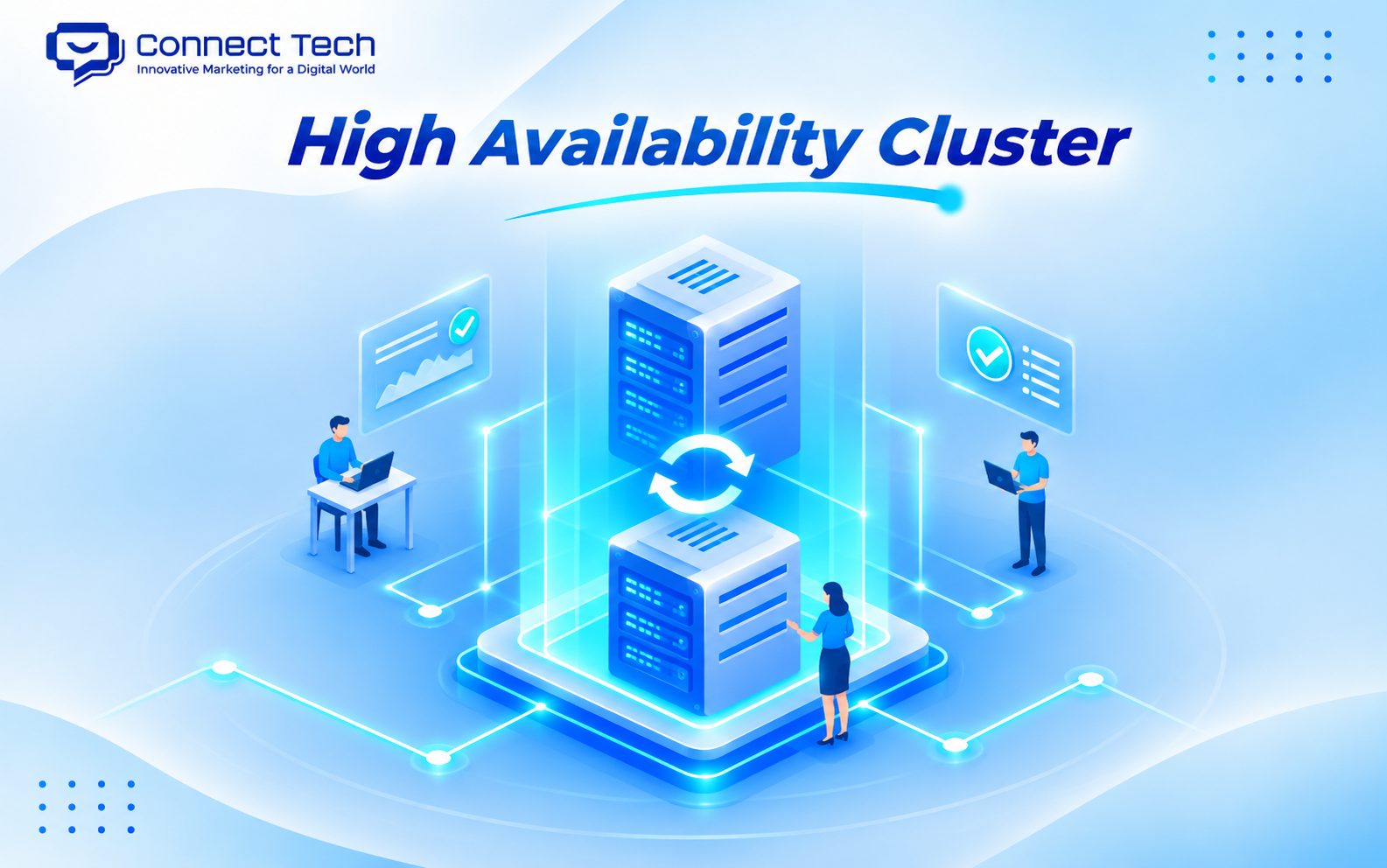
A high availability (HA) cluster is designed to keep services available when one or more components fail within the system’s redundancy limits. This approach is commonly used for applications where downtime must be minimized.
HA clusters can be deployed in two common configurations:
- Active-passive: One node delivers the primary service, while another remains on standby and takes over when a failure occurs.
- Active-active: Multiple nodes deliver services simultaneously and may continue handling workloads if one node becomes unavailable.
This model is suitable for business management systems, financial applications, databases, and other services with demanding availability requirements.
Load Balancing Cluster
A load balancing cluster distributes incoming traffic or processing tasks across multiple active servers. Its primary goal is to improve resource utilization, increase concurrent serving capacity, and reduce overload.
Such a cluster typically combines several application servers with a request-distribution component. As the number of users grows, an organization may add nodes if the application and architecture support horizontal scaling.
This approach suits e-commerce websites, ticket-booking platforms, information portals, and applications with high or fluctuating traffic.
The load balancer itself must also have suitable redundancy so it does not become a single point of failure.
High Performance Computing Cluster
A high performance computing (HPC) cluster combines the computing capabilities of multiple machines or servers to carry out demanding computational tasks. Instead of running entirely on one machine, a workload can be divided into smaller parts and processed in parallel.
HPC clusters often use many processors, substantial memory resources, and high-speed interconnects to handle large computational workloads.
Typical applications include scientific simulations, data analysis, climate research, engineering calculations, and graphics rendering.
Performance gains depend on how effectively a task can be parallelized. Workloads that are largely sequential or require constant data exchange may not benefit proportionally from adding more nodes.

Database Cluster
A database cluster uses multiple database servers to support goals such as availability, increased processing capacity, or data distribution.
Depending on the database management system and deployment strategy, a cluster may use:
- Replication: Copying data between servers.
- Failover: Switching service roles when a node fails.
- Read scaling: Distributing read queries to suitable replicas.
- Sharding: Dividing data into partitions stored or processed on different nodes.
Database clusters are commonly used in e-commerce systems, customer management platforms, financial applications, and services that handle large amounts of data.
Choosing appropriate synchronization and access models is essential to avoid data conflicts and unnecessary performance overhead.
Application Cluster
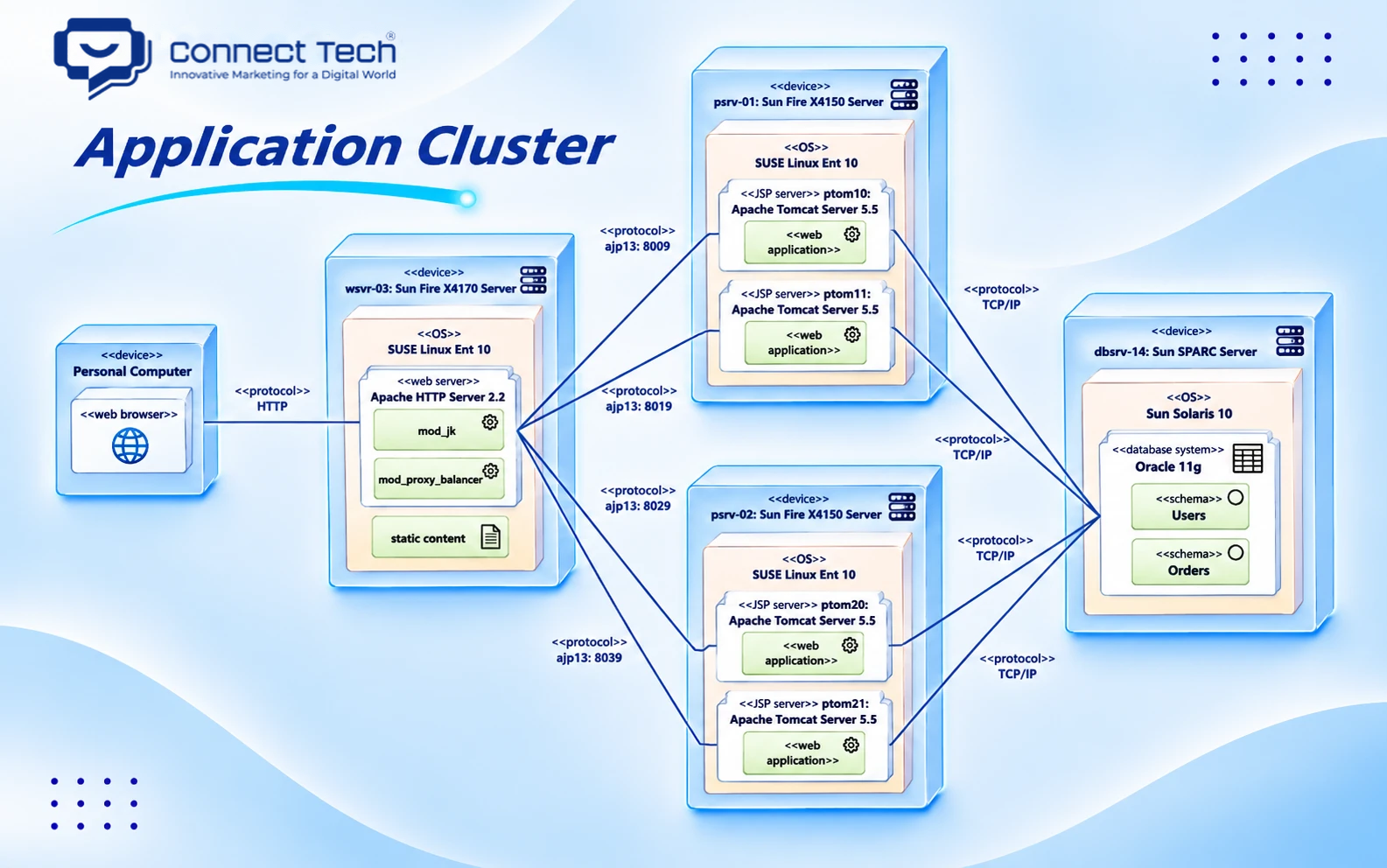
An application cluster runs an application or service across multiple nodes to improve scalability and availability. This architecture is common in websites, enterprise applications, and online service platforms.
Nodes may run several instances of the same application and receive requests through a load balancer or orchestration system.
For example, a sales management platform can run the same API service on multiple servers. As demand increases, additional application instances can share the workload.
Applications that depend on login sessions or temporary state need suitable session-management and state-storage designs to avoid relying on a specific node.
Comparison of common cluster types:
|
|
|
|
|
|
|
|
|
|
|
|
|
|
|
|
|
|
|
|
|
|
|
|
These categories describe deployment goals and can overlap. For example, an application cluster may also use load balancing and high-availability mechanisms.
Advantages and Limitations of Clusters
Clusters can improve processing capacity, scalability, and redundancy, but they also increase design, administration, and operating requirements. Organizations should consider both benefits and trade-offs before implementation.
|
|
|
|
|
|
|
|
|
|
|
|
|
|
|
|
|
|
|
|
|
|
|
|
|
|
|
|
|
|
|
|
A cluster is therefore not the right solution for every system. For a small website or an application with steady traffic, one properly configured and managed server may be sufficient.
Systems that require high concurrent processing capacity, continuous service, or long-term expansion may benefit more from a clustered architecture.
Real-World Applications of Clusters
Clusters are used across many technology fields, from business websites to financial platforms, cloud infrastructure, and large-scale data processing. Different industries prioritize performance, scalability, and availability according to their needs.

Websites and E-commerce Systems
Clusters help high-traffic websites distribute requests across several servers and reduce dependence on a single application server.
E-commerce traffic can surge during promotional campaigns or product launches. A load-balanced cluster can spread those requests across nodes to maintain serving capacity.
Beyond application servers, businesses must also consider databases, caches, user sessions, and storage. Adding web servers alone will not help enough if those other components cannot keep up with demand.
Cloud Computing Infrastructure
Clusters are used in cloud computing infrastructure to organize, manage, and operate computing resources across multiple servers.
Cloud platforms may use clusters to manage virtual machines, containerized applications, and services that need flexible scaling. For example, a Kubernetes cluster can deploy several replicas of a containerized application and schedule them on suitable nodes.
This allows businesses to grow their systems according to demand without necessarily managing every physical server directly.
However, clusters and cloud computing are not the same thing. A cluster is an architecture in which nodes cooperate, while cloud computing is a model for delivering computing resources and services on demand.
Banking and Financial Systems
Clusters support financial systems that require high availability, transaction processing capacity, and recovery mechanisms when components fail.
Online banking, payment systems, and transaction platforms often have strict requirements for continuity and data integrity.
These systems may use clusters for service redundancy, request distribution, or greater processing capacity. Transaction data, however, must follow appropriate consistency rules to prevent duplicate writes, missing records, or conflicting states.
Financial institutions also need backups, security controls, and disaster recovery plans in addition to clustering.
Big Data and Scientific Research
Clusters enable complex data-processing and computational tasks to be divided among multiple servers and executed in parallel. This is an important application in big data and scientific research.
When analyzing a very large dataset, the system can split the data into parts, process them on separate nodes, and combine the results through a defined workflow.
Distributed processing technologies such as Apache Spark can harness cluster resources for data analysis across multiple machines.
Scientific researchers also use clusters to simulate natural phenomena, analyze experimental data, and perform calculations requiring substantial computing power.
Artificial Intelligence and Machine Learning
Clusters provide computing resources for AI and machine learning workloads that involve large models or datasets.
During model training, multiple nodes may process data or perform different parts of the calculation together. Specialized nodes may be equipped with GPUs to accelerate operations used in AI.
Clusters can also host inference services, distributing user requests among several model instances as demand rises.
Distributed training requires suitable networking and efficient synchronization. Excessive communication between nodes can reduce the benefits of scaling.
Enterprise Application Systems
Clusters help enterprises deploy applications that need to serve many users and limit operational interruptions.
Depending on their scale and availability requirements, ERP, CRM, inventory, order management, and other internal systems can run across multiple application servers.
When usage grows, organizations may increase node capacity to handle more requests. For critical services, redundancy can also reduce disruption when a server fails.
Even so, the decision to build a cluster should be based on application characteristics and practical benefits rather than user counts alone.
When Should a Business Use a Cluster?
Businesses should consider clustering when their current infrastructure struggles with traffic, scalability, or service continuity. The decision should be grounded in measurable needs, risk exposure, and operating costs.
When a Website or Application Has High Traffic
A cluster may be appropriate when one server can no longer handle concurrent requests reliably, even after reasonable optimization.
Warning signs include slow response times under heavy traffic, server resources consistently approaching their limits, and application overload at peak times.
Before expanding into a cluster, identify the root cause of poor performance. If database queries, application code, or storage are the bottleneck, adding more nodes may not address the real issue.
When the System Requires High Availability
Clustering is worth considering when service downtime could seriously disrupt business operations.
Order-processing platforms, payment systems, and internal operational applications may require redundancy to reduce interruptions.
A high-availability cluster can support service failover when a node fails. Businesses must still define acceptable downtime and provide redundancy for related infrastructure components.
When Additional Processing Capacity Is Needed
Clusters are useful when a system can increase processing capacity by adding nodes. This is commonly known as horizontal scaling.
Compared with only upgrading the CPU or RAM of one server, horizontal scaling can offer greater flexibility for certain applications.
However, workloads must be designed for distribution across nodes. Applications heavily dependent on local state or shared resources may need changes before they can scale horizontally.
When a Business Needs to Reduce Service Disruption Risks
Clustering reduces dependence on one server, but only when important points of failure have been identified and addressed.
If all nodes rely on a storage system without redundancy or on a single network device, a failure in that component can still affect the entire service.
Businesses should therefore view clustering as part of the overall architecture, supported by backups, monitoring, security, and incident recovery planning.
Key Considerations When Implementing a Cluster
Implementing a cluster involves more than connecting several servers. Stable operation requires an appropriate architecture, well-organized data, effective resource management, and a clear incident response plan.
Choosing the Right Cluster Model
The cluster architecture should match operational objectives and application characteristics. Different designs prioritize different requirements.
A high-availability cluster may be suitable when continuous service is the primary goal. A load balancing cluster may be preferable for serving many users simultaneously. HPC clusters are typically used for intensive computational workloads.
Businesses should also evaluate software compatibility and future growth plans to avoid major architectural changes later.
Designing Redundancy and Data Storage
Redundancy should be designed to reduce the impact of failures that could interrupt cluster operations.
Deploying multiple nodes is not sufficient if they still depend on the same component without a backup or failover arrangement.
Important considerations include networking, load balancers, storage, databases, and power. Synchronization methods should also match the required level of data consistency.
Clustering does not replace backups. Accidental deletion or application errors can propagate to synchronized replicas. Businesses still need independent backups and regular recovery testing.
Ensuring System Security
Cluster security should be implemented consistently across nodes, management connections, and associated services. More servers also mean more components to monitor and protect.
Key practices include managing access permissions, applying security patches, securing communication between nodes, and monitoring unusual activity.
For systems handling critical information, administrator access controls and audit logs also support security reviews, detection, and incident response.
Evaluating Investment and Operating Costs
Cluster costs include both the initial infrastructure and the resources required for long-term management. Expenses may extend beyond servers to storage, networking, software, monitoring, and technical staff.
Planning should take into account current resource needs, expected growth, and service-availability requirements.
For smaller systems, a single server or properly configured cloud hosting solution may be more cost-effective. As workloads and redundancy requirements increase, investment in clustering may deliver long-term operational value.
A cluster is an architecture that combines multiple servers or processing nodes to improve coordination, scalability, and service availability in IT systems. From e-commerce websites and enterprise applications to cloud computing and artificial intelligence, clusters can be designed in different ways to meet specific goals.
However, their effectiveness depends on architecture, data management, and operational practices. Businesses should assess their needs before choosing a solution that balances performance, availability, and cost.
If you are looking for website development, cloud hosting, or infrastructure optimization services, Connect Tech can help your business evaluate its needs and choose a solution that fits its growth plans.

Table of Contents