Loading Table of Contents...
What is Meta Business Suite? Detailed instructions on how to use it effectively for online business people
Quick Summary
Collapse
Meta Business Suite is a free tool that helps effectively manage Facebook & Instagram accounts. Learn how to set up and optimize your online business easily
Meta Business Suite is a free tool developed by Meta that helps businesses and individuals manage all their activities on Facebook and Instagram within a single, unified interface. From posting content, replying to messages, and running ads to analyzing performance everything is intelligently integrated and easy to use.
If you’re selling online, understanding what Meta Business Suite is and how to use it effectively will help you save time, optimize costs, and significantly improve customer reach and engagement.
I. What is Meta Business Suite?
Meta Business Suite is a comprehensive management platform developed by Meta (Facebook) to help businesses, advertisers, and content creators efficiently manage all their activities across Facebook and Instagram in a more convenient and professional way.
This tool allows users to manage multiple social media accounts simultaneously, including:
- Tracking messages and comments from customers across both platforms in one unified inbox.
- Scheduling posts, creating content, Reels, or Stories easily and consistently.
- Managing ads, monitoring budgets, and tracking campaign performance in real time.
- Viewing detailed reports on engagement, reach, audience demographics, and more to optimize marketing strategies.
Meta Business Suite was created to replace Facebook Business Manager, with the goal of providing a more intuitive and simplified experience, helping users save time and streamline workflows when managing multiple accounts at once. Notably, this tool is completely free, easy to use, and works seamlessly on both desktop and mobile devices, allowing you to manage your business anytime, anywhere without repeatedly logging in.
II. Key Features of Meta Business Suite
1. Post and Schedule Content on Facebook & Instagram
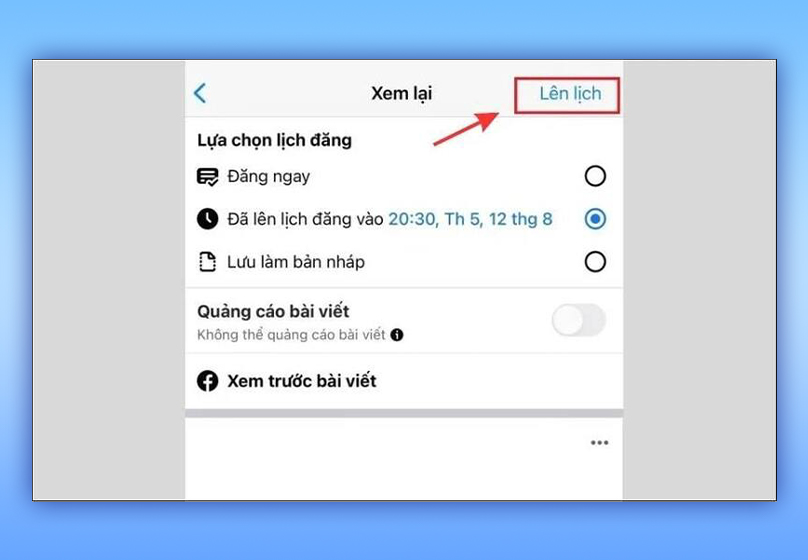
Users can create posts, share Stories, save drafts, and especially schedule automatic posts for both Facebook and Instagram.
For example, you can prepare your weekly content in advance and set the system to automatically post during “peak hours” — when your audience is most active — to maximize engagement and reach.
2. Manage Messages and Comments in One Interface
Meta Business Suite unifies the inboxes of Messenger and Instagram into a single place, allowing you to easily respond to customers without switching between multiple apps. In addition, you can:
- Label conversations to categorize them (e.g., new customers, awaiting response, completed purchase).
- Filter messages by status to avoid missing important replies.
- Set up automated messages — greetings, thank-you notes, or quick responses to frequently asked questions.
3. Create and Manage Ads
With Meta Business Suite, you can quickly create ads directly from existing posts — no need to access the separate Ads Manager tool.
The platform allows you to:
- Track budget, audience, and campaign performance directly within the app.
- Easily edit or pause ads whenever needed.
- Run ads simultaneously on both Facebook and Instagram
4. Analyze Performance and Results
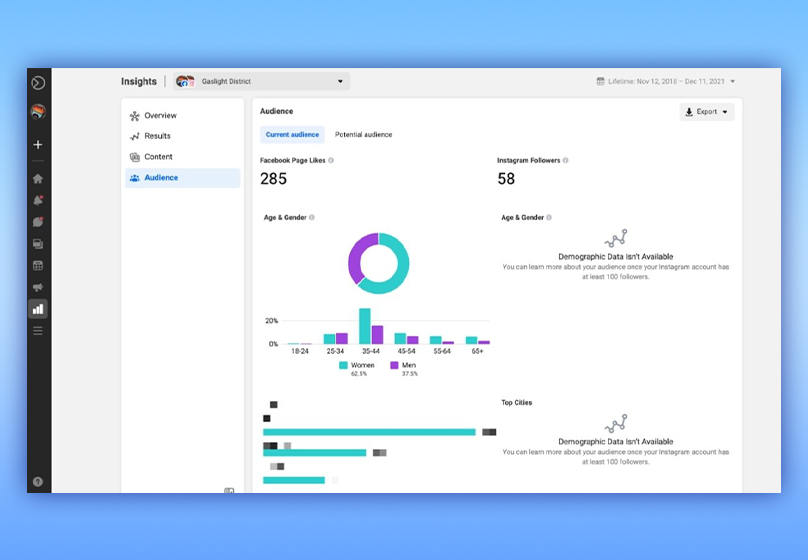
Meta Business Suite provides detailed analytics dashboards to help you monitor your Facebook Page and Instagram performance:
- Track key metrics such as reach, engagement, new followers, and ad spending.
- Compare post performance to identify which content type attracts the most audience interaction.
5. Create Appointments and Lead Forms
Meta Business Suite also allows businesses to create forms where customers can fill in their contact details or book appointments directly on the Facebook Page.
6. Manage Multiple Accounts and User Permissions
If you work in a team or company, this feature is extremely important. You can:
- Add admins, employees, and assign specific roles (e.g., ad management, posting, viewing reports).
- Control access rights to ensure transparency, data safety, and overall business security.
Read more: Forbidden Words in Facebook Ads and Effective Guidelines to Avoid Violations
III. How to Download and Set Up Meta Business Suite
Meta Business Suite is available on both mobile devices and desktop, making it easy to manage your business anytime, anywhere.
1. Installing and Using Meta Business Suite on Mobile
The Meta Business Suite app supports both iOS and Android, allowing you to conveniently track your business activities right from your phone.
Steps to download and install:
- Step 1: Open CH Play (Android) or App Store (iOS).
- Step 2: Type “Meta Business Suite” into the search bar.
- Step 3: Select the official app from Meta, then tap Install (Android) or Get (iOS).
- Step 4: Once installed, open the app and log in using your Facebook account (personal or business).
- Step 5: Set up your contact information, add your Facebook/Instagram accounts, and assign user permissions if needed.

2. Using Meta Business Suite on Desktop
If you often work on a PC or laptop, Meta Business Suite also offers a convenient web version.
How to access:
- Step 1: Go to the official website: business.facebook.com.
- Step 2: Log in with your business Facebook account.
- Step 3: Once inside the dashboard, you can manage pages, ads, messages, and reports just like in the mobile app.
IV. How to Use Meta Business Suite Effectively
To make the most of Meta Business Suite, it’s important to understand how to set it up and operate it step by step.
Here’s a detailed guide to help you manage your pages professionally and save time.
1. Connect Your Facebook and Instagram Accounts
After logging into Meta Business Suite, link your Facebook and Instagram business accounts to manage both in one unified interface.
2. Use on Both Desktop and Mobile
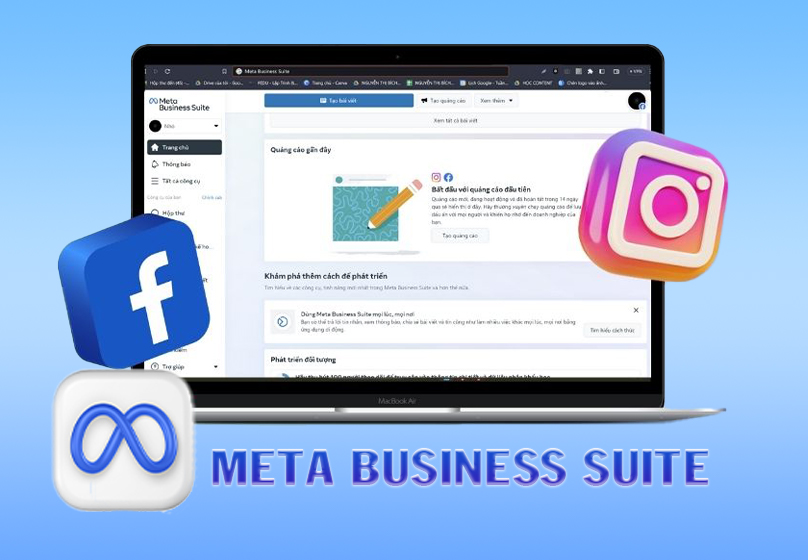
Meta Business Suite offers a consistent interface on both the web (business.facebook.com) and the mobile app, giving you flexibility to manage your business from anywhere.
3. Create and Schedule Posts
In the Posts section, you can write captions, add photos, videos, or links, then save as a draft or schedule for later.
Post during peak engagement hours (“golden hours”) to maintain a consistent and professional page presence.
4. Set Up Automated Messages
Go to the Inbox section → select Automated Messages to set up greetings, thank-you replies, or quick responses to FAQs.
5. Run Test Ads
Access Ads → Create Ad, then choose your objective (engagement, messages, website traffic, etc.) and adjust the ad format to fit your goals.
6. View Reports and Optimize Campaigns
Go to Insights to monitor key metrics such as reach, engagement, ad spending, and audience demographics.
Use this data to refine your strategy and improve future campaigns.
V. Important Notes When Using Meta Business Suite
- Grant access to the right people: Only assign admin or editor roles to trusted team members to avoid losing control of your Page or ad accounts.
- Monitor post performance regularly: Track engagement, reach, and ad performance to optimize content and posting times.
- Keep the app updated: Regular updates fix display bugs, add new features, and ensure smoother performance on both desktop and mobile.
- Enable two-factor authentication: Protect your Facebook and Instagram accounts from unauthorized access and keep your business data secure.
VI. Conclusion
Meta Business Suite is a comprehensive, free, and powerful tool that helps online sellers efficiently manage all activities on Facebook and Instagram. From posting content and responding to messages to tracking ads and analyzing performance — everything is integrated into a single, easy-to-use platform that saves time and maximizes business efficiency.
If you’re selling products or building a brand on Facebook and Instagram, start using Meta Business Suite today to manage smarter, improve customer service, and grow your brand sustainably.

Table of Contents