Loading Table of Contents...
Top 14 AI Content Writing Tools for SEO and Facebook
Quick Summary
Collapse
Explore 14 leading AI content writing tools. Compare features, pros and cons, pricing plans, and how to use each to find the best fit for your needs.
AI content writing tools worth trying include ChatGPT, Google Gemini, Claude, Jasper, Copy.ai, Rytr, Anyword, and SEO-focused platforms such as Writesonic, AIKTP, and SEO Writing AI. These tools can help you brainstorm ideas, write blog posts, create advertising copy and social media captions, and edit text more quickly.
In this article, Connect Tech brings together 14 notable tools and compares their advantages, limitations, pricing plans, and how to use them, making it easier for you to choose the right option.
|
|
|
|
|
|
|
|
|
|
|
|
|
|
|
|
|
|
|
|
|
|
|
|
|
|
|
|
|
|
|
|
|
|
|
|
|
|
|
|
|
|
|
|
|
|
|
|
|
|
|
|
|
|
|
|
|
|
|
|
|
|
|
|
|
|
|
|
|
|
|
|
|
|
|
Note: Some prices shown above require annual billing or reflect promotional offers. The information was checked against providers' websites in November 2026 and may change depending on your region, billing cycle, or usage limits.
1. ChatGPT – A Versatile AI Content Writing Tool for Different Needs
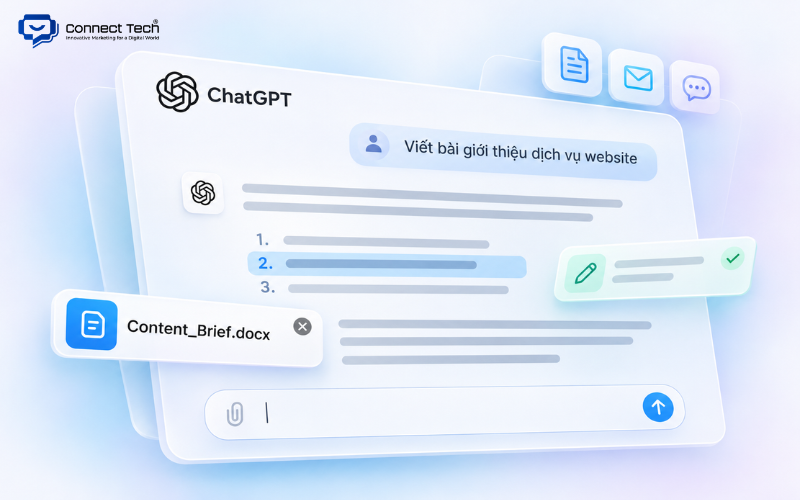
ChatGPT is an artificial intelligence assistant developed by OpenAI that can generate and edit many types of content from text instructions. It suits people who need to write website articles, Facebook captions, marketing emails, advertisements, or content plans.
Key Features
ChatGPT helps users develop content step by step, from brainstorming ideas to completing a draft. You can ask it to write in a friendly, professional, or humorous tone, or follow your company's own brand style.
Useful features include:
- Outlining: Build an article outline from a topic, keywords, and search intent.
- Content creation: Write product introductions, SEO articles, captions, and ad copy.
- Editing: Shorten, expand, rephrase, or improve the structure of existing text.
- Working with documents: Analyze content briefs, sample articles, and reference materials, depending on your plan's available features.
- Style customization: Use Projects or custom instructions to maintain a consistent writing style.
ChatGPT can also respond to requests in Vietnamese. Writers can ask the AI to identify missing information or sections that do not fully address readers' needs.
Advantages and Limitations
Advantages: ChatGPT is flexible, easy to use, and supports many content formats. Beginners can start with the free version, while professional marketers can use advanced features to handle more complex tasks.
Limitations: ChatGPT may occasionally generate incorrect information, cite nonexistent sources, or produce generic wording. It also does not automatically provide comprehensive keyword research data like a dedicated SEO platform.
ChatGPT Pricing Plans
- Free: Free to use, with limits on some tools and advanced features.
- Go: From USD 8/month in the US, with higher usage limits than Free.
- Plus: USD 20/month, with expanded research, file-upload, and tool capabilities.
- Pro: Available at USD 100, 200, and 500/month, with different usage limits and benefits.
How to Use ChatGPT for Content Writing
- Visit ChatGPT and sign in.
- Enter your topic, keywords, target audience, and article goals.
- Ask ChatGPT to prepare an outline before writing the full content.
- Have the AI draft each section, then adjust the tone or length as needed.
- Verify the information, edit the text, and finalize the content.
For example, you could enter: “Write a Facebook post introducing a website design service for small business owners. Use a friendly tone, keep it to around 150 words, and include a call to action at the end.”
If you are looking for a free AI content writing tool, ChatGPT is an easy place to start. It suits content writers, SEO specialists, freelancers, and business owners who need help with different writing tasks.
2. Google Gemini – An AI Tool for Research and Content Creation
Google Gemini is Google's AI assistant, helping users research topics, develop ideas, and create content on request. It is especially useful if you regularly need to gather information before writing an article.
Key Features
Gemini helps users develop outlines, draft articles, explain topics, and summarize information. You can use it to suggest fresh angles on the same subject or tailor content to a particular customer segment.
Notable features include:
- Deep Research: Helps carry out multi-step research and synthesize information.
- Canvas: Provides a workspace for creating and editing content.
- Gems: Lets you set up assistants with custom instructions for recurring tasks.
- Google ecosystem: Supports workflows involving Gmail, Google Docs, and other apps, depending on your plan.
For example, when writing about digital marketing trends, you can ask Gemini to summarize relevant issues, suggest an outline, and identify facts that need verification.
Advantages and Limitations
Advantages: Gemini supports Vietnamese, offers a free version, and is convenient for people who regularly use Google services. It combines research and drafting in one workflow.
Limitations: Gemini can still misinterpret sources or draw unsupported conclusions. Figures, policies, and new developments should be cross-checked before being included in an article.
Google Gemini Pricing Plans
According to pricing in Vietnam:
- Free: VND 0/month.
- Google AI Plus: VND 132,000/month.
- Google AI Pro: VND 489,000/month.
- Google AI Ultra: From VND 2,250,000 to VND 5,500,000/month, depending on usage limits.
How to Use Google Gemini
- Open Gemini with your Google account.
- Enter the topic or question you want to research.
- Ask Gemini to suggest ideas, reference information, and an outline.
- Select an approach and ask it to draft the content.
- Verify the sources, edit the text, and move the draft into your workflow.
If you are looking for a free online content writing tool, Gemini is worth considering because you can access it directly in your browser. It suits SEO specialists, marketers, and anyone who needs to research topics before writing.

3. Claude – An AI Tool for Long-Form Writing and Editing
Claude is an AI assistant developed by Anthropic that supports drafting, analyzing, and editing text. It suits tasks that involve working with multiple documents or maintaining a clear flow throughout a long article.
Key Features
Claude lets you provide a content brief, reference documents, or an existing draft for analysis. It can then suggest a better structure, improve wording, or identify repeated ideas.
Notable capabilities include:
- Developing long-form articles from outlines and documents.
- Summarizing information and identifying key points.
- Rewriting paragraphs in a requested tone.
- Reviewing content flow and connections between headings.
- Organizing documents and working instructions with Projects.
For example, if a long article repeats similar points across several sections, you can ask Claude to identify the overlap, suggest what to shorten, and revise the text to make it easier to follow.
Advantages and Limitations
Advantages: Claude provides features that are convenient for drafting and working with long documents. Writers can also revise individual sections without recreating the entire article.
Limitations: Claude does not replace keyword research software or specialized SEO competitor analysis. Natural-sounding writing also does not guarantee that every fact is correct.
Claude Pricing Plans
- Free: Free to use, with limited usage.
- Pro: USD 20/month or USD 200/year.
- Max 5x: USD 100/month.
- Max 20x: USD 200/month.
How to Use Claude
- Visit Claude and sign in.
- Provide a brief or relevant documents.
- Ask Claude to create an outline or review an existing draft.
- Select the sections you want to write, expand, or edit.
- Review the results, verify the information, and finalize the content.
Claude is a good fit for editors, content writers, and people who regularly produce in-depth articles.

4. Jasper – AI Marketing Content Writing in Your Brand Voice
Jasper is an AI platform for marketing that helps businesses create content consistent with their brand identity and messaging. It suits teams that need to produce a high volume of content while maintaining a consistent way of communicating.
Key Features
Jasper provides Brand Voice, brand information, target audience details, and AI workflows designed for marketing.
Notable features include:
- Brand Voice: Guides the brand's writing tone and style.
- Knowledge Assets: Stores product information, company details, and reference documents.
- Audiences: Defines customer groups to tailor messaging.
- Marketing Agents: Supports content creation and refinement workflows.
- Campaign Content: Develops multiple marketing assets within a single campaign.
For example, a business can supply brand guidelines, customer profiles, and product information so Jasper can create suitable content for its website, emails, and advertising.
Advantages and Limitations
Advantages: Jasper helps businesses manage brand voice and generate content according to established brand guidelines. This is useful when several team members create marketing content together.
Limitations: Jasper can be relatively expensive for individual users. Vietnamese is also not included in the default language list for some workspace settings, so users should test the features they intend to use.
Jasper Pricing Plans
- Free trial: 7 days, subject to registration terms.
- Pro: USD 69/month per user.
- Pro with annual billing: Equivalent to USD 59/month per user.
- Business: Custom pricing based on business needs.
How to Use Jasper
- Create a Jasper account.
- Set up Brand Voice and provide your brand information.
- Choose the marketing tool or workflow you want to use.
- Enter the topic, target audience, and content requirements.
- Generate a draft, review it, and refine it before use.
Jasper suits agencies, marketing teams, and businesses that need consistent messaging across different channels.

5. Copy.ai – An AI Tool for Marketing and Sales Content
Copy.ai is an AI platform that supports marketing, sales, and customer-facing content tasks. The tool does more than write text: it can also connect different steps in a company's workflow.
Key Features
Copy.ai can help create sales emails, customer outreach content, advertising messages, and marketing materials.
Notable features include:
- Drafting emails to introduce products or services.
- Creating sales messages for different customer segments.
- Writing ad copy and marketing materials.
- Supporting automated workflows.
- Providing access to multiple AI models through the Chat plan.
For example, a B2B business can use Copy.ai to draft different versions of a service introduction email for different customer groups, then tailor each message to the industry and its specific needs.
Advantages and Limitations
Advantages: Copy.ai is suitable for teams that want to combine content creation with sales activities. It can organize repetitive tasks into a consistent process, reducing manual work.
Limitations: Many advanced features are designed for businesses with complex sales and marketing workflows. Someone who only needs a few captions or website articles each month may not use most of these capabilities.
Copy.ai Pricing Plans
- Chat: USD 29/month or the equivalent of USD 24/month with annual billing, including five seats.
- Growth: USD 1,000/month with annual billing, offering higher workflow and seat allowances.
- Enterprise: Custom pricing based on integration and management requirements.
How to Use Copy.ai
- Visit Copy.ai and create an account.
- Choose Chat or a workflow that fits your task.
- Enter product information, customer details, and your objectives.
- Ask the AI to generate ad copy, emails, or sales messages.
- Review the results and edit them before launching your campaign.
Copy.ai is suitable for sales teams, digital marketers, and businesses that want to standardize customer outreach content.

6. Rytr – Affordable AI Writing for Short-Form Content
Rytr is an AI tool that helps create short pieces of content such as captions, emails, ads, and product descriptions. The platform suits people who want to start using AI without a large upfront investment.
Key Features
Rytr provides writing templates for common tasks. Instead of crafting a long prompt, you can select a use case, enter some information, and adjust the tone of voice.
Notable capabilities include:
- Creating captions and social media posts.
- Writing emails, advertisements, and product descriptions.
- Rewriting, expanding, or shortening text.
- Selecting a writing style that fits your purpose.
- Supporting multiple languages and more than 40 writing use cases.
Rytr has also introduced features related to relationship management and communication tasks. However, users who only need content creation can focus on its writing features.
Advantages and Limitations
Advantages: Rytr is easy to get started with, offers a free plan, and has affordable upgrade options. It is well suited to generating several versions of a short piece of content and choosing the best wording.
Limitations: The Free plan limits the number of characters you can generate each month. For in-depth articles, users still need to add research and supporting information and review the draft carefully.
Rytr Pricing Plans
|
|
|
|
|
|
|
|
|
|
|
|
|
|
|
|
|
|
|
|
How to Use Rytr
- Visit Rytr and sign in.
- Open the content creation feature.
- Choose a content type and a supported language.
- Enter the topic, product details, and preferred style.
- Generate the text, choose a version, and edit it.
If you want a free content writing tool for testing captions or emails, Rytr is worth considering. The platform suits freelancers, marketing beginners, and small online shop owners.

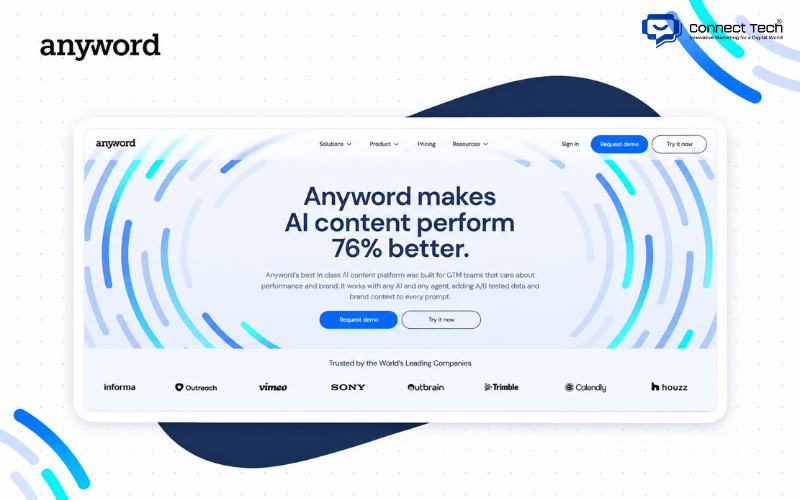
7. Anyword – AI Advertising Copywriting with Data Insights
Anyword is an AI platform focused on advertising copy and marketing messages. It helps users create multiple content variations and provides performance prediction scores to support their decisions.
Key Features
Anyword can generate copy for Facebook ads, Google Ads, landing pages, and emails. The platform also allows users to include brand information in the writing process.
Notable features include:
- Predictive Performance: Estimates the potential suitability or performance of content using the platform's model.
- Brand Voice: Helps maintain a consistent brand tone.
- Marketing Templates: Generates content from a range of advertising templates.
- Blog Wizard: Supports long-form content creation.
- Content Improver: Suggests improvements to marketing messages.
For example, someone running Facebook Ads can create several headlines and ad copy variations for the same product, then select promising versions to test in a campaign.
Advantages and Limitations
Advantages: Anyword focuses on tasks connected to advertising performance. It helps users compare different messages before launching them.
Limitations: Anyword's prediction scores are not actual conversion rates. Advertisers still need to monitor campaign data and run A/B tests. The platform is also more expensive than some general-purpose AI tools.
Anyword Pricing Plans
- Starter: USD 49/month or the equivalent of USD 39/month with annual billing.
- Data-Driven: USD 99/month or the equivalent of USD 79/month with annual billing.
- Business: Custom pricing.
- Enterprise: Custom pricing.
- Free trial: 7 days.
How to Use Anyword
- Create an Anyword account.
- Choose the type of ad or marketing content you want to create.
- Enter your product, audience, and key message.
- Generate several copy variations.
- Review the prediction scores, refine the copy, and test suitable versions in a live campaign.
Anyword suits performance marketers, copywriters, and businesses that regularly run conversion-focused advertising campaigns.
8. Canva Magic Write – AI Content Writing Combined with Design
Canva Magic Write is an AI writing feature within the Canva ecosystem. It helps users generate text and place it directly into social media posts, posters, documents, or other marketing designs.
Key Features
Canva Magic Write generates text from user instructions. You can use it to develop ideas, write captions, create headlines, or improve existing copy.
Notable features include:
- Generating social media content from a topic.
- Writing headlines, descriptions, and short introductions.
- Summarizing, expanding, or rewriting text.
- Supporting Vietnamese.
- Combining AI-generated text with Canva's design templates.
One advantage is that you can write content and place it straight into a design without repeatedly copying it between apps.
Advantages and Limitations
Advantages: Canva Magic Write simplifies the process of pairing written content with visuals. It is suitable for fanpage managers and online store owners who need to publish regularly.
Limitations: Canva is not a dedicated keyword research or long-form SEO optimization platform. Content that requires specialized knowledge still needs additional research.
Canva Pricing Plans
According to pricing in Vietnam:
- Canva Free: VND 0/month, with limited AI usage.
- Canva Pro: VND 150,000/month for one member.
- Canva Business: VND 210,000/month per member.
- Canva Enterprise: Contact the provider for a quote.
How to Use Canva Magic Write
- Visit Canva and sign in.
- Open a document or design.
- Select Magic Write in a supported part of the interface.
- Enter a request, such as writing a caption, product introduction, or headline ideas.
- Edit the generated text and place it into your design.
For users searching for AI tools to write Facebook content, Canva Magic Write is a convenient choice when text needs to be paired with visuals. It suits social media creators, marketers, and online sellers.
9. Writesonic – AI Content Writing with SEO and AI Search Features
Writesonic is an AI platform that supports website content creation and tracks how brands appear in AI-powered search systems. It suits teams that want to combine article writing with visibility analysis.
Key Features
Writesonic offers an AI Article Writer to help develop long-form articles from topics and content requirements. The platform also includes features related to website analysis and AI Search Visibility.
Notable features include:
- Generating long-form articles with AI.
- Helping create and adjust article outlines.
- Setting brand information and writing style.
- Auditing websites and identifying SEO issues.
- Tracking brand appearances in ChatGPT, Gemini, and Google AI Overviews, depending on the plan.
What makes Writesonic different is that the platform no longer focuses solely on text generation. It has expanded into solutions that help businesses monitor and improve their presence in AI search.
Advantages and Limitations
Advantages: Writesonic combines several tools for SEO and marketing. It is worth considering if a business wants to manage content alongside AI search visibility monitoring.
Limitations: The cost may be high if you only need an article generator. You should also avoid assuming that every platform feature fully supports Vietnamese. Check the language options in the version of Article Writer you plan to use before subscribing.
Writesonic Pricing Plans
The following prices are monthly equivalents with annual billing:
- Starter: USD 79/month, including 15 AI articles/month.
- Basic: USD 199/month.
- Growth: USD 399/month.
- Enterprise: Custom pricing.
How to Use Writesonic
- Visit Writesonic and sign up.
- Open AI Article Writer.
- Enter the topic, keywords, and brand information.
- Choose from the available content settings.
- Review and adjust the outline before generating a draft.
- Verify the facts, optimize the article, and publish it.
Writesonic suits SEO agencies, content managers, and businesses that want to combine article creation with search visibility analysis.
10. AIKTP – Keyword-Based AI Writing for SEO Content
AIKTP is a platform that supports AI-generated SEO articles for website owners and teams that need to publish content regularly. Users can enter keywords, generate articles, and carry out certain content optimization tasks.
Key Features
AIKTP offers features designed for creating and managing SEO content.
Notable features include:
- AI SEO Writer: Generates articles from keywords.
- Bulk Write: Supports creating several articles in one workflow.
- AI Editor: Edits and improves drafts.
- Rewrite Content: Rewrites existing content.
- Keyword Tools: Supports keyword-related tasks.
- Auto Blog: Supports automated publishing workflows.
For example, an e-commerce website with several product categories could use AIKTP to prepare drafts of introductory and how-to articles for different keyword groups. An editor can then add accurate product information and firsthand insights before publication.
Advantages and Limitations
Advantages: AIKTP focuses on SEO content production, provides bulk writing features, and supports Vietnamese. Its starting paid plan is relatively affordable.
Limitations: Generating a large number of articles does not guarantee quality or search rankings. Content with unverified facts, repeated ideas, or little original value still needs revision.
AIKTP Pricing Plans
|
|
|
|
|
|
|
|
|
|
|
|
|
|
|
|
|
|
|
|
|
|
|
|
The Free plan includes trial credits but does not include AI SEO article generation under the current pricing table. The actual number of articles you can create also depends on usage limits and the plan's terms.
How to Use AIKTP
- Create an AIKTP account.
- Choose the SEO article writing feature.
- Enter keywords, topics, or a list of articles to generate.
- Set your content requirements.
- Generate a draft and edit it in AI Editor.
- Review the article before publishing it on your website.
AIKTP suits SEO specialists, website administrators, and content teams that need to produce multiple articles according to a publishing plan.
11. SEO Writing AI – A Tool for SEO Articles and Product Descriptions
SEO Writing AI is a platform for creating website articles, product descriptions, and search-optimized content. It is aimed at users who want to simplify the process of going from keywords to published articles.
Key Features
SEO Writing AI offers features for drafting and editing content, combining search data with the user's instructions.
Notable features include:
- Creating SEO articles from keywords and topics.
- Using SERP data during content development.
- Providing a Content Score and AI Editor.
- Setting a Brand Voice for articles.
- Generating multiple articles and connecting to WordPress or Shopify.
- Supporting internal and external links, depending on the plan's features.
For an e-commerce website, an administrator can use SEO Writing AI to create drafts for buying guides or product usage articles.
Advantages and Limitations
Advantages: SEO Writing AI provides an SEO-focused article writing workflow, editing tools, and integrations with content management systems. The platform also offers a trial for new users.
Limitations: Costs depend on credits and the features you use. The maximum article count advertised by the provider does not mean every article consumes the same number of credits.
If you are looking for an AI tool to write SEO-friendly content, SEO Writing AI is worth exploring. However, writers should evaluate drafts based on readers' needs, not just the optimization score generated by the software.
SEO Writing AI Pricing Plans
- Free Trial: 3 free articles under the trial terms.
- Starter: USD 19/month or USD 14/month with annual billing.
- Professional: USD 79/month or USD 59/month with annual billing.
- Professional Plus 1: USD 159/month or USD 119/month with annual billing.
- Professional Plus 2: USD 307/month or USD 230/month with annual billing.
How to Use SEO Writing AI
- Sign in to SEO Writing AI.
- Choose the option to create a new article.
- Enter the keywords, topic, and required information.
- Select your content and SEO settings.
- Generate the article, review the result, and edit it.
- Publish manually or through a connected platform.
The tool is suitable for freelance SEO specialists, e-commerce website managers, and content SEO teams that produce articles regularly.
12. WriAI – A Platform for Automating SEO Content Workflows
WriAI is an AI platform designed to connect several SEO tasks within one system. It supports work ranging from keyword research and content planning to article creation and website publishing.
Key Features
WriAI provides features intended to automate SEO content management workflows.
Some of the features it introduces include:
- Researching keywords and building content plans.
- Generating articles from keywords, news topics, or comparison formats.
- Connecting websites through a CMS.
- Supporting internal link creation.
- Tracking keywords and data from Google Search Console.
- Identifying content that needs updating.
One notable detail is that WriAI charges credits for individual tasks. Users can check the credits consumed by text content, image generation, or publishing actions.
Advantages and Limitations
Advantages: WriAI is suitable for people who want to manage several stages of SEO through one system. The platform supports website connections and offers several usage plans.
Limitations: First-month promotional prices are lower than standard prices, so users should calculate ongoing costs. In addition, providers' claims about indexing speed or SEO effectiveness should not be treated as guarantees of Google rankings.
WriAI Pricing Plans
|
|
|
|
|
|
|
|
|
|
|
|
|
|
|
|
|
|
|
|
|
|
|
|
How to Use WriAI
- Create a WriAI account.
- Select keyword research or content creation.
- Enter a topic and configure your requirements.
- Generate content using the appropriate mode.
- Review the content, links, and facts.
- Connect your website to publish when needed.
WriAI suits people who manage multiple websites, SEO agencies, and teams that want to scale their content workflows.
13. Laho AI – Vietnamese AI Writing for Websites and Fanpages
Laho AI is a content writing platform aimed at Vietnamese users, offering tools for website articles, advertisements, and social media posts. It also includes features for fanpage management and WordPress integration.
Key Features
Laho AI provides templates for different writing tasks, allowing users to create content from supplied information rather than starting from scratch.
Notable capabilities include:
- Creating website articles from topics.
- Writing Facebook Ads and fanpage content.
- Drafting marketing emails, scripts, and product descriptions.
- Adjusting the writing tone on request.
- Connecting to WordPress for content management and publishing.
- Supporting AI image generation within plan limits.
For example, a store could use Laho AI to create product introductions and then tailor them to promotions or specific customer groups.
Advantages and Limitations
Advantages: Laho AI is designed with the Vietnamese market in mind and lists its pricing in VND. The platform suits people who want to create content while managing some of their communication channels.
Limitations: Costs depend on token allowances and limits related to fanpages, websites, or images. Content quality still needs editorial review before publication.
People looking for AI tools that write SEO-friendly Vietnamese content should pay particular attention to how each tool understands context, handles factual accuracy, and incorporates keywords. Laho AI can support the writing process, but it does not guarantee that every generated article meets SEO requirements.
Laho AI Pricing Plans
|
|
|
|
|
|
|
|
|
|
|
|
|
|
|
|
How to Use Laho AI
- Visit Laho AI and create an account.
- Choose a content format, such as a website article, Facebook Ads, or email.
- Enter the topic, keywords, and product information.
- Select a writing tone or the available settings.
- Generate the text and edit it.
- Publish it or connect to WordPress if you use the relevant feature.
Laho AI suits Vietnamese content writers, online sellers, and businesses that need to create content regularly.
14. Surfer AI – A Tool for Creating and Optimizing SEO Content
Surfer AI is an article generation feature within the Surfer platform, combined with a content analysis system based on search results. It suits SEO writers who want to build articles around topics and structures covered by competing pages.
Key Features
Surfer provides Content Editor, SERP analysis, and AI features to help create or optimize content.
Notable capabilities include:
- Analyzing the content of pages that appear in search results.
- Suggesting article structures and related topics.
- Using Surfer AI to generate articles in supported languages.
- Evaluating and refining content in Content Editor.
- Supporting updates to existing articles and other SEO tasks.
Surfer AI differs from a general-purpose chatbot because it brings competitive search data into the writing process. However, Surfer's optimization score reflects the platform's own criteria, not an official Google ranking score.
Advantages and Limitations
Advantages: Surfer gives SEO professionals additional data about article structure and topics worth considering. Content Editor can support various languages and markets.
Limitations: According to the current language documentation, Surfer AI does not list Vietnamese among the languages supported for automatic article generation. SEO professionals in Vietnam should therefore distinguish between optimizing Vietnamese content with Content Editor and generating a complete article with Surfer AI.
Cost is another consideration because an allowance for optimized documents does not necessarily equal the number of articles you can generate automatically.
Surfer Pricing Plans
The following prices are based on annual billing:
- Discovery: USD 49/month.
- Standard: USD 99/month.
- Pro: USD 182/month.
- Peace of Mind: USD 299/month.
- Enterprise: Custom pricing.
How to Use Surfer AI
- Create an account with Surfer.
- Open Content Editor and start a new document.
- Enter the target keyword, market, and language.
- Review the article structure and search-based recommendations.
- Use Surfer AI if your account and target language are supported.
- Edit the text and optimize it in Content Editor.
Surfer suits SEO specialists and content SEO teams that need to analyze and improve articles based on search data. For Vietnamese content, it is best considered primarily as an optimization tool.
AI content writing tools now serve many purposes, from creating simple captions to producing SEO articles and automating publishing workflows. If you need a general-purpose assistant, ChatGPT, Gemini, or Claude are good starting points. For advertising, Jasper and Anyword are worth considering. For SEO article production, AIKTP, SEO Writing AI, WriAI, and Writesonic offer more specialized features.

Table of Contents