Loading Table of Contents...
Top 15 AI Presentation Makers for Beautiful Slides (Free Options)
Quick Summary
Collapse
Explore 15 AI presentation makers, including Gamma, Canva, SlidesAI, and Copilot. Compare features, free plans, language support, and PowerPoint export options.
AI presentation makers like Gamma, Canva AI, ChatGPT for PowerPoint, and SlidesAI help you create presentations from a simple prompt, a piece of text, or an existing document without designing every slide from scratch. In this article, Connect Tech explores 15 AI presentation tools worth considering in 2026, comparing their features, advantages, limitations, and pricing to help you find the right option.
|
|
|
|
|
|
|
|
|
|
|
|
|
|
|
|
|
|
|
|
|
|
|
|
|
|
|
|
|
|
|
|
|
|
|
|
|
|
|
|
|
|
|
|
|
|
|
|
|
|
|
|
|
|
|
|
|
|
|
|
|
|
|
|
|
|
|
|
|
|
|
|
|
|
|
|
|
|
|
|
1. Gamma – Quickly Create AI Presentations from Text and Documents
Gamma is an AI presentation maker that transforms ideas, outlines, or documents into complete presentations with structured content and layouts. It is particularly useful for people who want to prepare slides quickly while maintaining control over the final design.
Gamma lets you enter a topic, specify the number of slides, and choose a presentation style. The AI then generates content based on your instructions. The platform also supports importing PDF files, PowerPoint presentations, and other content sources. Once your presentation is ready, you can ask the AI to rewrite text, shorten sections, or rearrange individual slides.
Some of Gamma's most useful features include:
- Prompt-based slide creation: AI generates an outline, writes content, and suggests layouts based on your instructions.
- AI-powered editing: You can modify text, layouts, or images without rebuilding the entire presentation.
- Multiple export formats: Gamma supports PPTX, PDF, and PNG downloads, as well as exporting content to Google Slides.
Gamma offers a Free plan with 400 initial credits that do not renew periodically. The plan allows users to generate up to 10 slides per request. Anyone looking to create presentations with AI for free can use this plan to explore the platform and export PowerPoint files without upgrading. The Plus and Pro plans provide additional AI usage, branding options, and the ability to remove Gamma branding.
One limitation of Gamma is its export compatibility. When you open an exported PPTX file in PowerPoint, certain fonts, spacing, or design elements may not appear exactly as they did in the original presentation.

2. Canva AI – Design Beautiful Slides with a Wide Range of Templates
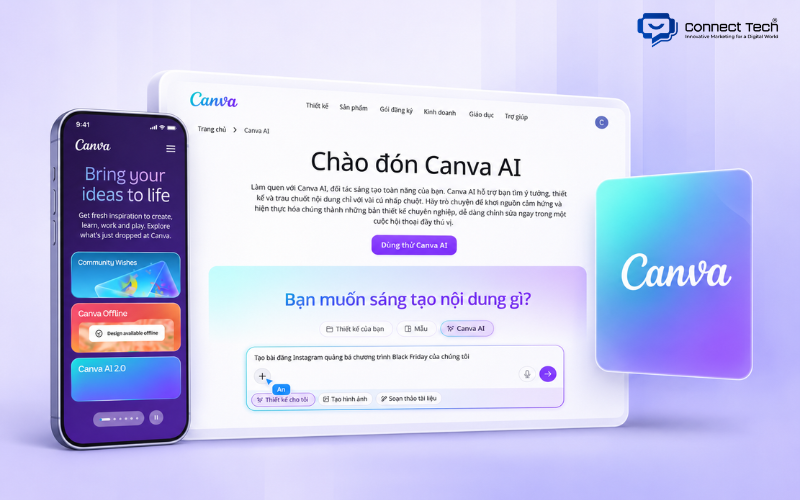
Canva AI helps users turn ideas into presentations and refine them using an extensive collection of templates, images, and intuitive editing tools. The platform is especially suitable for people who value visual design but have limited experience creating presentations.
Canva allows you to describe the presentation you want to create, such as a marketing report, product introduction, or business plan. Its AI can suggest an outline before generating the slides. You can also upload documents, select existing designs, and ask the AI to adjust the content to match your preferred style.
To create AI-powered slides with Canva, open Canva AI, select the presentation format, and enter your instructions. Once the initial draft is generated, you can customize the colors, fonts, images, and layouts using drag-and-drop tools.
Canva also offers an extensive library of templates, icons, illustrations, and graphic elements. With Brand Kit, businesses can apply their logos, colors, and fonts to maintain a consistent visual identity across presentations. The platform also supports team collaboration and online sharing.
Canva provides a Free plan, while access to AI presentation features depends on the usage limits and permissions of each subscription. Users can export presentations as PPTX, PDF, or supported image formats.
Things to consider: Canva AI does not fully support every language across all its features, and some presentation-generation tools may perform better with English prompts. Additionally, certain animations, videos, or fonts may change when exported to PowerPoint.
3. ChatGPT for PowerPoint – Create and Edit Slides Directly with ChatGPT
ChatGPT for PowerPoint brings ChatGPT's content creation and editing capabilities directly into Microsoft PowerPoint. Users can work on existing presentations without switching to a separate design platform.
ChatGPT works through an add-in integrated into PowerPoint. You can ask the AI to create a presentation from notes, add new slides, shorten content, or adjust the message for a specific audience.
For example, if you have a lengthy business report, you can ask ChatGPT to turn its key findings into a concise presentation. The AI can also review the slide structure, suggest missing information, and improve content organization to make the presentation easier to follow.
The main advantage of ChatGPT for PowerPoint is its ability to work with editable slide elements. Content is created or modified within PowerPoint, allowing users to continue editing individual objects without rebuilding slides from flattened images.
According to OpenAI's official documentation, ChatGPT for PowerPoint is available across several account plans, including Free, Go, Plus, Pro, and business plans. Free and Go users have limited access, while other plans have their own usage limits. You also need PowerPoint and the appropriate permissions to install the add-in.
ChatGPT may still generate inaccurate content or make layout changes that do not match your expectations. Therefore, it is a good idea to save a copy before making major changes and review the results once the AI finishes.

4. Slidesgo – A Free AI Presentation Maker for Education
Slidesgo offers an AI Presentation Maker that helps users create presentations from topics or documents in just a few simple steps. It is an accessible option for anyone who wants to prepare slides quickly without designing everything from scratch.
Users enter a topic, select a style, and define the content they want to present. The AI then builds slides based on these instructions and applies suitable templates. Slidesgo also provides an extensive template library for PowerPoint and Google Slides, covering education, business, and creative topics.
For anyone looking for an AI-powered website to create PowerPoint presentations, Slidesgo is worth considering because it works online and allows users to download presentations in an editable PowerPoint format.
Slidesgo is particularly useful when preparing presentations about history, science, education, or other general subjects. Its ready-made templates help maintain a consistent appearance without requiring extensive manual formatting.
The Free plan allows users to generate 3 AI presentations per month. The Premium plan starts at approximately $3 per month when billed annually, offering expanded template access and additional AI generation allowances under the current policy.
One limitation of Slidesgo is that users may still need to refine specialized content or adjust the design to match a particular brand identity. AI-generated presentations also require fact-checking before use.

5. SlidesAI – Automatically Turn Text into Presentations
SlidesAI is an AI presentation tool designed to convert text, notes, or topics into structured presentations. It is suitable for users who already have their content prepared and want to reduce the time spent organizing information into individual slides.
SlidesAI integrates with Google Slides and PowerPoint, allowing users to continue working in familiar applications. You can enter a paragraph, select a presentation style, and let the AI divide the content into slides. Afterward, you can edit titles, text, and visual elements as needed.
For users who want to automatically generate slides from a lengthy draft, SlidesAI provides a straightforward content conversion process. The tool reduces the need to manually copy and paste individual sections from documents into PowerPoint.
SlidesAI also supports more than 100 languages, including Vietnamese. This is particularly useful for people who want to create Vietnamese-language presentations without translating their entire content into English first.
The free Basic plan currently allows users to create 12 presentations per year, with a maximum input length of 1,000 characters per presentation. The Pro plan starts at $10 per month when billed annually, increasing the input limit to 6,000 characters and adding document upload capabilities. The Premium plan is designed for more frequent use.
One limitation is that the Free plan is better suited to relatively short content. When working with lengthy reports, you may need to summarize the source material first or upgrade your subscription.

6. Claude Slides – Create Presentations from Content and Documents
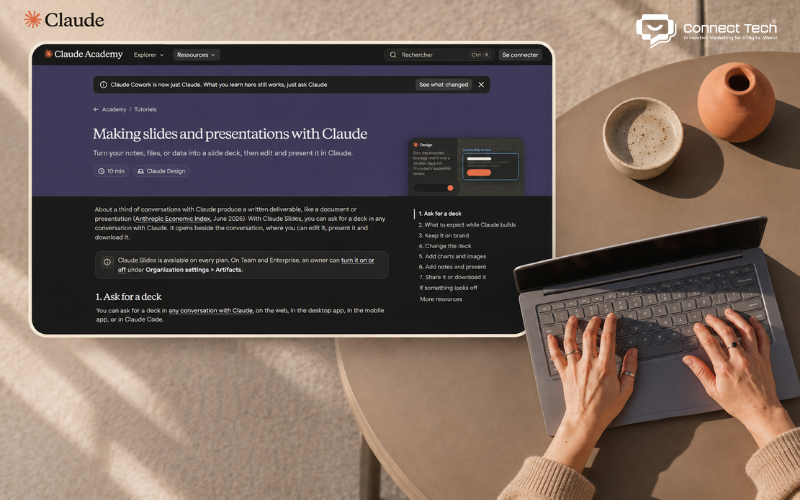
Claude Slides allows users to create complete presentations from notes, documents, or conversations with Claude. Its main advantage is the ability to develop presentation content and continue refining slides through natural-language instructions.
You can ask Claude to create a presentation from a research document, project report, or business plan. The AI organizes the information into slides, suggests layouts, and generates images, tables, or charts when appropriate. The presentation appears within Claude's workspace, where you can edit or present it.
For anyone exploring AI tools for presentation creation, Claude is worth considering if you prefer starting with a conversation rather than choosing a template first.
Claude Slides supports PowerPoint and PDF exports. However, users should understand which elements remain editable after downloading. According to Anthropic's documentation, text and speaker notes remain editable in PPTX files, while certain charts, icons, and shapes are converted into images.
Claude Slides is currently available across account plans, including Free, with usage limits determined by the subscription. Some organization-managed accounts may also have restrictions set by administrators.
The main limitation of Claude Slides is exporting presentations with complex graphics. If a client needs to modify every chart or shape directly in PowerPoint, you should check the exported file before delivery.
7. Microsoft Copilot – AI Presentation Creation in PowerPoint
Microsoft Copilot helps users create and edit presentations directly in PowerPoint within the Microsoft 365 ecosystem. It is particularly useful for people who regularly prepare reports, meeting materials, or professional presentations.
Copilot can generate a presentation from a topic or use content from a Word document as a reference. When a source file is available, users can select the relevant document and ask the AI to build slides based on that information. Copilot also supports adding new slides, rewriting text, and improving content organization.
For example, a marketing employee can use a Word report about campaign performance to create slides for a team meeting. After the AI generates the initial draft, the user can update figures, charts, and speaker notes directly in PowerPoint.
Copilot also supports Brand Kit and existing organizational templates in eligible environments. These features help businesses maintain consistent colors, fonts, and presentation styles.
Copilot's biggest advantage is its integration with the familiar PowerPoint environment. Users do not need to export a file from another design platform before continuing their work.
However, not every Microsoft account includes full access to Copilot in PowerPoint. Availability depends on the Microsoft 365 subscription, AI licenses, and organizational policies. Users should check their access before subscribing.

8. Gemini in Google Slides – Google's AI Presentation Tool
Gemini in Google Slides helps users create and edit presentations using prompts directly within Google Workspace. It is especially suitable for teams that regularly work with Google Drive, Google Docs, and Google Slides.
Gemini can generate multi-slide presentations, add new slides, or modify content based on user instructions. The AI can also reference authorized documents in Google Drive and follow the visual style of an existing presentation.
For example, you can ask Gemini to create a business plan presentation based on documents stored in Drive. Once the content is generated, you can edit text, images, and other elements in Google Slides just as you would in a regular presentation.
Gemini's ability to generate presentations with editable components is one of its key advantages. The tool also supports familiar Google Workspace collaboration features, including sharing, comments, and real-time teamwork.
However, Google currently lists the multi-slide creation and editing features as supported on desktop devices and in English. Users also need an eligible Google Workspace or Google AI plan, so not every free Google account can access these capabilities.
Gemini in Google Slides is best suited to users who prefer Google's ecosystem and are comfortable working with English prompts. If you need to create an entire presentation in Vietnamese, it is worth checking how well the feature performs with your account.
9. Plus AI – Create Slides Directly in PowerPoint and Google Slides
Plus AI is an add-in that helps users create and edit presentations directly in PowerPoint or Google Slides. It is designed for people who want AI assistance without changing their existing presentation software.
Plus AI allows users to enter prompts, generate complete presentations, add individual slides, or ask the AI to rewrite existing content. It can also change a slide's layout, such as converting a paragraph into multiple columns to make the information easier to understand.
With eligible plans, Plus AI can use documents as source material for presentations. This is useful when you need to turn a business report or other written content into slides while retaining the ability to edit them in PowerPoint.
Unlike platforms that require users to export a finished presentation, Plus AI generates content directly within the original presentation environment. This makes it easier to combine new AI-generated slides with existing materials.
Plus AI offers a 7-day free trial, including 1,000 AI credits, and requires a payment card. The Basic plan starts at approximately $10 per user per month when billed annually, while the Pro plan starts at $20 per user per month and includes additional advanced features.
One limitation is that users need a paid subscription to continue using Plus AI after the trial period. Some document processing and design customization features also depend on the selected plan.
10. Beautiful.ai – Automatically Design Professional Slide Layouts
Beautiful.ai is an AI presentation maker that focuses on automatically arranging slide layouts to maintain a consistent visual design. It is suitable for people who want professional presentations without manually adjusting every element.
Beautiful.ai uses its Smart Slides system to reposition elements as users add or modify content. The platform offers more than 300 smart layouts for presenting text, images, and charts in different formats.
If you want to create visually appealing presentation slides but have limited design experience, Beautiful.ai can help reduce the time spent adjusting spacing, sizing, and object placement.
The platform also supports AI-generated content, image creation, and Brand Kit features that allow businesses to apply their logos, colors, and fonts. These tools are useful for organizations that frequently create presentations and want to maintain a consistent visual identity.
Beautiful.ai supports editable PowerPoint exports on its Pro, Team, and Enterprise plans. However, some transitions and animations specific to the platform may not be preserved after exporting.
Beautiful.ai does not offer a permanent Free plan. Instead, it provides a 14-day free trial that requires a payment card. The Pro plan currently starts at approximately $14.50 per month when billed annually.
One limitation is that automatic layout adjustments may reduce flexibility for users who want complete control over the placement of individual elements.
11. Gemini Notebook – Create Slides from Research Documents
Gemini Notebook is an AI tool that works with documents and information sources added by users. Previously known as NotebookLM, the platform is particularly useful for turning research materials into presentations.
Gemini Notebook lets users add PDF documents, web sources, and other supported reference materials. Its Slide Deck feature then generates a presentation based on the selected sources. Users can specify the audience, output language, presentation length, and content style.
For example, a lecturer can upload learning materials and ask the AI to create slides summarizing the most important concepts. Professionals can also use the tool to organize information from multiple reports into a presentation that is easier to follow.
Another useful feature is Gemini Notebook's ability to let users review the outline before generating slides and request adjustments afterward. This provides greater control over the content instead of simply accepting the first result.
Gemini Notebook supports downloading presentations as PDF or PowerPoint (PPTX) files. However, you should not assume that every element in an exported PPTX is individually editable. It is important to check the file if you plan to modify text, shapes, or charts in PowerPoint.
The platform is available to personal Google accounts with usage limits, while Google AI and Workspace subscriptions offer additional benefits. The Slide Deck feature is currently available to users aged 18 and older.
12. MagicSlides – Create PowerPoint Presentations from Multiple Content Sources
MagicSlides helps users turn ideas, text, and various content sources into PowerPoint presentations. It is particularly useful for people who want to generate a quick draft and continue editing it in familiar presentation software.
MagicSlides can build slides from a topic or documents provided by the user. The platform also supports templates, images, and integrations to assist with content creation.
MagicSlides offers a Google Slides add-on and other integration options, allowing users to incorporate AI into their existing workflows. The tool also supports multiple languages, making it possible to create presentations in languages other than English.
One notable feature is the ability to use PowerPoint presentations as templates. MagicSlides also offers functionality for converting slide images into editable content on eligible plans. This can be useful when you want to reuse an existing design instead of building a completely new presentation.
The Essential plan starts at $6.67 per month when billed annually, allowing users to create 10 presentations per month, with up to 10 slides per presentation. It supports exporting to PowerPoint, PDF, and Google Slides. Higher-tier plans increase presentation limits, slide counts, and access to advanced features.
MagicSlides' main limitation is that the number of presentations and slides depends on the subscription. Users who frequently create lengthy presentations should check their plan's usage limits, export permissions, and pricing.
13. Genspark AI Slides – Create Detailed Presentations from Documents and Data
Genspark AI Slides is an AI presentation platform designed to build presentations from complex instructions, documents, and existing data. It is suitable for users who need to prepare reports, research presentations, or business materials containing large amounts of information.
Genspark uses an AI agent workflow to process instructions, organize content, and generate slides. Users can start with a prompt or upload Word, PDF, Excel, or PowerPoint files, then ask the AI to add or edit specific sections.
Genspark provides different presentation modes for different needs. Professional Mode focuses on content structure, charts, and editability, while Creative Mode prioritizes visual storytelling with AI-generated images.
The difference between these modes directly affects the exported file. In Professional Mode, users can edit supported components. In Creative Mode, an entire slide may be generated as a single image, making individual elements difficult to modify.
Free accounts can create, present, and share presentations through links, but exporting to PDF, PPTX, or Google Slides requires a paid plan such as Go, Plus, or Pro.
Genspark uses a credit-based system, and consumption may increase depending on the number of slides, images, charts, or editing requests. Users should monitor their credit usage when working on lengthy presentations.
14. Pitch – AI Presentation Creation and Team Collaboration
Pitch is a presentation platform that combines AI-powered creation with collaboration, sharing, and document management features. It is especially useful for startups, sales teams, and businesses that regularly prepare presentations for clients.
Pitch Agent can generate presentations from prompts or documents, then suggest appropriate content and layouts. Users can continue editing individual slides, apply templates, and add images or charts as needed.
One of Pitch's main advantages is its support for teamwork. Team members can collaborate on presentations, share links, leave comments, and manage materials without repeatedly emailing PowerPoint files back and forth.
Pitch also provides branding features such as presentation templates, custom fonts, and sharing tools. Higher-tier plans offer presentation engagement tracking, which can be valuable for sales activities and product pitches.
The Free plan allows users to create unlimited presentations and includes 100 initial AI credits, which do not renew. Users can export PDFs with Pitch branding, but PowerPoint export requires a paid subscription.
The Plus plan starts at approximately €10 per month when billed annually, offering 500 AI credits per month, PPTX export, and additional features.
One limitation is that Pitch's Free plan is better suited to creating and sharing presentations online. If you frequently need to deliver PowerPoint files to clients, you should consider the cost of upgrading.
15. Prezi AI – Create Interactive Presentations with Dynamic Transitions
Prezi AI helps users create visually engaging presentations featuring zooming effects and smooth transitions between different sections. The platform is suitable for people who want a more dynamic storytelling approach than traditional PowerPoint slides.
Prezi lets users enter a topic, after which AI generates an outline, develops content, and selects suitable visuals. You can also upload PowerPoint, PDF, or Word documents so the platform can extract information and transform it into a Prezi-style presentation.
Unlike traditional presentations that move through slides one after another, Prezi can organize ideas within a larger visual canvas. Viewers follow the relationships between different sections through zooming and movement effects. This approach is useful for introducing ideas, telling brand stories, or explaining multi-step processes.
Prezi AI also supports content rewriting, image generation, and layout adjustments. Users can change colors, rearrange ideas, or edit content after the initial draft is created.
Prezi offers a free Basic plan with 500 AI credits, allowing users to explore presentation creation within certain limits. Paid plans expand AI usage, privacy controls, and presentation features.
Since February 2026, Prezi has supported exporting presentations to PPTX. However, export permissions depend on the subscription, and PowerPoint export is included in paid plans.
One limitation of Prezi is that its distinctive transitions and presentation structure may not suit every situation. For financial reports or presentations containing extensive tables and figures, a traditional PowerPoint layout may sometimes be easier for the audience to follow.
AI presentation makers can significantly reduce the time needed to prepare presentations, from developing content to designing layouts and visuals. If you need to create slides quickly, Gamma and Slidesgo are worth considering. Canva AI and Beautiful.ai are suitable for professional presentation design, while Microsoft Copilot and Plus AI let you work directly in PowerPoint

Table of Contents