
Loading Table of Contents...
What is WordPress? Advantages and disadvantages and how to use it effectively
Quick Summary
Collapse
WordPress has become the leading content management system (CMS) today, which can easily create simple personal pages or professional online stores
WordPress has become a leading content management system (CMS) today, capable of creating anything from simple personal blogs to professional online stores. In this article, we will explore in detail what WordPress is, its advantages and disadvantages, notable versions, WordPress hosting, and common misconceptions, helping you make the most of this powerful platform.
I. What is WordPress?
WordPress is an open-source content management system (CMS) built with PHP and running on a MySQL database. Thanks to its flexibility, ease of use, and powerful scalability, WordPress has become the most widely used website platform in the world, utilized by millions of individuals, businesses, and organizations.
Originally, WordPress was developed as a simple blogging tool. Over more than 20 years, it has evolved into a comprehensive platform, allowing the creation of all types of websites:
- Personal blogs: Write posts, upload images and videos, categorize content, and manage everything easily.
- Business websites: Showcase companies, services, and products, with features like contact forms, social media integration, and even e-commerce.
- Online stores: With the WooCommerce plugin, you can set up and manage shops, products, payments, and shipping directly in WordPress.
Personal or community projects: Forums, membership sites, non-profit organization websites, and more can all be built on WordPress.
II. WordPress Versions
Currently, there are two popular versions of WordPress: WordPress.com and WordPress.org. Both use the same WordPress software but differ in hosting, management, and customization capabilities.
1. WordPress.com – Managed Hosting
WordPress.com is a fully hosted service operated by Automattic. You just need to register an account, choose a plan, and start building your website immediately.
Advantages:
- All server setup and management are handled for you.
- Security, backups, and updates are automatic.
- Various plans from free to premium, suitable for personal blogs, portfolios, business websites, or online stores.
- 24/7 technical support available with paid plans.
Limitations:
- Plugin and theme customization is limited (only available on Business plan and above).
- Advanced features require upgrading to higher-tier plans.
2. WordPress.org – Self-Hosted
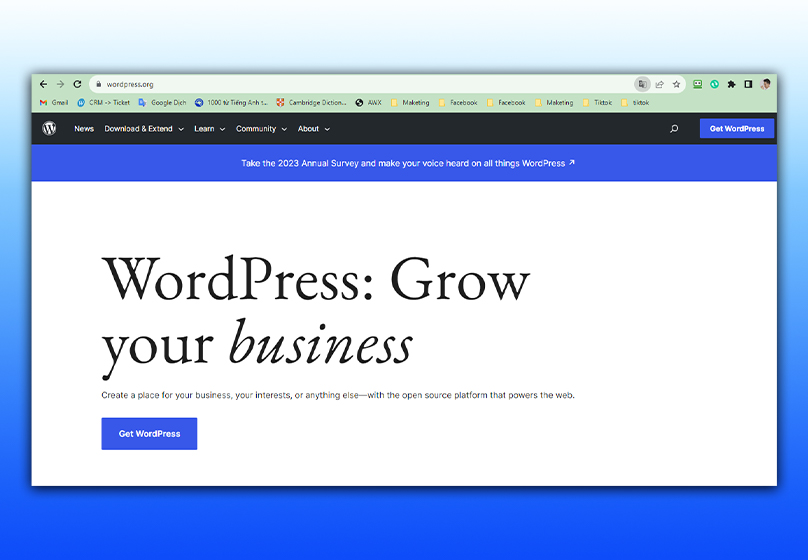
WordPress.org is a fully free, open-source version. You can download it, install it on your own hosting, and customize it freely.
Advantages:
- Full control over website and data.
- Unlimited installation of plugins and themes.
- Ability to modify source code to extend functionality.
Limitations:
- You must purchase hosting and domain name separately.
- Requires technical knowledge for installation, security, updates, and backups.
- You are responsible for performance optimization and maintenance.
III. Advantages and Disadvantages of WordPress
Although WordPress is the world’s most popular CMS, like any tool, it has both strengths and weaknesses. Understanding them helps you maximize benefits and minimize risks.
1. Advantages
SEO-friendly
- WordPress works well with search engines.
- Plugins like Yoast SEO and Rank Math help optimize titles, descriptions, sitemaps, page speed, and URLs.
Read more: Top Free and Effective SEO Tools to Optimize Your Website

Easy to use
- The dashboard is intuitive, allowing simple posting, media upload, and content editing.
- Even beginners can launch a website within hours.
High customization
- Tens of thousands of themes and plugins let you turn your website into anything: blog, news site, online store, forum, etc.
- Colors, layouts, and features can be changed without coding.
Large ecosystem and community
Millions of users and developers share knowledge, support forums, blogs, social groups, and free tutorials/videos.
2. Disadvantages
Security concerns
- WordPress’s popularity makes it a frequent target for hackers.
- Using outdated versions or low-quality plugins/themes increases vulnerability.
Performance issues
- Excessive plugins or heavy themes can slow the site.
- Optimization of database, images, and hosting is necessary.
Potential costs
While WordPress is free, premium plugins, themes, security tools, or quality hosting may incur costs.
Compatibility risks
- Plugins or themes from different developers can conflict, causing errors.
- Testing is recommended before installation or updates.
IV. What is WordPress Hosting?
WordPress hosting is a type of web hosting specifically designed and optimized for WordPress websites. Unlike standard hosting, it ensures fast loading, high security, and stable operation.
WordPress hosting helps both beginners and experts save time on technical management, focusing on content and business development.
Popular types of WordPress hosting:
- Shared hosting: Multiple websites share one server. Cheap, suitable for small sites with low traffic, but performance can drop under high traffic.
- VPS hosting: Allocates dedicated server resources. Better performance and security, higher cost, requires technical knowledge if self-managed.
- Dedicated hosting: A physical server exclusively for one website. Maximum performance and full control, ideal for high-traffic sites but expensive.
- Managed WordPress hosting: Provider manages all technical tasks, optimizing performance and security. Higher cost but saves time and effort.
V. Common Misconceptions About WordPress
Even as the world’s top CMS, WordPress faces misconceptions that prevent users from fully leveraging it.
1. WordPress is only for blogs
Today, WordPress can build any type of website: online stores, news sites, business websites, forums, membership sites, etc. Major companies and brands use WordPress for official sites.
2. WordPress is not secure
Security depends on management. Regular updates, quality hosting, trusted security plugins, and routine backups make WordPress highly secure.
3. WordPress is slow and heavy
With proper optimization—strong hosting, lightweight themes, minimal plugins, image optimization, and caching—WordPress can load very fast.
4. WordPress is unprofessional
Many large companies and media outlets (TechCrunch, The New Yorker, BBC America) use WordPress. With thousands of plugins and themes, you can build a professional, SEO-friendly site comparable to custom-coded platforms.
VI. Conclusion
WordPress is a leading CMS trusted by millions of websites worldwide. Whether individuals want to share passions, businesses need to showcase products/services, or large-scale online stores require robust solutions, WordPress delivers with flexible customization, a rich plugin/theme library, and a vast support community.
When paired with optimized WordPress hosting, your website achieves fast loading, stable operation, and high security, ensuring the best user experience.
If you are looking for professional WordPress website design services, SEO-ready and performance-optimized, Connect Tech can help turn your ideas into a fully functional website with attractive interfaces, suitable features, and scalable solutions for long-term growth.

Table of Contents



































