
Loading Table of Contents...
What Is Shopify? A Step-by-Step Guide on How to Use Shopify from A to Z
Quick Summary
Collapse
What is Shopify? Discover how to create a professional online store without coding skills, from signing up and setting up your store to optimizing your business with Connect Tech.
Many of us used to think that creating an online store required programming knowledge, hiring a technical team, or at least having a decent budget for the initial investment. That was true in the past, until Shopify came along. So, what is Shopify?
This article, compiled by the Connect Tech team, will help you understand what Shopify is, how to register an account, set up your store, and provide tips to run a successful business on this platform, especially tailored for beginners.
I. What Is Shopify? A Closer Look at the Most Popular E-commerce Platform Today
Shopify is an eCommerce platform that lets you quickly create an online store without writing any code. With Shopify, you can manage your entire business process from adding products and handling orders to managing payments and shipping, all within one unified system.
What makes Shopify special is that even if you have never built a website before, you can still create a professional-looking store in just a few hours. Unlike platforms such as WordPress, where you need to buy hosting, set up a domain, and install plugins, Shopify provides everything in one place.
- Design Themes: Choose from a variety of templates suited to your business type, all of which can be easily customized.
- Product Management: Create product categories, adjust prices, add descriptions and images with just a few clicks.
- Payments and Shipping: Shopify supports multiple payment gateways including PayPal, Stripe, and COD, and connects seamlessly with automatic shipping services.
- Marketing and SEO Integration: The platform includes built-in SEO tools and allows integration with email marketing, Facebook Ads, and Google Ads.
II. Why Should You Choose Shopify to Start an Online Business?
1. Easy to Use Without Technical Knowledge
One of the biggest concerns people have when creating an online store is the technical setup. But with Shopify, you don’t need to write a single line of code. The setup process is done through simple drag and drop. Just pick a theme, modify the content as you like, and you're good to go. Whether you are a student, office worker, stay-at-home parent, or an offline store owner moving online, Shopify is easy to use for everyone.
2. Beautiful and Responsive Templates
Shopify offers hundreds of visually appealing templates designed specifically for industries like fashion, cosmetics, furniture, and handmade goods. All themes are responsive, meaning they automatically adjust to look great on phones, tablets, and laptops. A professional-looking website also builds customer trust and significantly increases your chances of making a sale.
3. Scalable Ecosystem
In addition to its built-in features, Shopify has its own App Store with thousands of extensions. Want to add a chatbot, upselling, live chat, loyalty points, or pre-order functionality? Just install the app. This gives you flexibility to expand features based on your needs, like upgrading a vehicle with custom parts.
III. Shopify Pricing – How Much Does It Actually Cost?
If you're wondering how much Shopify costs, let’s break it down. Shopify doesn’t offer a one-size-fits-all price. Instead, it provides flexible plans to suit different business needs. Here is an overview of Shopify’s main plans:
|
|
|
|
|
|
|
|
|
|
|
|
|
|
|
|
|
|
|
|
|
|
|
|
|
Note: Prices may vary depending on your location, ongoing promotions, or the time of registration.
IV. How to Sign Up for Shopify and Set Up Your Store Step by Step
You might be wondering whether signing up for Shopify is complicated. The answer is: absolutely not. Just a few simple steps and you’ll have your own online store. Connect Tech will guide you through each step clearly and easily.
1. Sign Up for a Free Shopify Account
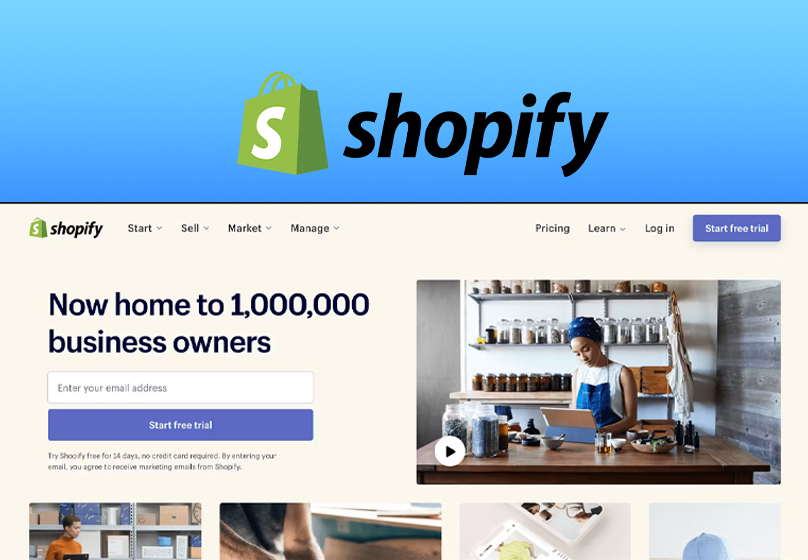
Visit Shopify’s official website at shopify.com and click “Start free trial”. Follow these steps:
- Enter your email: Use a valid email to receive updates from Shopify.
- Create a password and store name: This will appear in your temporary domain (e.g., myshop.myshopify.com).
- Answer a few quick questions: Shopify will ask about your business type and experience to personalize your setup.
- Enter your personal or business details: Including address, country, and postal code for payments and store settings.
Done. You’ll be directed to the Dashboard, where you can start building your first Shopify store.
2. How to Use Shopify to Create an Online Store
After signing up, it’s time to build your storefront. Here are the basic steps:
Step 1: Choose and Install a Theme
Go to Online Store → Themes.
- Click Explore Free Themes for free options
- Or browse the Shopify Theme Store for premium ones
- Click Customize to adjust colors, layout, and fonts to match your branding
Tip: If you're selling cosmetics or fashion, go for elegant themes. If you're selling tech products, opt for modern, minimalist designs.
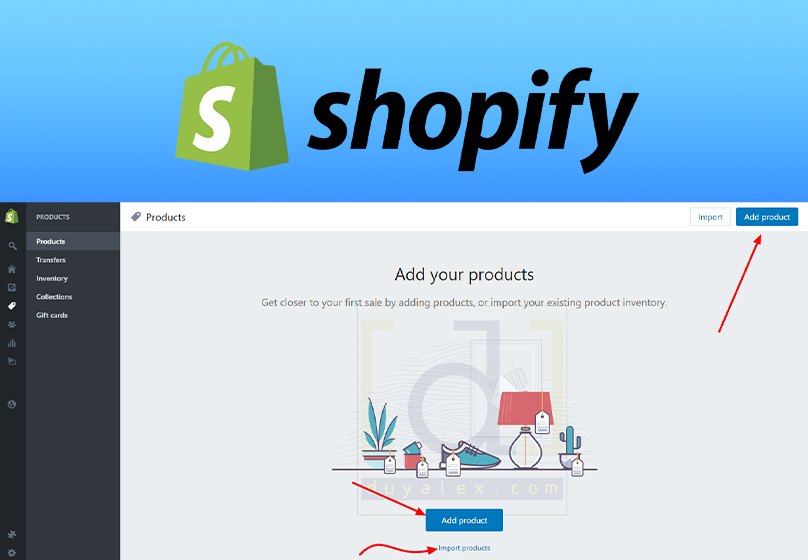
Step 2: Add Your First Product
Go to Products → Add product.
- Enter product name, description, price, and images
- Customize stock levels, categories, and variants like size or color
- Click Save to complete
Write product descriptions clearly, use friendly language, and include real photos to build trust when selling on Shopify.
Step 3: Set Up Payments
Go to Settings → Payments.
- Connect PayPal, Stripe, Shopify Payments, or cash on delivery for local sales
- Add bank transfers or other methods if you want more payment flexibility
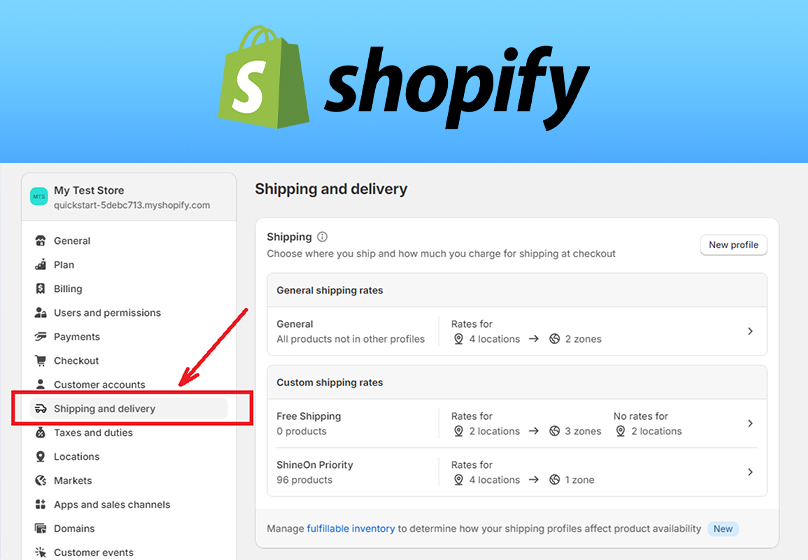
Step 4: Set Up Shipping
Go to Settings → Shipping and Delivery.
- Set shipping rates by location (local, nationwide, international)
- Integrate with delivery services like GHN, GHTK, or international options like DHL
Step 5: Connect a Custom Domain
Although Shopify provides a free domain (like yourstore.myshopify.com), it’s better to use a custom domain for branding. You can buy one directly through Shopify or connect one from providers like GoDaddy or Namecheap.
V. Conclusion
If you're looking for a simple, professional, and flexible solution to start selling online, then the question “What is Shopify” becomes your answer. Shopify is not just a platform. It is the bridge between your business idea and the global market.
You don’t need coding skills, you don’t need to hire IT experts, and you don’t need to stress over the technical side. All you need is a great product. Shopify and partners like Connect Tech will take care of the rest

Table of Contents



































