Loading Table of Contents...
Top 15 Free AI Website Builders for Beginners
Quick Summary
Collapse
Discover the top 15 AI website builders. Compare free plans, pricing, pros and cons, and learn how to create a website without coding.
AI website builders help you create a website from a simple text description without any coding knowledge. Just enter your idea, and AI can suggest layouts, designs, content, and even help publish your website online. Many tools also offer free plans or trials, allowing beginners to explore their features before paying.
In this article, Connect Tech introduces 15 popular AI website builders, comparing their features, advantages, limitations, pricing, and how to use them so you can choose the right solution for your needs.
|
|
|
|
|
|
|
|
|
|
|
|
|
|
|
|
|
|
|
|
|
|
|
|
|
|
|
|
|
|
|
|
|
|
|
|
|
|
|
|
|
|
|
|
|
|
|
|
|
|
|
|
|
|
|
|
|
|
|
|
|
|
|
|
|
|
|
|
|
|
|
|
|
|
|
|
|
|
|
|
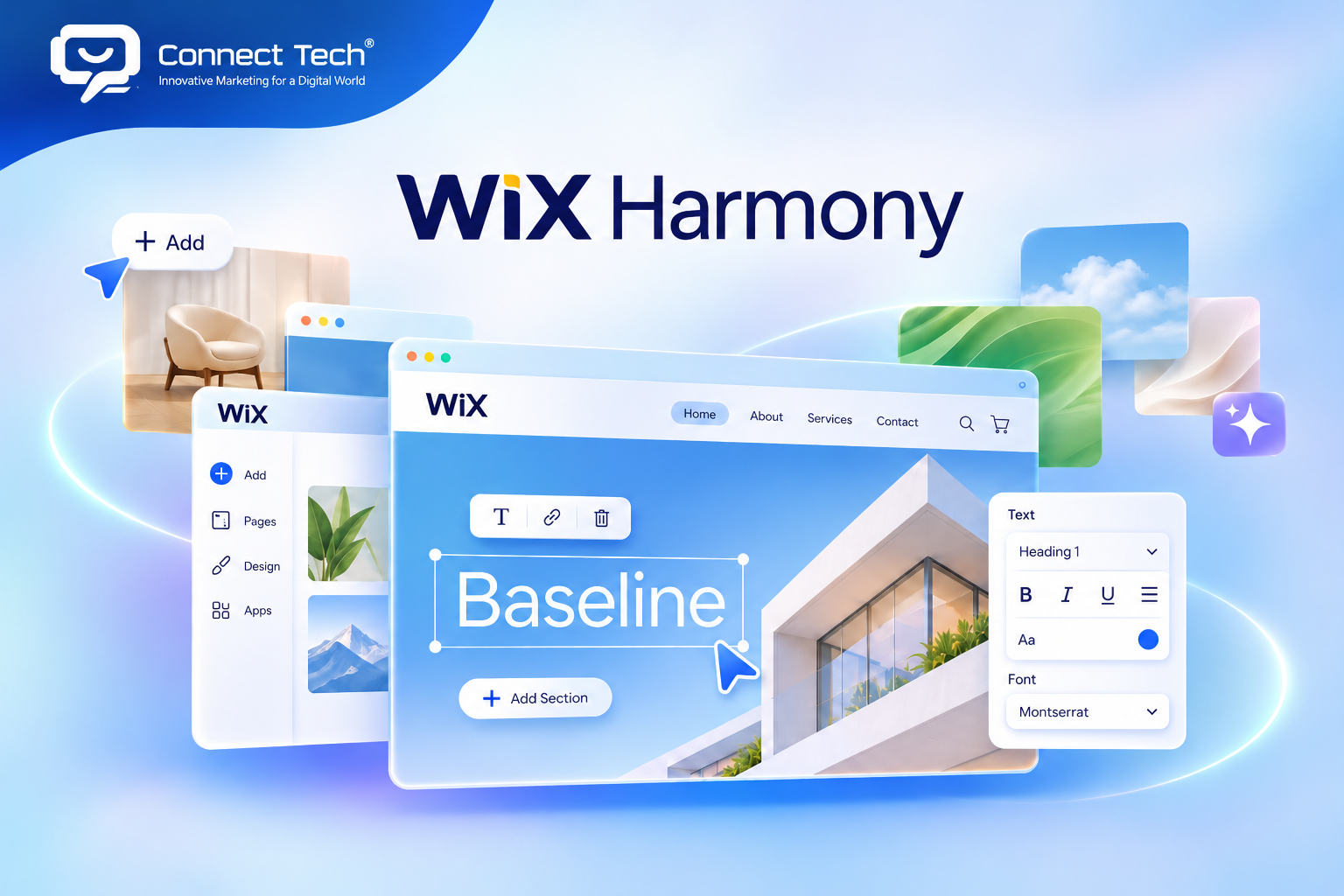
1. Wix Harmony – An Easy-to-Use AI Website Builder for Beginners
Wix Harmony is an AI-powered website builder developed by Wix. It allows users to create websites from simple descriptions. Instead of manually selecting every design element, you can interact with the Aria AI assistant to build a website based on your specific needs.
One of Wix Harmony's main advantages is its combination of AI and visual editing tools. Once your website has been generated, you can change images, text, colors, and layouts without writing code.
Key Features
Wix Harmony supports various tasks involved in website creation and management, from designing layouts to preparing content for publication.
Notable features include:
- Conversational website creation: Describe your industry, preferred style, and required pages to generate an initial website.
- Aria AI Assistant: Edit layouts, images, and content using natural language prompts.
- Visual editor: Adjust website elements directly through an intuitive editing interface.
- Responsive design: Optimize website layouts for desktop and mobile devices.
- Business tools: Integrate customer management, forms, appointment booking, or e-commerce features depending on your configuration.
- SEO support: Manage page information and optimize website visibility on search engines.
For example, a fashion store can ask AI to create a website with a homepage, brand introduction, product catalog, and contact page. The store owner can then replace sample images with actual product photos and customize the content to match the brand.
Advantages and Limitations
Advantages: Wix Harmony provides an accessible website creation process for people with no web design experience. Combining AI with visual editing allows users to build websites quickly while maintaining control over many design elements. The platform also includes essential tools for standard business websites.
Limitations: Websites are built within the Wix ecosystem, making it difficult to transfer an entire website to another platform. Wix Harmony also does not provide source code access and development flexibility in the same way as an independently programmed project.
Wix Harmony Pricing
Wix allows users to start building websites for free. However, connecting a custom domain, removing Wix branding, and accessing additional business features generally require an upgrade.
|
|
|
|
|
|
|
|
|
|
|
|
|
|
|
|
|
|
How to Use Wix Harmony
- Visit Wix AI Website Builder.
- Create an account and select the AI website creation option.
- Enter your business information, goals, and preferred website style.
- Review the generated design and ask Aria to modify any unsuitable elements.
- Replace sample content, images, and contact details with actual information.
- Check your website on desktop and mobile before publishing.
Wix Harmony is suitable for beginners, independent business owners, small stores, and companies that want to create a website without hiring a development team.
2. Hostinger AI Builder – Create Websites Quickly at an Affordable Cost
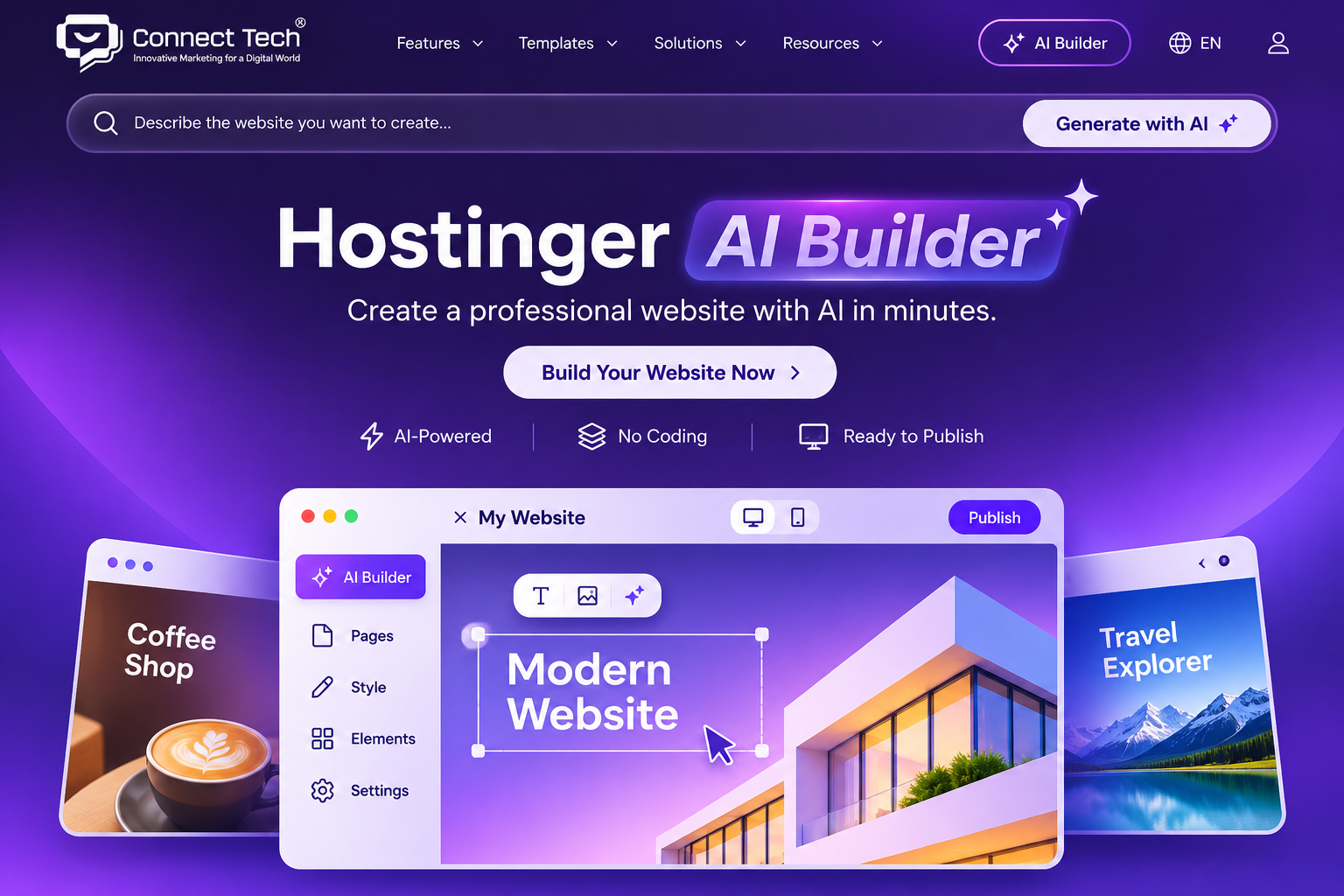
Hostinger AI Builder is an AI-powered website creation tool integrated with Hostinger's hosting services. It allows users to describe their ideas, generate a website, and then edit and publish it within the same platform.
What makes Hostinger particularly convenient is that it combines several website creation steps into a single service. Users do not need to find a separate hosting provider, configure a server, or connect multiple tools when getting started.
Key Features
Hostinger AI Builder supports the creation of business websites, portfolios, blogs, online stores, and certain web applications.
Key features include:
- Text-to-website generation: AI creates an initial layout based on the user's goals and requirements.
- Agentic Mode: Interact with AI to develop and modify your website using prompts.
- Manual Mode: Edit website elements using visual tools.
- AI content generation: Generate text, images, and basic website content.
- Integrated hosting: Host and publish websites directly on Hostinger's infrastructure.
- SEO and marketing tools: Access settings that support search engine visibility and website promotion.
For example, a cleaning service provider can enter details about its industry, service area, and main services. AI will generate an initial website that the business can customize with pricing, actual photos, and contact forms.
Advantages and Limitations
Advantages: Hostinger AI Builder simplifies website design and publishing. Integrated hosting and management tools reduce the technical work required from beginners. Its initial pricing can also be affordable when users sign up for long-term promotional plans.
Limitations: Advertised prices are often promotional rates that require advance payment for several months or years. Renewal costs may be significantly higher. Users should also review AI credit limits and the features included in each plan.
Hostinger AI Builder Pricing
The following reference prices are based on the Vietnamese market.
|
|
|
|
|
|
|
|
|
|
|
|
|
|
|
|
How to Use Hostinger AI Builder
- Visit Hostinger AI Website Builder.
- Choose a suitable plan and create an account.
- Describe your website, including its industry, target audience, and required features.
- Use AI to generate the website's layout and structure.
- Customize content using Agentic Mode or Manual Mode.
- Review the design, configure your domain, and publish the website.
Hostinger AI Builder is suitable for individuals, small businesses, and anyone who wants website creation and hosting combined into one package.
3. Kleap – An AI Website Builder Using Text Prompts
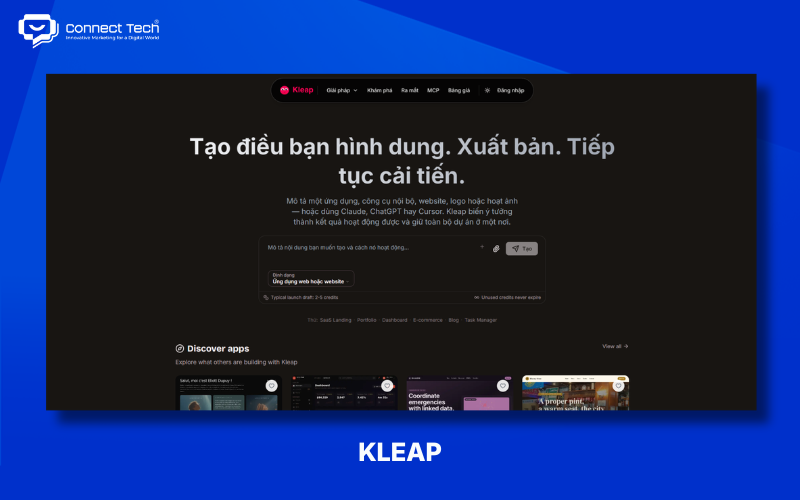
Kleap is a platform that allows users to create websites using natural language prompts. You can describe your goals, preferred style, or desired structure, and AI will generate a website based on the information provided.
Unlike tools that require extensive drag-and-drop editing, Kleap focuses on conversational website creation and customization. Users can request changes to individual sections without rebuilding the entire design.
Key Features
Kleap provides features that support website creation, publishing, and further development.
Notable features include:
- Prompt-to-Website: Create websites from text descriptions.
- Conversational editing: Ask AI to change colors, layouts, text, and interface elements.
- Multi-page websites: Expand a landing page into a website with multiple content pages.
- Hosting and SSL: Publish websites using the platform's hosting infrastructure.
- Source code export: Export website code for further development or deployment.
- GitHub integration: Support source code management and development workflows.
For example, a freelancer can ask Kleap to create a portfolio containing an introduction page, project gallery, and contact form. After generating the initial version, they can continue asking AI to adjust the colors and presentation of individual projects.
Advantages and Limitations
Advantages: Kleap is easy to use and suitable for people without programming knowledge. Users can create and publish a website on a free subdomain. Source code export is also an advantage for those who want to continue developing their projects outside the platform.
Limitations: The free plan limits AI credits, making it less suitable for frequent or extensive editing. Connecting a custom domain requires an upgrade. Websites with complex functionality should also be tested before being used officially.
Kleap Pricing
|
|
|
|
|
|
|
|
|
|
|
|
|
|
|
How to Use Kleap
- Visit Kleap.
- Enter a description of the website you want to create, such as a business website or portfolio.
- Review the AI-generated design.
- Continue entering prompts to adjust the layout, content, and images.
- Create an account to save your project.
- Publish the website on a subdomain or connect a custom domain with an eligible plan.
Kleap is suitable for freelancers, small business owners, and users who want to create websites quickly while retaining some control over their source code.
4. Site.pro – AI Website Creation With Visual Editing
Site.pro is a website-building platform that combines AI with a visual editor. It helps users create designs, generate content, and manage websites without starting from source code.
One convenient feature of Site.pro is its support for Vietnamese and multilingual websites. This makes the platform more accessible to beginners who want to create websites for domestic or international audiences.
Key Features
Site.pro combines automated website creation with various editing and content management tools.
Notable features include:
- AI Website Builder: Generate websites based on user requirements.
- AI editing: Create or modify content sections using AI.
- Visual editor: Change images, text, and layouts without coding.
- AI Content: Generate website content, titles, and descriptions.
- SEO support: Manage information such as meta titles and meta descriptions.
- Multilingual websites: Create content for different customer groups and languages.
For example, an export company can create a product introduction website in Vietnamese and later add an English version to reach international partners.
Advantages and Limitations
Advantages: Site.pro is easy to use and includes many essential website-building features. Its Vietnamese language and multilingual support are particularly beneficial for businesses serving customers in different markets.
Limitations: Certain AI, e-commerce, and advanced customization features may depend on the subscription plan. Users should check feature availability in their hosting environment and review the requirements for connecting a custom domain.
Site.pro Pricing
|
|
|
|
|
|
|
|
|
|
|
|
|
|
|
How to Use Site.pro
- Visit Site.pro.
- Create an account and select the website creation feature.
- Enter information about your business or website topic.
- Use AI to generate an initial design.
- Edit the content, images, colors, and page structure.
- Configure SEO information, select the website language, and publish.
Site.pro is suitable for beginners, small businesses, and users who need multilingual websites without extensive technical experience.
5. Framer AI – Create Beautiful and Modern Websites
Framer AI is a collection of tools designed to support website design and development within the Framer platform. It focuses on visual website creation, combining AI with a design environment that offers flexible layouts, typography, and animation options.
Framer is particularly suitable for users who want a distinctive website rather than relying entirely on an automatically generated design. After AI creates the initial structure, users can continue refining individual details within the design editor.
Key Features
Framer provides tools for both website design and post-publication management.
Notable capabilities include:
- AI Agent: Create and edit website elements using natural language requests.
- Visual design: Adjust layouts, spacing, images, and typography.
- Animations: Add motion effects and interactive elements to websites.
- Responsive design: Customize layouts for different screen sizes.
- CMS: Manage recurring content such as articles, projects, and categories.
- SEO and hosting: Access essential settings for website publishing and management.
For example, a design studio can use Framer to create a portfolio featuring large project images, animated transitions, and service introduction pages that follow its brand identity.
Advantages and Limitations
Advantages: Framer offers strong control over website appearance, making it particularly suitable for websites focused on visual presentation and user experience. The platform allows users to combine AI with advanced design tools without writing all the code themselves.
Limitations: Beginners may need time to become familiar with Framer's design environment. The platform also does not officially support exporting an entire website as HTML for conventional self-hosting, so users should consider this limitation before starting projects that may require infrastructure migration.
Framer AI Pricing
|
|
|
|
|
|
|
|
|
|
|
|
|
|
|
How to Use Framer AI
- Visit Framer.
- Create an account and start a new project.
- Use AI or the design tools to create pages and sections.
- Customize layouts, colors, typography, and images.
- Check responsiveness, animations, and content pages.
- Publish using a Framer domain or connect a custom domain.
Framer AI is suitable for designers, freelancers, agencies, personal brands, and businesses that want to invest in their website's visual design.
6. Webflow AI – A Professional AI Website Builder
Webflow AI is a set of artificial intelligence tools integrated into the Webflow website design and development platform. Users can describe the website they want to build, and AI helps generate the initial page structure, design, and content.
What distinguishes Webflow from many basic website builders is its level of control over design structure and content. It is suitable for users who want to customize various website elements without programming everything from scratch.
Key Features
Webflow AI supports both initial website development and content management after launch.
Main features include:
- AI Site Builder: Generate multi-page websites based on descriptions of an industry, business goals, and target audience.
- Page structure generation: Suggest pages such as Home, About, Services, Blog, and Contact.
- Responsive design: Edit layouts for different devices.
- Webflow CMS: Manage blog posts, projects, and structured content.
- AI Content: Generate and modify website text.
- SEO and AEO: Provide tools to optimize page information and improve visibility across search platforms.
According to Webflow's documentation, AI Site Builder can generate new websites from descriptions, but it cannot necessarily be applied directly to every existing website originally built without the AI Site Builder.
Advantages and Limitations
Advantages: Webflow gives users greater control over layouts, design systems, and content structures than many basic website builders. Its CMS also makes it easier to manage articles and content collections as a website grows.
Limitations: The interface offers many options, so beginners may need time to learn how to use it. Source code export does not include all dynamic content and functionality, such as the CMS. Some AI features and scaling options also depend on the subscription plan.
Webflow Pricing
|
|
|
|
|
|
|
|
|
|
|
|
|
|
|
|
|
|
|
|
|
|
|
|
How to Use Webflow AI
- Visit Webflow.
- Create an account and start a new website.
- Select AI Site Builder.
- Describe your industry, goals, target audience, and required pages.
- Adjust the proposed page structure before asking AI to complete the website.
- Open Webflow Designer to edit the design, content, and SEO settings before publishing.
Webflow AI is suitable for designers, marketers, agencies, and businesses that need professionally structured websites with manageable content.
7. Squarespace Blueprint AI – Create Websites That Reflect Your Brand
Squarespace Blueprint AI is a website creation tool that generates designs based on the brand information and visual style selected by users. Instead of requiring users to design the entire interface themselves, it recommends website structures and layouts that match their goals.
Squarespace places particular emphasis on consistency across layouts, typography, imagery, and colors. This makes it suitable for websites that need to present a brand or service professionally.
Key Features
Blueprint AI guides users through website creation using a step-by-step selection and customization process.
Notable features include:
- Brand-based website creation: Recommend designs based on business information and website goals.
- Layout selection: Build pages and sections according to specific needs.
- Color and font customization: Maintain a consistent visual identity.
- AI content generation: Suggest introductory text and basic website content.
- Visual editing: Modify images, information, and page layouts.
- Business tool integration: Add scheduling, forms, or e-commerce features depending on the subscription plan.
For example, a photography studio can select a minimalist style with large images and neutral colors to showcase its previous work.
Advantages and Limitations
Advantages: Squarespace helps users create websites with a relatively consistent visual style from the beginning. Its design options work particularly well for image-focused industries, service businesses, and personal brands.
Limitations: Advanced customization remains dependent on Squarespace's tools and structure. Unlike some competing platforms, Squarespace does not offer a permanently free website plan.
Squarespace Blueprint AI Pricing
Squarespace offers a 14-day free trial before users choose a subscription.
The following reference prices are based on the US market.
|
|
|
|
|
|
|
|
|
|
|
|
|
|
|
|
|
|
|
|
How to Use Squarespace Blueprint AI
- Visit Squarespace.
- Select the option to create a website using Blueprint AI.
- Provide information about your brand and website goals.
- Choose a design style, colors, fonts, and page structure.
- Review the proposed design and customize the content.
- Add actual images, connect your domain, and publish the website.
Squarespace Blueprint AI is suitable for personal brands, studios, freelancers, and service businesses that need a professionally presented website.
8. Renderforest – An AI Website Builder With Branding Tools
Renderforest is a creative platform that combines tools for creating logos, videos, images, and websites. Its AI Website Builder allows users to create websites using business information and preferred design styles.
What makes Renderforest different is its ability to combine website creation with brand identity resources. Users can prepare logos, images, and promotional content within the same platform.
Key Features
Renderforest supports essential website creation and publishing tasks.
Notable features include:
- AI Website Builder: Create websites from descriptions or business information.
- Visual design: Select and modify page elements.
- AI content generation: Generate text, images, and design resources.
- Responsive design: Preview and adjust websites for different devices.
- Branding tools: Combine logo design, video creation, and promotional content.
- Hosting and SEO: Publish websites and configure basic optimization settings.
For example, a newly established store can use Renderforest to design a logo, build a product introduction website, and create promotional videos with a consistent visual style.
Advantages and Limitations
Advantages: Renderforest is accessible to beginners and supports multiple creative tasks within one platform. Users do not need to switch between numerous applications when developing a basic brand identity.
Limitations: The free plan restricts certain resources and features. Websites that require a custom domain, more storage, or advanced functionality generally need a paid subscription. Renderforest is also not designed specifically for developing complex web applications with advanced business logic.
Renderforest Pricing
|
|
|
|
|
|
|
|
|
|
|
|
|
|
|
|
|
|
|
|
|
|
|
|
How to Use Renderforest
- Visit Renderforest.
- Create an account and select AI Website Builder.
- Enter your business name, industry, and website information.
- Choose a suitable design style.
- Edit the text, images, and page elements.
- Preview the website on desktop and mobile before publishing.
Renderforest is suitable for individuals, content creators, freelancers, and small businesses that want to combine website creation with branding activities.
9. Durable – An AI Website Builder for Small Businesses
Durable is an AI website builder designed for individual business owners and service companies. It generates websites using information about a business's industry, name, and basic requirements without requiring extensive design work.
Beyond website creation, Durable also provides tools for customer management and marketing. This makes it suitable for businesses that want to introduce their services, receive inquiries, and attract potential customers through their websites.
Key Features
Durable focuses on simple features that are easy to implement in everyday business operations.
Notable features include:
- AI Website Generator: Create websites based on business information and industry.
- AI Content: Generate introductory content about services and businesses.
- Website editor: Change images, text, and interface elements.
- Contact forms: Allow potential customers to submit consultation requests.
- CRM: Manage customer information and business interactions.
- Marketing tools: Access features that support customer acquisition.
For example, an air conditioning repair company can use Durable to create a website featuring its services, service areas, contact details, and quotation request forms.
Advantages and Limitations
Advantages: Durable provides a fast website creation process without requiring programming knowledge. Its CRM and marketing features allow businesses to combine service promotion and customer management on a single platform.
Limitations: Durable is primarily suited to websites with relatively simple structures. Complex e-commerce projects or systems requiring many custom features may exceed the platform's typical capabilities.
Durable Pricing
|
|
|
|
|
|
|
|
|
|
|
|
|
|
|
|
How to Use Durable
- Visit Durable.
- Select the AI website creation feature.
- Enter your industry and business name.
- Review the automatically generated design.
- Customize the content, images, services, and contact information.
- Configure the necessary business tools and publish the website.
Durable is suitable for local service businesses, freelancers, independent business owners, and anyone who needs a simple website to attract customers.
10. WordPress Agent – Create and Manage WordPress Websites With AI
WordPress Agent is an AI tool that helps users create and edit websites on WordPress.com. Users can describe the website they want to build in natural language, and AI assists with generating the design, content, and necessary pages.
One of WordPress Agent's main advantages is combining AI website creation with the WordPress content management system. This allows users to continue publishing articles, updating information, and expanding their websites after the initial design has been completed.
Key Features
WordPress Agent supports a range of website design and management tasks.
Notable features include:
- Conversational website creation: Build websites based on user information and requirements.
- AI Editor: Edit website designs in an environment that combines a preview with a conversational interface.
- Content management: Edit pages, articles, and images.
- Design customization: Adjust sections, text, and layouts using prompts.
- Website management: Support certain plugin-related tasks, website settings, and administrative operations.
- WordPress ecosystem: Take advantage of tools designed for blogging and regular content management.
For example, a company that wants to build a knowledge-sharing website can use WordPress Agent to create a homepage, about page, blog, and contact page. The company can then continue publishing articles and managing content categories through WordPress.
Advantages and Limitations
Advantages: WordPress Agent simplifies the process of getting started with WordPress, especially for users without previous website design experience. It is also convenient for websites that require frequent article publishing and content updates.
Limitations: WordPress Agent operates within WordPress.com and is subject to subscription-based limitations. Users should distinguish WordPress.com from the open-source version of WordPress installed on independent hosting, as the two approaches differ in management and customization capabilities.
WordPress Agent Pricing
|
|
|
|
|
|
|
|
|
|
|
|
|
|
|
|
|
|
|
|
|
|
|
|
How to Use WordPress Agent
- Visit WordPress.com.
- Select the AI website creation feature.
- Choose a suitable domain and subscription plan.
- Describe your industry, preferred design style, and required pages.
- Allow AI to generate the website, then open AI Editor.
- Interact with the Agent to edit layouts, text, and images before publishing.
WordPress Agent is suitable for bloggers, content creators, website administrators, and businesses that regularly publish online content.
11. 10Web – An AI WordPress Website Builder
10Web is a platform that uses artificial intelligence to help users build WordPress websites. It allows users to generate layouts from descriptions, edit websites, and manage components within the WordPress environment.
Unlike platforms that focus only on visual design, 10Web combines AI with the WordPress CMS. Users can start with an automatically generated website and expand its content and functionality as needed.
Key Features
10Web provides tools for building and managing WordPress websites.
Main features include:
- AI Website Builder: Generate a website from descriptions of a business and its goals.
- Website recreation from references: Rebuild website layouts using an existing website as a design reference.
- AI Editor: Modify design elements and content with AI assistance.
- WordPress CMS: Manage articles, pages, and content categories.
- Integrated hosting: Provide website hosting services through subscription plans.
- Website management tools: Support website operations and optimization.
For example, a store that wants to sell products online can use 10Web to create a homepage and introductory pages, then add product categories or suitable plugins.
Advantages and Limitations
Advantages: 10Web allows users to benefit from WordPress without designing an entire website from scratch. The WordPress CMS also offers advantages for developing blogs, managing multiple content pages, and expanding websites using compatible tools.
Limitations: Advanced functionality may depend on the subscription plan, plugins, and hosting environment. AI-generated layouts do not guarantee that complex requirements such as payment processing, data synchronization, or business management features will work perfectly from the beginning.
10Web Pricing
|
|
|
|
|
|
|
|
|
|
|
|
|
|
|
How to Use 10Web
- Visit 10Web.
- Create an account and select AI Website Builder.
- Enter your website information or provide a reference website if using the website recreation feature.
- Review the AI-generated website.
- Customize the content and layout using the available tools.
- Configure WordPress, test the features, and publish the website.
10Web is suitable for WordPress users, freelancers, agencies, and businesses that want to combine AI with a widely used content management system.
12. TeleportHQ – An AI Website Builder With Source Code Export
TeleportHQ is a platform that supports the creation of websites, web applications, and other online products using AI. Users can describe their projects, work with a visual editor, and continue developing the design after AI generates the initial version.
A key difference between TeleportHQ and other website builders is its ability to export website source code using several technologies. This is useful for people who want to generate an initial design with AI but still need source code for further development.
Key Features
TeleportHQ combines website creation tools with a project editing and management environment.
Notable features include:
- AI Website Builder: Generate websites based on user descriptions and requirements.
- Visual editor: Modify design elements without writing all the code manually.
- Multi-page websites: Create and manage website page structures.
- Design customization: Adjust colors, typography, and layouts.
- CMS support: Manage website and blog content according to project features.
- Source code export: Export websites in formats such as HTML, React, Next.js, Vue, Nuxt, or Angular when supported by the subscription plan.
TeleportHQ also supports the creation of interactive web applications. However, users should distinguish between standard website projects and web applications because source code export permissions differ.
Advantages and Limitations
Advantages: TeleportHQ combines AI generation, visual editing, and source code export. This is particularly valuable for developers or agencies that want to use AI-generated designs as a starting point for further development with their preferred technologies.
Limitations: TeleportHQ does not offer a permanently free plan for regular users. Its trial is time-limited and does not support source code downloads. According to the platform's documentation, source code export is available for eligible website projects but does not apply to web application projects.
TeleportHQ Pricing
TeleportHQ offers a free 7-day trial.
|
|
|
|
|
|
|
|
|
|
|
|
How to Use TeleportHQ
- Visit TeleportHQ.
- Create an account and start the free trial.
- Select the type of website project you want to build.
- Enter the information and requirements for AI to generate the design.
- Customize pages, sections, and content within the editor.
- Publish the website or download its source code if your subscription supports this feature.
TeleportHQ is suitable for designers, freelancers, agencies, and developers who want to accelerate website design with AI while retaining the ability to develop websites from source code.
13. Lovable – Create Websites and Web Applications From Text Prompts
Lovable is a platform that helps users build websites and web applications using natural language. Users simply describe the product they want to create, and AI assists with developing the interface and implementing the requested features.
Lovable is not limited to simple informational websites. It also supports the creation of interactive applications, making it suitable for testing software ideas or developing early versions of digital products.
Key Features
Lovable combines interface generation and functional development within a single environment.
Notable features include:
- Prompt-to-App: Generate websites or web applications from text descriptions.
- Interface creation: Build pages, components, and interactive workflows.
- Feature development: Create forms, dashboards, and data-processing features.
- Database integration: Connect applications to data storage systems.
- User authentication: Support login features and basic access permissions.
- Source code management: Support project editing and development workflows.
For example, a startup testing an appointment management idea can use Lovable to generate a registration interface, calendar dashboard, and customer information management page.
Advantages and Limitations
Advantages: Lovable allows users to build interactive products rather than static website designs. It is suitable for testing ideas, creating prototypes, and developing minimum viable products (MVPs) before investing in a complete system.
Limitations: Features involving data, authentication, payments, and security still require thorough testing. AI may generate code that is not fully optimized or does not correctly implement business requirements. Costs also depend on AI credit consumption.
Lovable Pricing
|
|
|
|
|
|
|
|
|
|
|
|
|
|
|
|
|
|
|
|
How to Use Lovable
- Visit Lovable.
- Sign in and create a new project.
- Enter a detailed description of the website or application you want to build.
- Review the AI-generated interface and functionality.
- Continue requesting modifications and additional features.
- Connect data services if necessary, test user workflows, and deploy the project.
Lovable is suitable for startups, founders, developers, and anyone who needs a website or web application with custom functionality.
14. Bolt.new – An AI Website Builder With Source Code Development
Bolt.new is an AI platform that supports website and web application creation through conversations within an online development environment. Users can describe the interface or functionality they want to build, and AI helps generate and modify the source code.
One of Bolt.new's notable characteristics is that users can combine text prompts with direct project viewing and editing inside their browsers. This makes it suitable for people who want to build websites quickly while maintaining the option to modify source code when necessary.
Key Features
Bolt.new supports several tasks throughout website and application development.
Main features include:
- Prompt-based website creation: Generate website designs and project structures from descriptions.
- Code generation: Use AI to write code for website components.
- Direct editing: Modify source code within the development environment.
- Live Preview: View website layouts and test changes directly in the browser.
- Feature development: Create interactive components and data-processing features.
- Website deployment: Access hosting and publishing options based on the subscription plan.
For example, a developer can ask Bolt.new to create a task management website with task lists, status filters, and progress update features. The developer can then review and refine the generated code.
Advantages and Limitations
Advantages: Bolt.new reduces the time required to create initial project structures and features. Users can preview results immediately and combine AI capabilities with programming knowledge to develop websites.
Limitations: AI may generate code that is not fully optimized or introduce errors as projects become more complex. Users need technical knowledge to review security, data handling, and performance. Extensive use of prompts can also consume a significant number of tokens.
Bolt.new Pricing
|
|
|
|
|
|
|
|
|
|
|
|
How to Use Bolt.new
- Visit Bolt.new.
- Sign in and describe the website you want to build.
- Ask AI to generate the initial interface and features.
- Preview the website using Live Preview.
- Make changes through prompts or edit the source code directly.
- Test the website's functionality and deploy it when complete.
Bolt.new is suitable for developers, technical freelancers, startups, and people who want to build websites or application prototypes using AI.
15. Manus – An AI Agent for Automatically Creating Websites and Web Applications
Manus is an AI agent platform capable of completing multiple tasks from a single natural language request. In addition to research and task processing, Manus can help users build websites or web applications from their ideas.
What makes Manus different is its ability to assist with multiple stages of a development project. Rather than simply generating the initial design, it can contribute to tasks related to project structure, functionality, and deployment.
Key Features
Manus supports website and web application development by automating different stages of the process.
Notable features include:
- AI Agent website creation: Build projects based on descriptions of their purpose and required functionality.
- Interface generation: Create pages and visual components.
- Full-stack development: Support both frontend interfaces and backend functionality.
- Data integration: Help develop components related to databases.
- Website deployment: Assist with publishing projects to online environments.
- Conversational editing: Allow users to continue refining projects through natural language requests.
For example, a company that wants to test a customer request management system can describe features such as account creation, request submission, status tracking, and administrative dashboards. Manus can then assist with building a prototype.
Advantages and Limitations
Advantages: Manus helps users reduce manual work when creating websites and applications. Its ability to handle multiple development stages makes it suitable for people who want to test ideas quickly or prepare an initial product version.
Limitations: AI-generated results still need to be tested for functionality, security, data management, and scalability. Complex tasks can consume substantial AI credits, increasing costs. Custom domain connections and deployment options for certain applications may also depend on the subscription plan.
Manus Pricing
|
|
|
|
|
|
|
|
|
|
|
|
|
|
|
How to Use Manus
- Visit Manus.
- Sign in and create a new task.
- Describe the website or application you want to build, including its pages and features.
- Ask Manus to generate the project.
- Review the results and provide feedback to adjust the interface or functionality.
- Test the features, data, and deployment configuration before officially using the application.
Manus is suitable for startups, businesses, and users who want to experiment with websites or web applications that have custom functionality without manually completing every development stage.
AI website builders make it easier to create websites without extensive programming knowledge. Wix Harmony, Hostinger, and Durable work well for simple websites, while Framer, Webflow, and 10Web offer greater customization. If you want to develop web applications, Lovable, Bolt.new, and Manus are also worth exploring. Before choosing a tool, consider its features, free plan limitations, ongoing costs, and how well it meets your actual needs.

Table of Contents