
Loading Table of Contents...
What is Shopee Product SKU? Tips to Create the Right SKU Code
Quick Summary
Collapse
Shopee SKU is a unique identifier that helps manage inventory, distinguish product variations, track sales, and optimize sustainable online business for shops.
When starting to sell on Shopee, product management is an essential step that determines the effectiveness of your business. One of the tools that helps shop owners control inventory, categorize products, and track sales is the SKU – a unique identifier for each product.
This article will explain what a Shopee product SKU is and guide you on how to create SKU codes that are easy to remember and manage, making selling more systematic and efficient.
I. What is a Shopee product SKU?
SKU (Stock Keeping Unit) is a unique identifier used to classify and manage products in stock. Each product—even if it only differs in color, size, or version—has its own SKU code, helping shop owners easily track, control inventory, and manage sales effectively on Shopee.
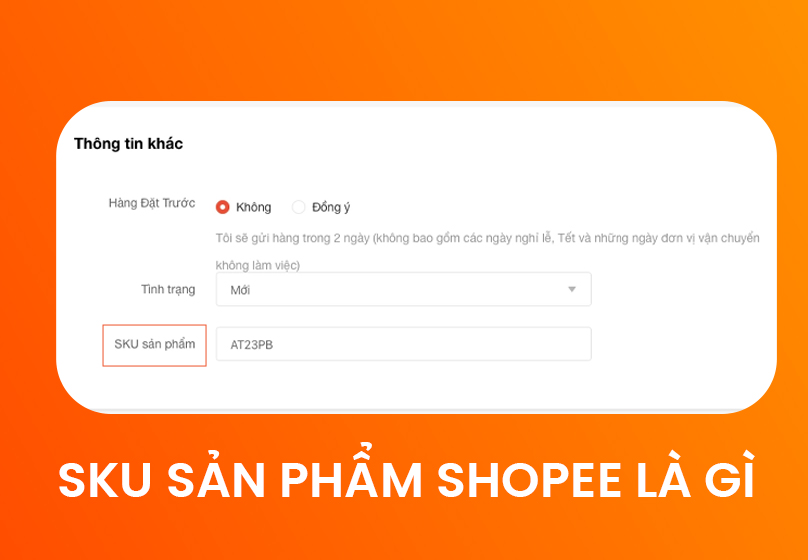
The basic structure of an SKU code usually consists of the following elements:
- Brand: helps identify which brand the product belongs to.
- Product type: classifies by product line (e.g., sneakers, t-shirts).
- Color: distinguishes different color variations.
- Size: indicates product size, especially important for clothing and footwear.
- Stock entry date: helps track batches and manage inventory by month or year.
Thanks to SKU codes, managing product variations becomes easier, avoiding confusion and allowing shop owners to quickly check inventory and identify best-selling items.
II. The role of SKU in Shopee business
An SKU is not just a simple code but also an important tool that helps shop owners manage and grow their Shopee business effectively. Specifically, SKUs provide the following benefits:
- Efficient inventory management: Each product has its own SKU, making it easy to control stock levels, thereby preventing shortages or excess inventory.
- Differentiating similar products: When products come in multiple variations such as color, size, or style, SKUs help classify them clearly, minimize confusion, and make it convenient to track each version.

- Identifying best-selling products: Through SKUs, you can clearly see which products sell well and which ones receive less attention, thereby making reasonable restocking decisions and optimizing marketing strategies.
- Synchronization across multiple channels: SKUs help synchronize products across different sales channels such as Shopee or offline stores, reducing errors and saving management time.
- Tracking financial reports: Assigning an SKU to each product makes it easier to monitor revenue, costs, and profits by item, thus allowing you to adjust business strategies effectively.
Read more: Effective Shopee Ads: Secrets to Optimize ROAS & Boost Sales Fast
III. How to set up SKU codes on Shopee
To manage products effectively, creating SKUs on Shopee is an essential step. Here is a detailed guide:
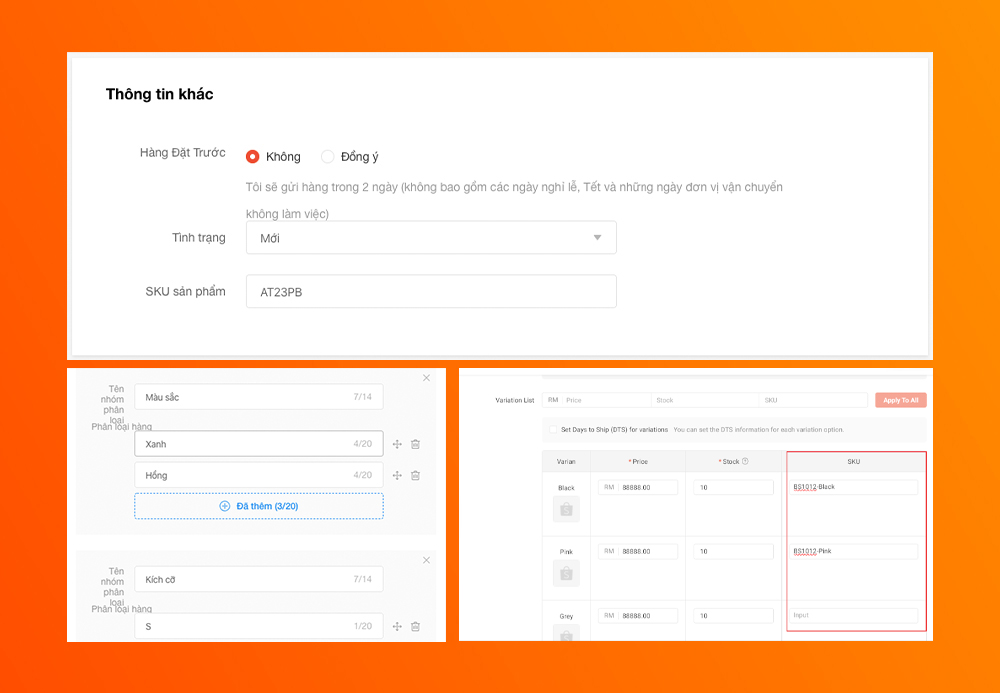
- Log in to Seller Center: Access your Shopee seller account, go to Seller Center, and select the product you want to add an SKU to.
- Choose “Other Information”: Scroll down to the bottom of the product page, where you’ll find the field to enter the SKU. This is where you input the product identifier.
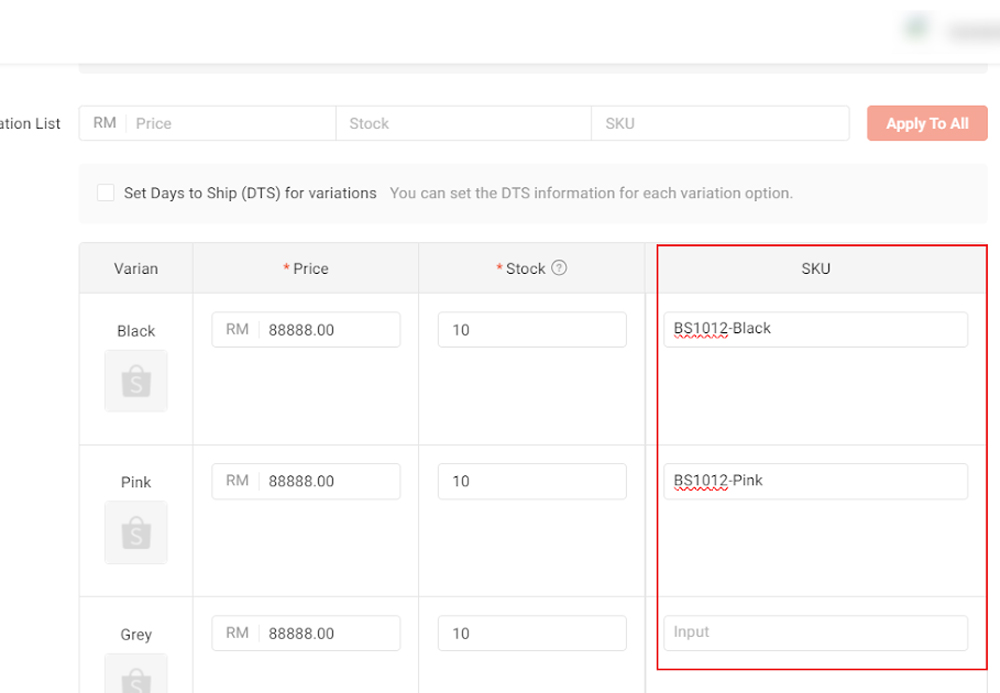
- Create product variations (if applicable): Click “Add variation” to create options such as color, size, or style. Each variation should have its own SKU to make inventory management and sales tracking easier.
- Enter SKU information: Set a short, easy-to-remember SKU that includes basic details such as brand, product type, color, and size.
- Input initial stock quantity: Enter the stock quantity for each variation so the system can accurately manage inventory from the start.
IV. Tips for Creating Standard SKU Codes
To maximize the effectiveness of SKUs in managing products on Shopee, you should apply the following principles:
- Use basic product information: An SKU should include key elements that help quickly identify the product, such as brand, product type, color, and size.
- Arrange information in priority order: The sequence of details in the SKU should be consistent and easy to reference. For example: brand → product type → color → size. Example: Uniqlo red t-shirt size S → UN-T-RED-S
- Avoid special characters: Do not use characters such as /, @, #, or spaces, as they may cause errors when entering into Shopee’s system or inventory management software. Use hyphens (-) or underscores (_) to separate information.
- Maintain a unified SKU system across the store: Apply the same coding rules for all products to make management and lookup easier. A consistent system reduces confusion when adding new products or updating information.
- Keep it short and simple: SKUs should be concise, containing only the essential details to differentiate products. Avoid stuffing too much information, which can make them hard to read and manage.
- Use inventory management software with SKU integration: Leverage software that supports SKU tracking, synchronizes products across sales channels, and automatically updates stock levels. This saves time and minimizes errors when processing orders.
- Check & update SKUs regularly: Frequently review and update SKUs whenever there are changes in products, such as new colors, sizes, or product lines. This prevents outdated or duplicate SKUs and ensures accurate inventory management.
V. Common Mistakes When Creating SKUs and How to Fix Them
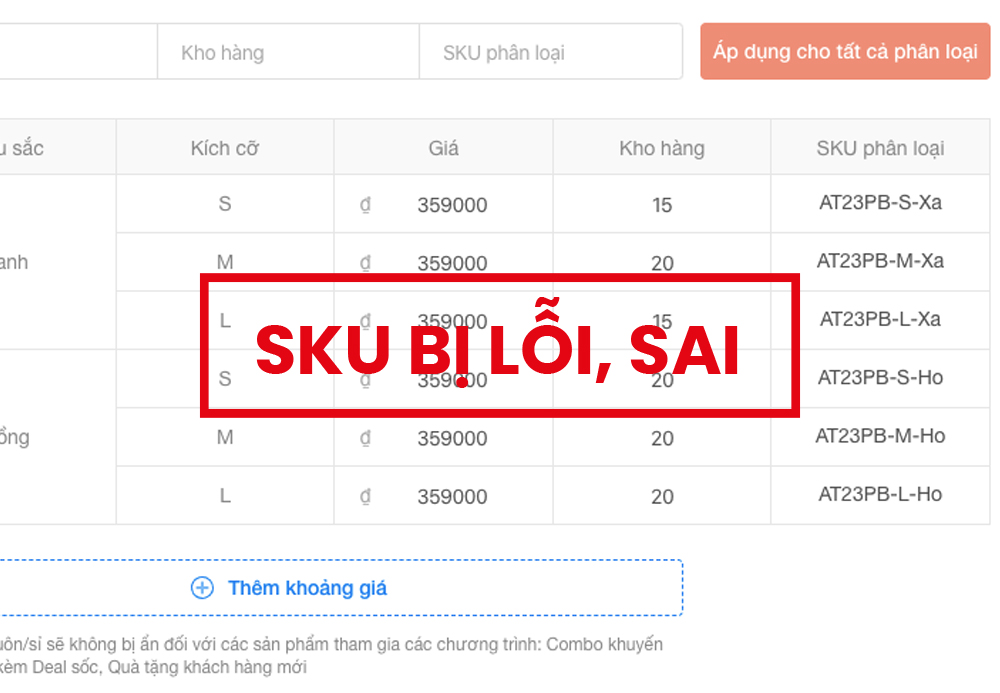
When creating and managing SKUs on Shopee, many sellers encounter common issues that make inventory management more difficult. Below are the most frequent mistakes and their solutions:
1. Overly long and complicated SKUs
Some sellers tend to cram too much information into an SKU, making it hard to remember and look up.
Solution: Simplify the SKU by keeping only the essential details to distinguish the product, such as brand, type, color, and size.
Example: Instead of writing a long code, use TSH-ZR-RED-M for a Zara red t-shirt size M.
2. Duplicate SKUs across products
Duplicate SKUs cause confusion in tracking inventory and managing orders.
Solution: Build a unique coding system for each product type and category. Double-check before listing products to ensure every SKU is unique.
3. Not assigning SKUs to product variations
Some shops only create an SKU for the main product but not for each variation (color, size, style), making it difficult to manage stock by variation.
Solution: Assign a separate SKU to each variation, clearly distinguishing between the main product SKU and variation SKUs.
Example: Uniqlo red t-shirt size S → UN-T-RED-S; blue t-shirt size M → UN-T-BLUE-M.
4. Not reviewing or updating SKUs regularly
Outdated or inconsistent SKUs create challenges in managing inventory and processing orders.
Solution: Review SKUs regularly and update them when there are changes in products or new product lines. Synchronize information across all sales channels to prevent errors.
VI. Conclusion
Shopee product SKU is a unique identifier for each product and plays an indispensable role in inventory management and store operations. Setting up SKUs correctly helps shops accurately control stock, differentiate product variations, identify best-selling items, synchronize data across multiple channels, and easily track revenue and profit.
To maximize the benefits of SKUs, shop owners should immediately apply the best practices for creating SKUs that are easy to remember and manage, avoid common mistakes, and review them regularly. When an SKU system is implemented consistently, store management becomes simpler, errors are minimized, and sales performance on Shopee is optimized.

Table of Contents



































