
Loading Table of Contents...
What is Copilot? Microsoft's intelligent AI assistant helps you work more efficiently
Quick Summary
Collapse
Copilot is an intelligent AI assistant from Microsoft, designed to help users optimize their daily work, improve productivity, and manage their time efficiently
Nowadays, AI is present in almost every field, helping us work faster and more efficiently. But how to take advantage of AI to increase productivity and make daily work easier? This is the reason why Microsoft Copilot was born. So what is Copilot, what is special about it and what benefits does it bring? Let's find out with Connect Tech in this article!
I. What is Copilot?
Copilot is an intelligent AI assistant developed by Microsoft, designed to support users to improve their daily work and increase work efficiency. With the ability to understand natural language, Copilot can interact directly with users, perform many tasks such as creating documents, summarizing content, translating text, searching for information or even controlling computers through simple commands.
Copilot is deeply integrated into many Microsoft platforms, including:
- Windows 11 operating system: Supports users to adjust settings, open applications, and perform quick operations.
- AI Copilot in Microsoft 365: Helps to compose text on Word, analyze data in Excel, create PowerPoint presentations, manage emails with Outlook, and collaborate more effectively via Teams.
- Edge browser: Summarizes web page content, quickly searches for information.
- Bing search engine: Provides more detailed and intelligent results thanks to the power of AI.

The highlight of Microsoft's AI Copilot lies in its ability to learn and adapt to user habits, thereby providing accurate, contextually appropriate suggestions. Thanks to that, Copilot not only saves time but also improves work efficiency for both individuals and businesses.
II. What's special about Microsoft's AI Copilot?
The biggest strength of Microsoft's AI Copilot is its ability to automatically handle repetitive tasks without requiring users to know programming. Instead of spending time on manual processing, Copilot can be done quickly through natural commands, saving time and increasing work efficiency.
In addition, Copilot also provides information and contextual suggestions, thanks to the power of artificial intelligence combined with machine learning. This tool can learn and adapt to user habits, thereby making more accurate and appropriate suggestions with each use.
In particular, AI Copilot in Microsoft 365 is deeply integrated into familiar applications, supporting a variety of tasks such as:
- Word: Quickly compose, edit and optimize content.
- Excel: Analyze data, create smart formulas and visualize with charts.
- PowerPoint: Build professional presentations, suggest creative designs.
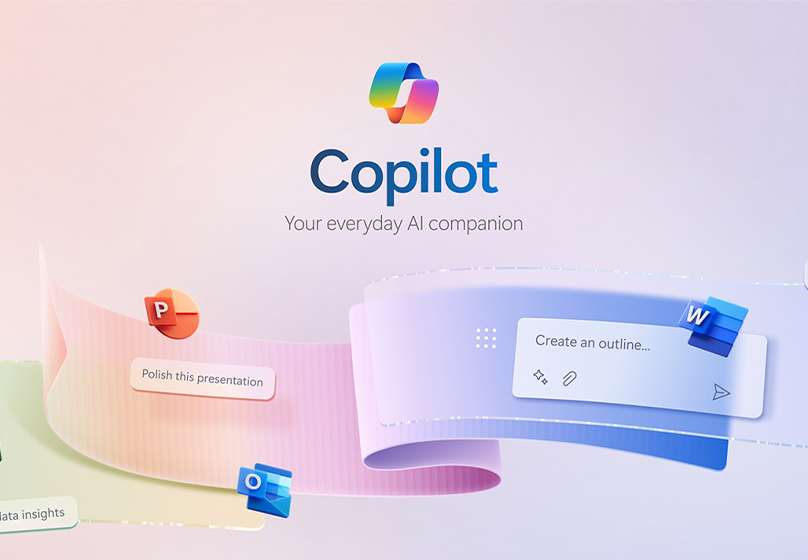
- Teams: Project management, note taking and automatic meeting summary.
- Azure & Dynamics 365: Supports in-depth analysis, process automation and effective business forecasting.
Another advantage is the ability to handle multiple languages, including Vietnamese (although it is still in the process of being completed). This helps Microsoft's AI Copilot become a global AI assistant, suitable for many different user groups.
Read more related articles: Top 7 Free AI Content Writing Tools for SEOers and Writers
III. Benefits of using Microsoft Copilot
Applying Microsoft Copilot brings many practical benefits, helping individuals and businesses improve efficiency and productivity.
1. Improve work productivity
- Complete tasks faster thanks to smart suggestions from Microsoft's AI Copilot.
- Significantly reduce the time spent on manual, repetitive tasks.
- Support for drafting, calculating, analyzing data and presenting in just a few simple steps.
2. Support for decision making
- Provides in-depth information and accurate data analysis in context.
- Help managers, HR and specialists make timely, scientifically-based decisions.

3. Help improve revenue and business efficiency
- Employees have more time to focus on strategic tasks instead of manual processing.
- Business operations become smoother, more efficient and cost-effective.
Thanks to these outstanding advantages, Microsoft Copilot is gradually becoming an indispensable tool for individuals and businesses that want to accelerate digital transformation.
IV. How to use Copilot
What is Copilot is not just a concept, but also a useful tool that can be experienced directly on many platforms. Microsoft has integrated Microsoft AI Copilot into its operating system, browsers, and apps for easy use anywhere.
1. On Windows 11
- Quick shortcut: Press Win + C to open Copilot.
- On the Taskbar: Turn on the Copilot icon to launch the AI assistant.
2. On the Edge browser
- Click the Copilot icon located on the toolbar.
- Shortcut: Use Ctrl + Shift + . to activate.
3. On the web and mobile
- Go directly to copilot.microsoft.com.
- Sign in to your Microsoft Account to unlock all the features.

4. Basic steps when using Copilot
- Choose the operating mode: Creative, Balanced or Precise depending on the purpose.
- Enter the request: Type directly into the chat box or use your voice for Copilot to understand and respond.
- Continuous interaction: Users can edit and add requests to get more suitable results.
With this flexibility, AI Copilot in Microsoft 365 and Windows 11 becomes an effective companion assistant, helping to optimize work anywhere, from the office to when traveling.
V. Summary
Through the article, you have a clearer view of Microsoft Copilot, the assistant integrated in Windows 11, Microsoft 365, Edge and Bing. Copilot can support many tasks from editing, data analysis to project management, helping to save time and work more effectively.
Copilot is not only useful for individuals, but also brings practical value to businesses in the process of working and managing. Simply put, this is a tool that helps you work smarter, instead of having to spend more effort. Try Microsoft Copilot to see the difference in the way you work every day.

Table of Contents



































