
Loading Table of Contents...
What Is a Website Audit? 5 Tools to Effectively Optimize Your Site
Quick Summary
Collapse
Discover what a website audit is, when to perform it, and 5 free website audit tools to help evaluate SEO performance, boost conversions, and optimize user experience with Connect Tech.
In the journey of optimizing a website, updating content or improving speed is only part of the picture. To ensure your site is technically sound, content-rich, and user-friendly, marketers and administrators need to conduct an essential task: a website audit.
So, what is a website audit, when should you do it, and which tools can help you assess your site effectively? This article by Connect Tech will help answer each question clearly and practically.
I. What Is a Website Audit?
When building a website, many focus on design and content but overlook a crucial step: a comprehensive performance check, also known as a website audit.
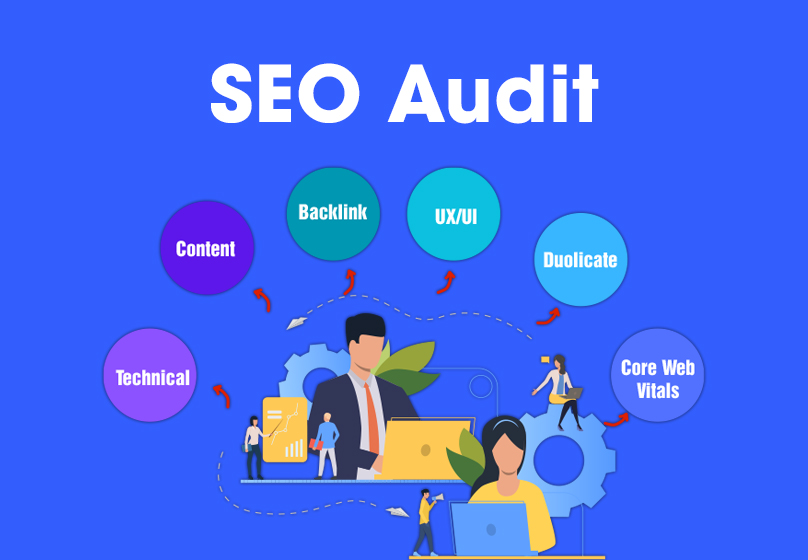
Simply put, a website audit is a full review of a website from technical aspects, content, user behavior to conversion capability. The main goal is to detect errors, bottlenecks, and improvement opportunities to ensure the site runs smoothly, is SEO-friendly, and user-centric. A quality audit typically includes the following factors:
1. Onpage SEO Audit
- Check title tags, meta descriptions, and heading structure (H1–H6).
- Evaluate if the URL structure is readable and optimized for SEO.
Review content for keyword distribution and duplication issues. - Check internal and external linking structures.
2. Offpage SEO Audit
- Analyze backlinks: quantity, quality, and referral sources.
- Check anchor text and domain authority (DA/PA) metrics.
- Detect harmful or spammy backlinks.
3. Technical Performance Audit
- Measure page load speed, especially on mobile devices.
- Check source code: HTML/CSS errors, JavaScript issues.
- Detect HTTP errors like 404, 301, and indexing issues.
4. User Data Analysis
- Monitor click-through rates (CTR) and behavior on key pages.
- Measure bounce rates, time on page.
- Analyze traffic sources: Google, social media, referrals, etc.
5. Conversion & KPI Tracking
- Measure actions such as form submissions, purchases, or newsletter signups.
- Compare against preset KPIs to adjust your marketing strategy.
II. Benefits of Auditing Your Website
1. For Businesses
- Increase conversions: Identify strengths/weaknesses of landing pages and enhance user experience.
- Save budget: A well-functioning website helps advertising perform better and avoids unnecessary costs.
- Enhance brand image: A professional, error-free website builds trust with customers.
2. For Marketing & SEO Teams
- Quickly detect SEO issues: Fix errors before they affect rankings.
- Holistic optimization: Combine both onpage and offpage SEO for overall performance improvement.
- Stay data-driven: Understand why traffic drops or conversions are low and respond promptly.
III. When Should You Audit Your Website?
You shouldn’t wait until the site has problems to perform an audit. Here are 3 key times to do it:
- Before running SEO or ads:
Ensure the foundation is solid and the landing page is fast and attractive before investing in marketing. - When performance declines:
If traffic drops, bounce rate spikes, or sales fall—it's time to audit and find the cause. - Every 3–6 months:
Regular checks help:
- Detect bad backlinks early.
- Update outdated content.
- Adapt to Google’s algorithm changes.
IV. 5 Free Website Audit Tools to Try
Below are tools trusted by marketers and SEO professionals to check and improve websites.
1. Google Search Console
This is a basic but highly important platform for auditing websites, especially SEO onpage metrics. You can check impressions, CTR, keywords users search to find your pages, and data errors like 404s, indexing issues, or security problems.
Google Search Console features a simple, user-friendly interface and updates in real time. Though not as technical as other tools, every website should connect and monitor it regularly.
2. Screaming Frog (Free up to 500 URLs)
Screaming Frog is a powerful auditing tool ideal for those who need detailed website structure analysis. After entering a URL, the software automatically crawls all subpages and analyzes elements like title tags, meta descriptions, headings, HTTP status codes (404, 301...), canonical tags, internal links, and external links.
This tool is especially useful for detecting on-page SEO issues and assessing internal link structures, perfect for medium to large sites. The free version scans up to 500 URLs per session, which is still a must-have for small or new websites.
3. Ahrefs Webmaster Tools
Ahrefs Webmaster Tools is a free version for website owners, offering a comprehensive view of your website's health. Its biggest strength is backlink analysis—evaluating domain authority and detecting low-quality links.
Additionally, Ahrefs provides reports on keyword performance, high-traffic pages, and SEO error alerts like duplicated content, strange redirects, or indexing issues.
4. Semrush Site Audit Tool (Free with limitations)
Semrush offers an in-depth website auditing tool that lets users analyze various aspects of performance and visibility on search engines. The Site Audit Tool acts like a general doctor, scanning hundreds of elements such as page load speed, HTML structure, crawl issues, internal linking problems, or duplicate content. Issues are categorized by severity, making them easier to prioritize and fix.
5. GTmetrix
A tool specializing in page speed and performance audits. GTmetrix analyzes images, scripts, file loading order, cache, etc., and provides actionable suggestions for improvement.
Results are presented in scores along with practical recommendations, such as compressing images, removing unnecessary code, or adjusting browser caching time.
V. Conclusion
A website shouldn’t just be attractive and content-rich, it must also be optimized and error-free. Regular audits help you gain a complete picture and improve SEO, user experience, and conversions.
Need a comprehensive website check? Connect Tech offers in-depth website auditing services, including technical checks, content evaluation, user behavior analysis, and actionable improvement recommendations. Contact us now to get a free audit demo

Table of Contents



































