
Loading Table of Contents...
Quick and Easy Guide to Deleting Your Shop on Shopee
Quick Summary
Collapse
Want to delete your shop on Shopee but not sure how? This step-by-step guide shows you how to close your store, manage pending orders, and avoid common issues when leaving the platform.
Are you planning to stop selling on Shopee? Have you closed your business and need to delete your shop on Shopee? If you're unsure where to start, whether Shopee allows shop deletion, or what to keep in mind before proceeding, then this article is for you.
Connect Tech will guide you step by step on how to delete your shop on Shopee quickly, safely, and easily. We will also help you understand when it is appropriate to delete your shop and provide alternatives if you want to keep your account but no longer be active.

When Should You Delete Your Shop on Shopee?
Not everyone needs to delete their shop on Shopee, but if you find yourself in one of the situations below, then deleting or deactivating your shop on Shopee is something you should consider:
- Shop is no longer active: You have stopped selling, no longer post new products, do not handle customer service, and have no incoming orders.
- Changing your business sector: You are shifting to a completely different field and do not want to keep the old shop as it no longer fits your new brand.
- Switching to another platform: You’ve chosen to invest in another e-commerce platform such as TikTok Shop, Lazada, or prefer to focus on your own website.
- No longer want to maintain a seller account: Your trial period has ended, you have no further interest in selling, and want to stop all activity on Shopee.
- Account restrictions or unrecoverable system errors: In some cases, accounts may violate policies or encounter system issues that permanently disrupt selling activities.
Methods to Delete a Shop on Shopee
Although Shopee does not offer a direct "Delete Shop" button, you can choose one of the three methods below to deactivate and gradually remove all information related to your shop. Depending on your purpose and account status, you can select the most appropriate option.
1. Hide Your Shop – Temporarily Suspend Sales
This is the quickest and least disruptive option if you're not entirely sure whether you want to permanently delete your shop on Shopee.
How to do it:
- Access the Shopee Seller app or open the Shopee app
- Go to: Me > Seller Center > Shop Settings
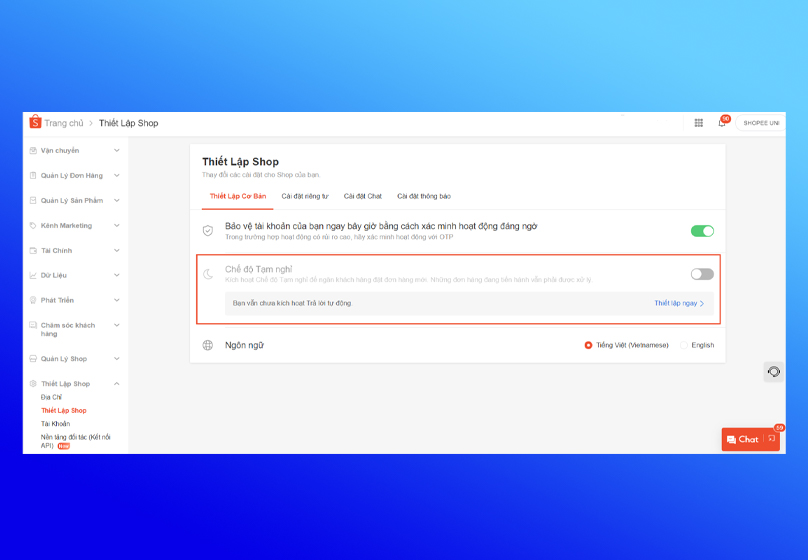
- Select Vacation Mode
- Toggle the switch to activate pause mode
Advantages:
- Your shop becomes invisible to buyers, but you can resume selling anytime
- Your main Shopee account remains active, including ShopeePay wallet, order history, reviews, etc.
Disadvantages:
- Data is not permanently deleted
- Users can still find old information if they have the direct shop link
- Suitable for those temporarily stopping sales and wanting to retain shop info for future use
2. Manually Delete Products and Shop Information
If you don't want to delete your Shopee account but still want to effectively remove your shop from Shopee, this is an effective method.
How to do it:
Delete products:
- Go to Seller Center > Product Management
- Select each product > Click Delete
Delete images, descriptions, banners:
- Go to Shop Profile > Edit
- Delete intro content, profile image, banner
- Replace with a brief note like: “This shop is no longer active”
Effect:
- Your shop will almost disappear from Shopee’s internal search engine
- Visitors won’t see any products or info, giving the impression that the shop is deleted
Note:
- Shopee still retains account history and reviews in its system. This is a temporary, cosmetic form of "deletion."
3. Delete Your Shopee Account
If you truly want to permanently delete your shop on Shopee and stop using the account, you need to submit a request to delete your entire Shopee account.
Steps:
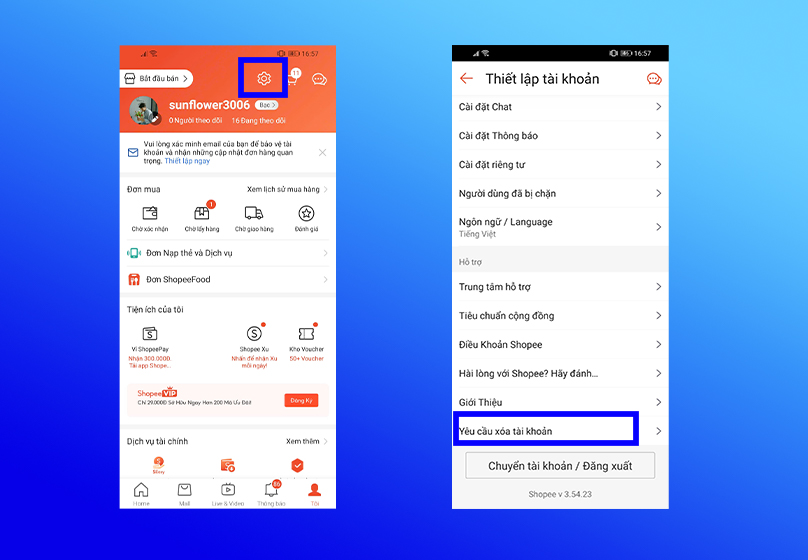
- Open the Shopee app > Tap Me
- Go to Account Settings > Request to Delete Account
- Enter your reason for deletion (e.g., no longer doing business, account issue…)
- Click Submit and wait for system approval within 7 days
Conditions for approval:
- No pending orders
- No violations of Shopee policies
- ShopeePay wallet balance must be withdrawn
Important notes:
- Cannot be restored after deletion
- All orders, reviews, ShopeePay wallet, and transaction history will be lost
- You cannot reuse the same email/phone number to create a new account in the near future
Best suited for: those who want to permanently delete their shop on Shopee and do not plan to return to the platform.
Things to Keep in Mind Before Deleting Your Shop on Shopee
Before taking any action to delete your shop on Shopee, make sure to complete the following important steps. This will help you avoid data loss, transaction issues, and account-related risks.
1. Complete All Ongoing Orders
If there are any orders pending shipment, refunds, or complaints from buyers, Shopee will not allow account deletion. Resolve all outstanding matters before submitting your request.
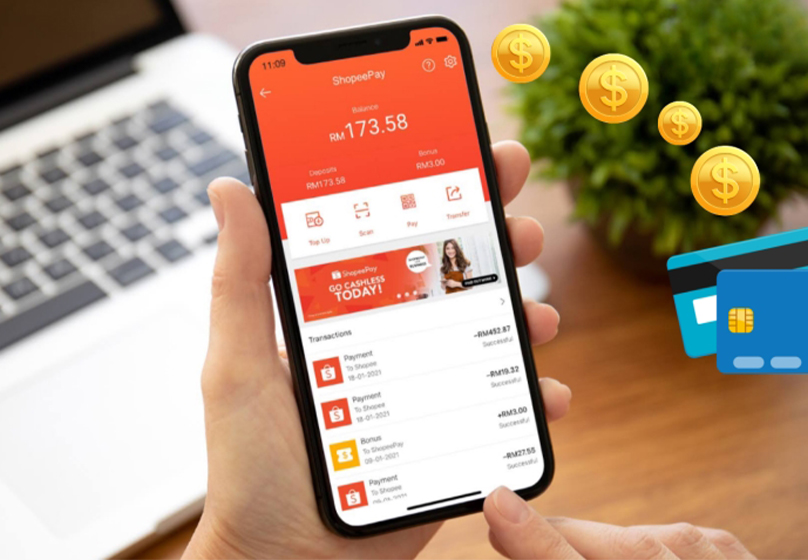
2. Withdraw Funds from ShopeePay to Your Bank Account
Once the account is deleted, you will no longer have access to your ShopeePay wallet. Don’t forget to:
- Access ShopeePay Wallet
- Withdraw all remaining balance to your personal bank account
- Double-check everything before proceeding with deletion
3. Download All Data If Needed
You may want to download:
- Order history
- Sales reports
- Customer review history
This is important if you wish to retain information for future business use (even if not on Shopee).
4. Unlink Third-Party Services
If your Shopee account is linked to:
- Facebook Pixel
- Google Analytics
- Order management software
Automated chat or advertising platforms
Be sure to disconnect these services before deletion to ensure your personal and customer data is not shared unintentionally after your shop is deleted.
Conclusion
Deleting your shop on Shopee is a decision that should be carefully considered, especially if you’re planning to change sales strategy, switch platforms, or temporarily pause your business. Even though Shopee does not support direct shop deletion, you still have multiple options tailored to specific purposes – from hiding your shop, deleting products to permanently requesting account deletion.
Need help designing a more professional shop?
Want to open a new shop on platforms like TikTok, Zalo, or your own website?
Contact Connect Tech now for consultation – design – and implementation from A to Z. We’re ready to support your next business journey – more efficiently and sustainably!

Table of Contents



































