
Loading Table of Contents...
Instructions on how to cancel purchases on Lazada quickly and effectively
Quick Summary
Collapse
Detailed instructions on how to cancel orders on Lazada according to each status, with important notes to help you handle it quickly, avoid trouble and save time.
Lazada is one of the largest online shopping platforms in Vietnam, where users can find a wide variety of products to serve most of their daily shopping needs. However, during the shopping process, many customers encounter situations such as choosing the wrong product, entering the wrong address or discovering a better price elsewhere. At this point, customers start looking for ways to cancel orders on Lazada.
So how to cancel orders quickly and effectively, avoiding unnecessary troubles? This article will provide detailed instructions on how to cancel according to each order status, along with important notes and answers to frequently asked questions, helping you proactively handle when you need to change or cancel an order.
I. Order statuses and cancellation possibilities
Before canceling an order, users need to clearly understand the current status of the order on Lazada. Each status will have a different way of handling it, and you cannot always proactively cancel the order as you wish. Specifically:
1. Waiting for processing / Waiting for shipping (not packaged)
This is the stage where the order has just been created and has not been packaged by the shop. In this state, canceling the order is the most convenient and fastest. You can cancel directly on the Lazada application or website with just a few simple steps. In addition, users can also choose to contact Lazada via the Chat with Customer Service (CLEO) feature or call the support center to request an order cancellation.
2. Packaged
Once the order has been confirmed and packaged by the shop, the Lazada system will no longer support direct cancellation. At this stage, if you still want to cancel, the only way is to contact the seller (Shop) directly for support. Whether or not the order is successfully canceled depends entirely on whether the shop agrees to process it for you.
3. In transit
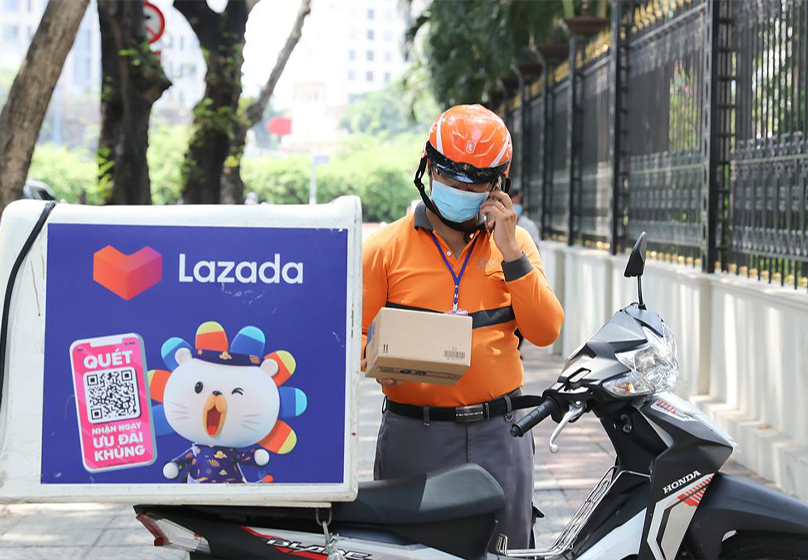
Once the order has been handed over to the shipping unit, you will no longer be able to cancel the order through the Lazada app, website or hotline. At this point, the only way to refuse to receive the goods is to talk directly to the shipper when they contact you for delivery. You can politely explain the reason for refusal or ask the shipper to return the goods to the shop. However, it should be noted that if you frequently refuse to receive the goods, Lazada may restrict the right to use the payment method on receipt of goods (COD) on your account.
4. Successfully delivered
Once the order has been successfully delivered to you, Lazada will not support cancellation. In this case, if the product is not as expected or there is an error, you can only perform the exchange/return procedure according to Lazada's return policy.
II. How to cancel Lazada orders by status
1. When the order has not been packaged
This is the most favorable stage to cancel the order. Lazada allows you to choose from many different methods:
Method 1: Cancel directly on the Lazada application (App/Web)
- Log in to your Lazada account, go to Account → My orders → Waiting for shipping.
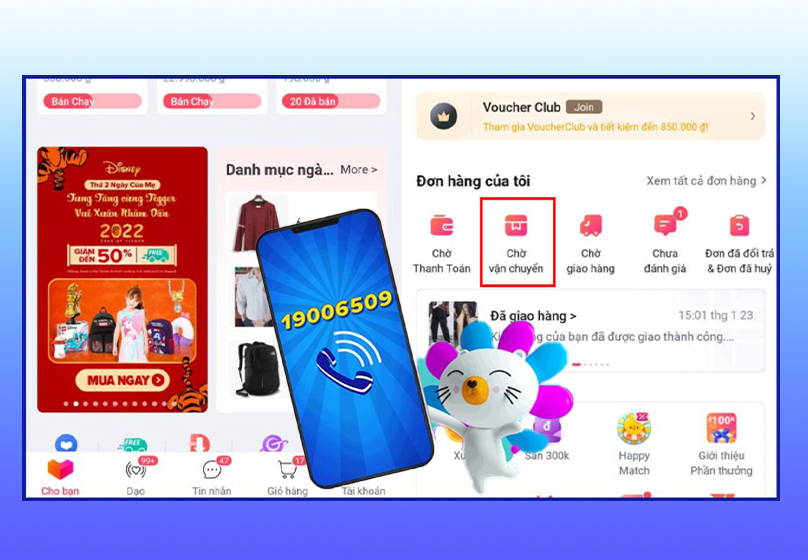
- Select the order you want to cancel, click Cancel.
- Select the appropriate cancellation reason, then click Confirm → Submit request.
- The system will notify "Request sent successfully", meaning the order has been canceled.
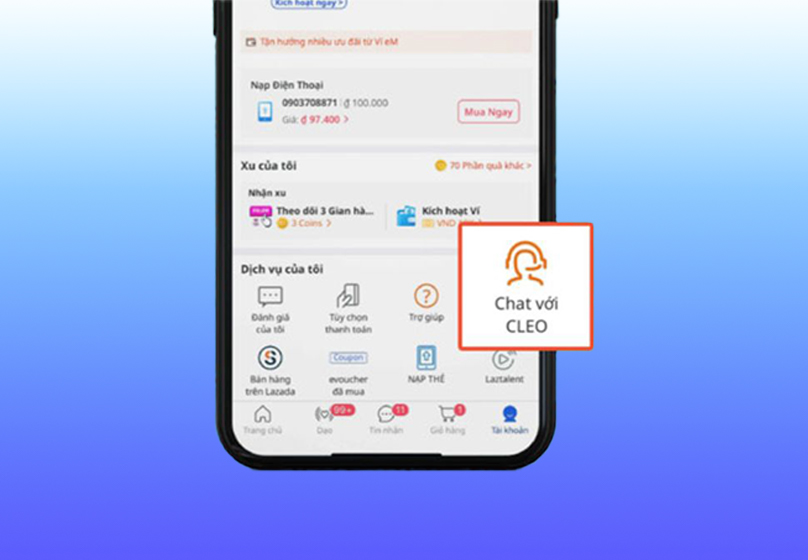
Method 2: Cancel via Chat with Lazada (CSKH/CLEO)
- Open the Lazada application, access the Chat with Lazada/CLEO section.
- Select Want to cancel the order, then select the order you want to cancel and click Submit.
- Select the appropriate cancellation reason, click Confirm.
- Your order will be confirmed by the system for cancellation.
Method 3: Call Lazada hotline
- Contact hotline 1900 6509 or 1900 1007 (fee 1,000 VND/minute).
- Operation: Press 1 (Vietnamese) → Press 2 (cancel order) → Enter order number + # → Press 9 to confirm.
- Lazada will process within 2 hours and send a confirmation email.
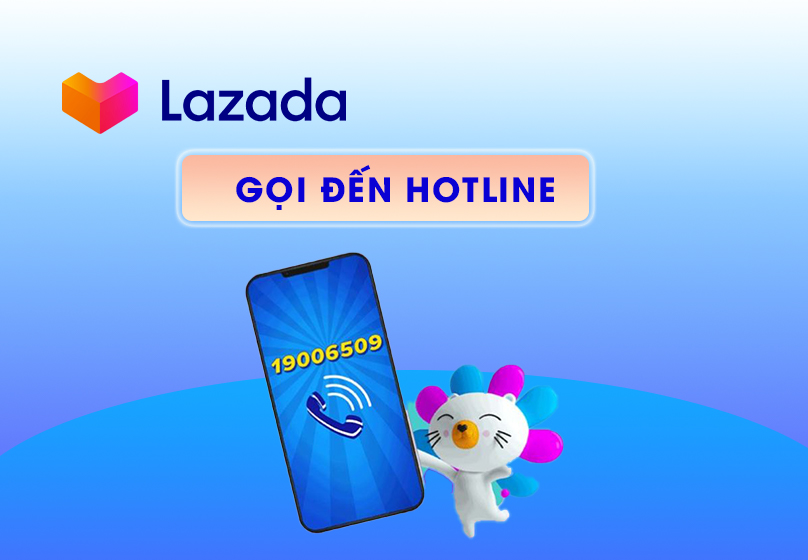
Note: The phone number calling the hotline must match the number you registered when placing the order.
2. When the order has been packaged
At this stage, the Lazada system does not allow users to cancel themselves. The only way is:
- Contact the seller directly to request cancellation.
- Whether the cancellation is successful or not depends on the Shop's consent.
3. When the order is in transit
When the order has been handed over to the shipping unit, the buyer will not be able to cancel via the Lazada application, website or hotline. At this time:
- The only way is to refuse to receive the goods when the shipper contacts to deliver.
- You can politely inform that you have ordered the wrong product and ask the shipper to return the goods to the shop.
Note: If you frequently refuse to receive the goods, Lazada may restrict the right to use the cash on delivery (COD) payment method of the account.
4. When the order has been successfully delivered
- After the order has been delivered, Lazada will no longer support cancellation.
- In case the product is defective, not as described or you change your mind, you need to follow the exchange/return procedure according to Lazada's policy.
Read more: How to Log In to Lazada Seller Center Easily for Newbies
III. Frequently asked questions (FAQ)
1. Can you get a refund if you cancel a Lazada order?
- Yes. If you have paid in advance (via bank card, e-wallet or Lazada wallet), the system will automatically refund to the original account.
- Refund time ranges from 5-15 working days depending on the bank and payment method.
2. Can I cancel a part of my order?
- Yes, if the order has not been packaged yet.
- However, if the order uses a freeship or promotion code, the system may request a full cancellation if the remaining part does not meet the promotion requirements.
3. If I paid by wallet/ATM/visa, when will I receive my refund?
- With ATM/visa/master card payment, the refund will be in my account within 5-15 working days.
- If I paid by cryptocurrency, Lazada will issue a new code about 1 day after the order is successfully canceled.
4. Will I be penalized for canceling an order multiple times?
- If you cancel or refuse to receive the goods too many times, Lazada may block the COD (cash on delivery) payment method for 30 days.
- During this time, you can only pay by prepayment.
5. Will the discount code be retained when canceling an order?
- No. When the order has applied a discount code or free shipping code, if you cancel, these codes will no longer be valid.
- Users need to wait for the next promotion program to receive new incentives.
IV. Some notes when you want to cancel an order
1. After sending a cancellation request, it cannot be withdrawn.
Once you have confirmed the cancellation on the system, the order will immediately be changed to the cancellation status. Therefore, please consider carefully before proceeding to avoid the case of wanting to buy again but having to place a new order.

2. Always check the order status before proceeding to cancel
Go to "My Orders" on the Lazada application/web to see exactly what stage the order is at. Each status will have a different way of handling, avoiding wasting time contacting many times.
3. Should cancel orders in cases where it is really necessary
Cancelling too many orders can cause Lazada to evaluate you as an "unserious" customer, leading to the risk of having your COD payment method (cash on delivery) restricted or locked.
4. Confirm again after canceling
After the operation is successful, go to My Orders → Canceled Orders to make sure the system has recorded it. In addition, you will also receive a notification via email or Lazada application.
5. Note on promotions and discount codes
If the order has used a voucher/freeship code, when canceling the order, these incentives will not be refunded. You need to watch for other promotions to continue using them.
6. The refund process may take a long time
Depending on the payment method, the refund period may last from 1-15 days. During this period, monitor regularly and contact customer service if you need support.
V. Conclusion
Cancelling orders on Lazada is generally quite simple, the important thing is that you need to clearly understand the order status to choose the appropriate way to handle it. However, consider carefully before doing so, because canceling too many orders can affect COD payment rights. If done correctly, you can completely proactively handle situations such as ordering the wrong product, entering the wrong address or wanting to change your shopping decision without much trouble.

Table of Contents



































