Loading Table of Contents...
SEO-friendly ecommerce website structure for better UX
Quick Summary
Collapse
Learn how to build an SEO-friendly ecommerce website structure, from homepage and categories to product pages, cart and checkout, to improve conversions.
An ecommerce website structure helps businesses organise pages, categories, products and purchasing flows so customers can find information, choose products and complete orders more easily. A well-planned structure also helps search engines understand the relationships between important pages across the website.
Connect Tech will help you understand the key components of an ecommerce website, how to organise product categories, build navigation, support SEO and adapt the structure to different business sizes.
What pages should an ecommerce website include?
An ecommerce website usually needs eight main page groups to support product discovery, evaluation and purchase. Depending on the business model, companies may add or remove certain pages.
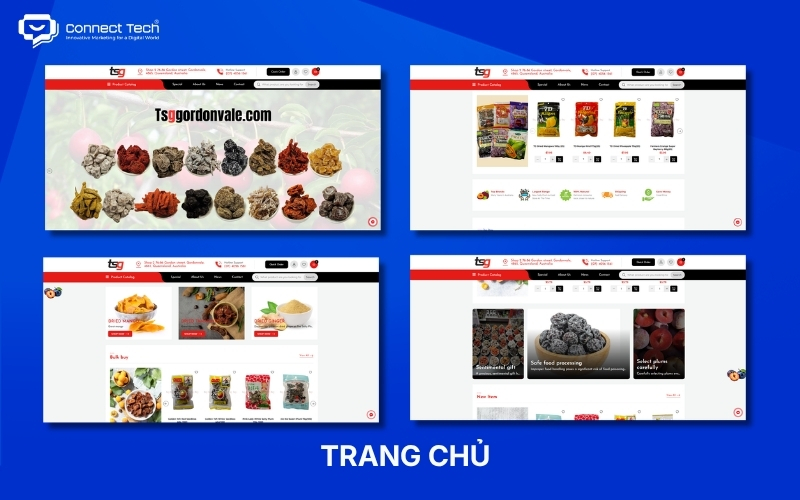
Homepage
The homepage introduces the brand and directs users to the most important areas of the website. Visitors should quickly understand what the business sells, which product groups matter most and what they should do next.
A homepage commonly includes:
- A banner or hero section presenting the main message.
- Featured product groups or categories.
- New arrivals, bestsellers or promotional products.
- Key brand differentiators.
- Customer reviews or other trust signals.
- Featured content.
- Buttons leading to products, categories or the contact page.
The homepage does not need to contain every piece of information on the website. It should prioritise the content that helps visitors start their journey as quickly as possible.
About page
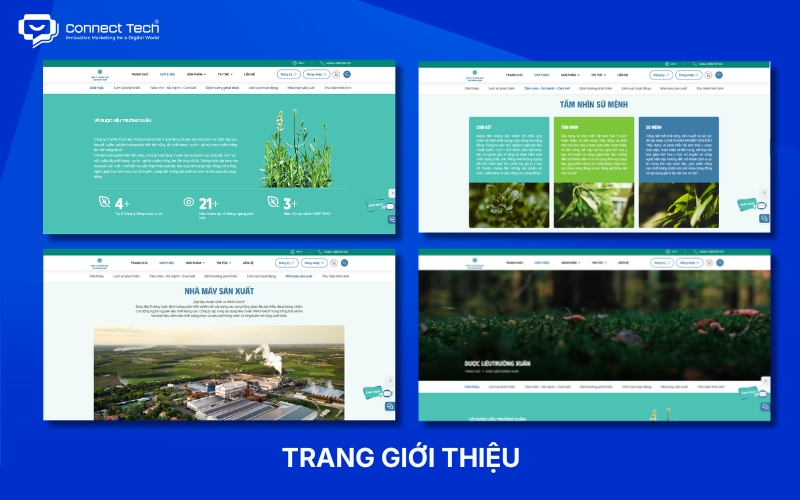
The About page helps customers understand who the business is and why they can trust the brand. This page is particularly important for new businesses, high-value products or industries where customers need to assess credibility before making a purchase.
The content may include:
- Company history and brand story.
- Areas of operation.
- Business values or direction.
- Team information.
- Certifications.
- Partners.
- Store locations or operational facilities.
Businesses should provide specific information instead of relying only on general claims such as “reliable, high-quality and professional”.
Product or service pages
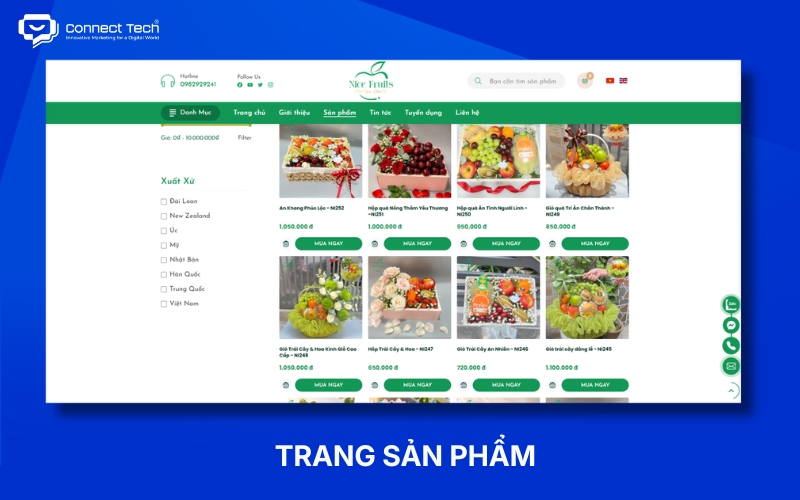
Product or service pages help customers find, compare and evaluate what a business offers. These pages are usually the most important group within an ecommerce website structure.
An ecommerce website can be organised using the following model:
Category → Subcategory → Product listing → Product detail
Category pages should help customers narrow down their choices. Websites with large product catalogues often need filters, sorting options and search functionality.
A product detail page usually needs:
- Product name.
- Images or videos.
- Price.
- Variants such as colour, size or model.
- Stock availability.
- Description.
- Specifications.
- Shipping information.
- Return or warranty policy.
- Add-to-cart button.
- Reviews.
- Related products.
For businesses that sell services, the flow may be structured as:
Service → Service category → Detail page → Consultation or quotation request
Contact page
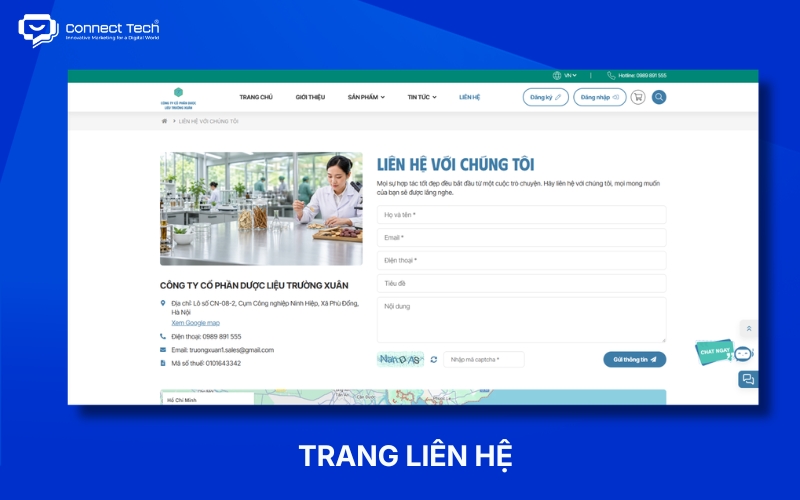
The contact page gives customers clear ways to communicate with the business. This page supports both customers who need assistance and those who are not yet ready to purchase directly.
Common information includes:
- Phone number.
- Email address.
- Physical address.
- Business hours.
- Contact form.
- Map.
- Social media channels.
For B2B businesses, the contact page can also act as an important conversion page because customers often submit an enquiry before receiving a quotation.
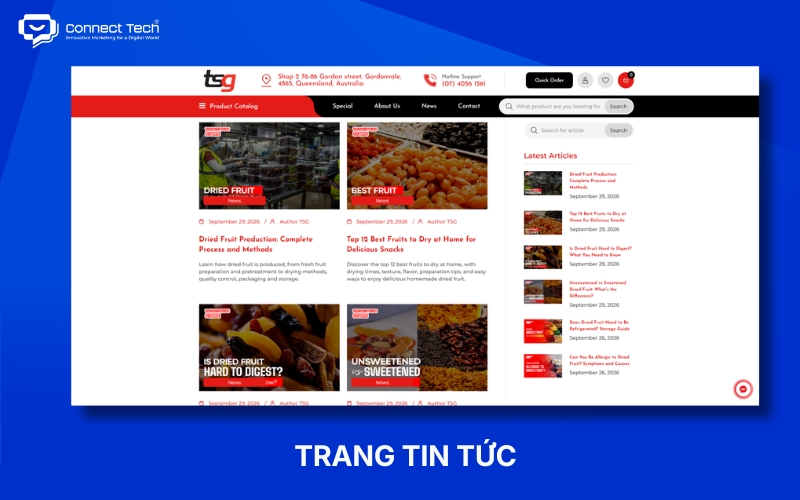
News or blog page
The news or blog page helps businesses answer questions that arise before, during and after the buying process. Useful content can also attract traffic from search engines and support internal links to categories or products.
A website can publish:
- Product selection guides.
- Comparison articles.
- Usage guides.
- Industry insights.
- Case studies.
- Brand news.
- Content that addresses common customer questions.
A blog should not operate separately from the sales system. Relevant articles should guide readers towards related categories, products or services.
Policy pages
Policy pages explain purchasing conditions and help reduce customer concerns before checkout. These pages should be easy to access from the footer, product pages or checkout process when relevant.
A website may need:
- Shipping policy.
- Return policy.
- Refund policy.
- Warranty policy.
- Payment policy.
- Privacy policy.
- Terms of use.
- Product inspection policy.
Businesses should write policies that reflect their actual operating processes instead of using the same generic template for every website.
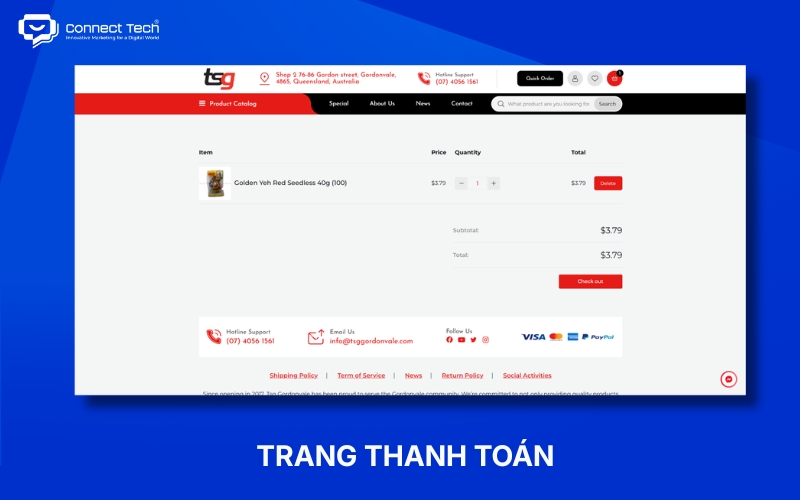
Cart and checkout
The cart and checkout move users from product selection to transaction completion. This flow should remain simple, transparent and free from unnecessary information requirements.
A common flow is:
Product → Cart → Checkout → Payment → Order confirmation
The cart should allow customers to:
- Review products.
- Adjust quantities.
- Remove products.
- View the total amount.
- Enter a discount code if available.
- Review relevant charges.
Checkout usually handles:
- Recipient information.
- Shipping address.
- Shipping method.
- Payment method.
- Order summary.
- Order confirmation.
Businesses should display costs and shipping conditions clearly so customers do not encounter unexpected information at the final step.
How to build a clear product category structure
Product categories should reflect how customers search for and describe products rather than how the business manages stock internally. A clear taxonomy helps buyers narrow down their choices and allows the website to scale more easily as the product catalogue grows.
Start with how customers search for products
Businesses should define product groups based on product type, customer needs and the language customers actually use. Category names should be clear enough for visitors to predict what they will find before clicking.
For example:
Avoid using:
Equipment → Group A → Group A1
if these labels only represent internal management codes.
A clearer structure could be:
Kitchen appliances → Coffee machines → Automatic coffee machines
Businesses can use search data, customer enquiries, sales data and website behaviour to identify the most important product groups.
Understand the difference between categories, subcategories and filters
Categories create the main product groups, while filters help customers narrow down products within those groups.
|
|
|
|
|
|
|
|
|
|
|
|
|
|
|
|
|
|
|
|
Businesses should not turn every product attribute into a separate category. If customers only need an attribute to narrow their choices, a filter is usually more appropriate.
Avoid creating too many category levels
Websites should keep important products easy to access instead of placing them under too many layers of categories. Google does not require every product to be accessible within three clicks, but an overly deep hierarchy can make both website navigation and management more difficult.
Businesses should consider creating a new category when the group:
- Has a clear meaning for customers.
- Contains enough products.
- Has its own search demand.
- Is likely to remain relevant over time.
Checklist before finalising an ecommerce website structure
Businesses should answer key questions about products, customers and the buying process before moving into UI design.
The checklist can include:
- How many product groups does the website have?
- How many SKUs are in each group?
- Do customers usually search by product type, brand or need?
- Do products have colours, sizes, models or other variants?
- Which filters genuinely help customers narrow down their choices?
- Can customers buy directly, or do they need to request a quotation?
- Does the website need customer accounts?
- Does the website need guest checkout?
- Which product groups will the blog support?
- Which categories should be prioritised for SEO?
- Does the website need brand pages or collection pages?
- How much could the catalogue grow over the next one to two years?
- Does the mobile navigation retain the most important product groups?
- Have shipping, return and warranty policies been defined?
Businesses should make these decisions before designers create detailed interfaces. This approach helps the sitemap, navigation and purchasing flow reflect real business needs while reducing the risk of restructuring the website after development has already begun.
An effective ecommerce website structure should help customers find the right products, understand the information they need and complete their intended actions with minimal friction. Smaller websites can use a simpler hierarchy, while large catalogues require more investment in taxonomy, search, filtering and scalability.
If your business needs to build or optimise its ecommerce website structure, Connect Tech can support you from sitemap planning and category organisation to UX/UI design, development and SEO optimisation.

Table of Contents