Loading Table of Contents...
Top 12 Best AI Image Generators – Free and Easy to Use
Quick Summary
Collapse
Explore AI image generators like Ideogram, Midjourney, and Leonardo.Ai. Compare features, free plans, and pricing to find the best tool for your needs.
Some of the most popular AI image generators today include Ideogram, Midjourney, Leonardo.Ai, ChatGPT, Google Gemini, Canva AI, and Adobe Firefly. These platforms allow you to generate images from text, edit existing photos, design posters and advertising banners, or create illustrations without advanced graphic design skills.
If you want to create AI images for free but are unsure which platform to choose, Connect Tech has compiled 12 AI image generators worth exploring. This guide compares their features, advantages, limitations, and pricing plans to help you find the right tool for your needs.
|
|
|
|
|
|
|
|
|
|
|
|
|
|
|
|
|
|
|
|
|
|
|
|
|
|
|
|
|
|
|
|
|
|
|
|
|
|
|
|
|
|
|
|
|
|
|
|
|
|
|
|
|
|
|
|
|
|
|
|
|
|
|
|
|
Pricing information is based on official websites as of November 12, 2026. Free usage limits, subscription prices, and available features may vary depending on the plan, region, or registration date.
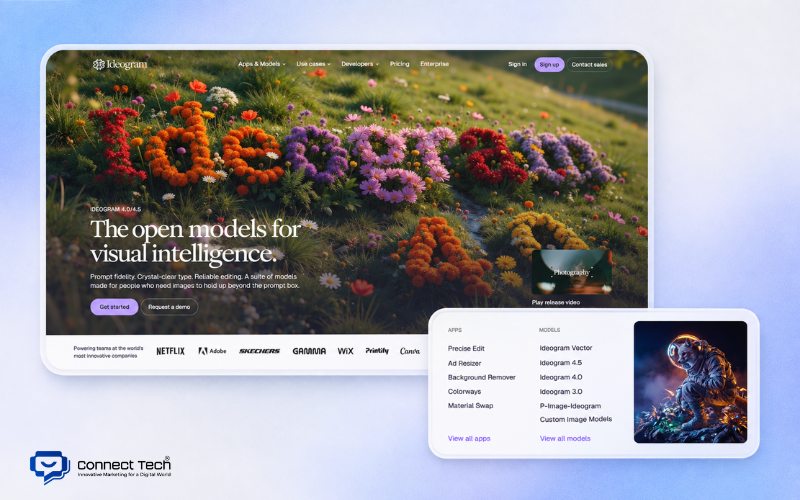
1. Ideogram – AI Image Generator for Posters and Text-Based Designs
Ideogram uses Text-to-Image technology to turn written descriptions into images. You can describe the subject, design style, colors, and text you want to include. The AI then generates different image variations based on your instructions.
Ideogram's main strength is its ability to incorporate text into visual designs. For example, you can ask the tool to create a grand opening poster for a coffee shop, using a minimalist style, brown tones, and the words "GRAND OPENING" in the center. The AI will combine typography with graphic elements to create a relatively complete layout.
For users looking for an AI image generator that can create customized visuals, Ideogram also supports reference images and prompt-based editing. Ideogram 4.5 includes Precise Edit, a feature that allows you to modify a specific area of an image while attempting to preserve the remaining details. This is useful when you want to change a product's color, edit an object, or refine an existing design.
Ideogram's notable features include:
- Text-to-Image: Generates images from text descriptions.
- Typography: Creates text, headlines, and other written elements within images.
- Image Reference: Uses reference images to guide the generated results.
- Precise Edit: Modifies selected areas without recreating the entire image.
- Reframe: Adjusts aspect ratios and expands image compositions.
Pricing: Ideogram offers a Free plan with 30 credits per week for eligible accounts signed in through Google, Apple, or Microsoft. The Plus plan costs $20 per month when billed monthly or the equivalent of $15 per month when billed annually. Images generated with free accounts are generally public, while paid plans support private image generation.
2. Midjourney – AI Image Generator for High-Quality Artistic Images
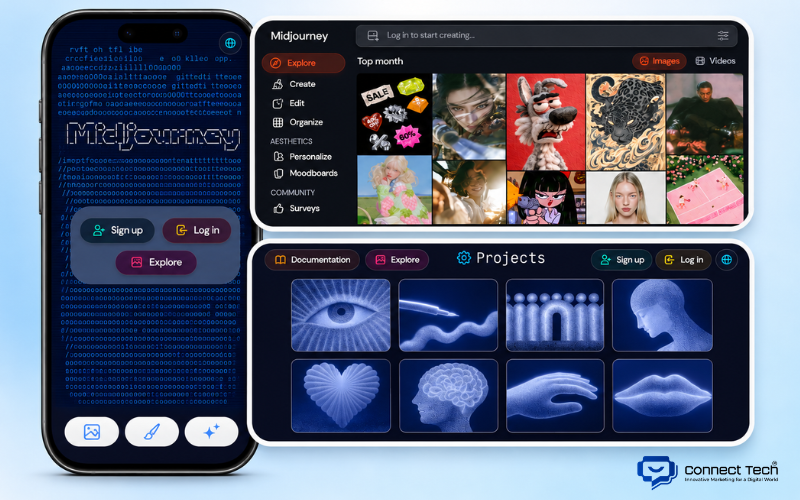
Midjourney is an AI image generation platform that focuses on visual aesthetics, artistic styles, and creative expression. Many users choose it to create concept art, fashion imagery, artistic portraits, and cinematic scenes.
Midjourney V8.2, which became the default version in July 2026, focuses on improving visual quality and image personalization. The tool can produce images with expressive lighting, rich colors, and carefully composed scenes, making it suitable for projects that require a distinctive visual style.
Some of Midjourney's notable features include:
- Style Personalization: Adjusts generated results based on the user's aesthetic preferences.
- Image Reference: Uses reference images to guide visual content or style.
- Variations: Creates alternative versions of an existing image.
- Upscale: Increases image resolution and enhances details.
- Edit Model: Edits images with greater control over visual elements.
Midjourney excels at creating artistic images and developing visual concepts. However, requests involving precise text, exact product details, or layouts that must closely match a specific reference may require several rounds of adjustments.
Pricing: Midjourney currently does not offer a general free plan. The Basic plan costs $10 per month, Standard costs $30 per month, Pro costs $60 per month, and Mega costs $120 per month. Standard and higher plans include Relax Mode for unlimited image generation through a queue, while Stealth Mode for private image generation is available only on the Pro and Mega plans.
Midjourney is suitable for Designers, Art Directors, photographers, and anyone looking to develop images with a distinctive artistic style. If you prioritize creativity and visual quality over subscription costs, Midjourney is worth considering.
3. Leonardo.Ai – AI Tool for Illustrations and Concept Art
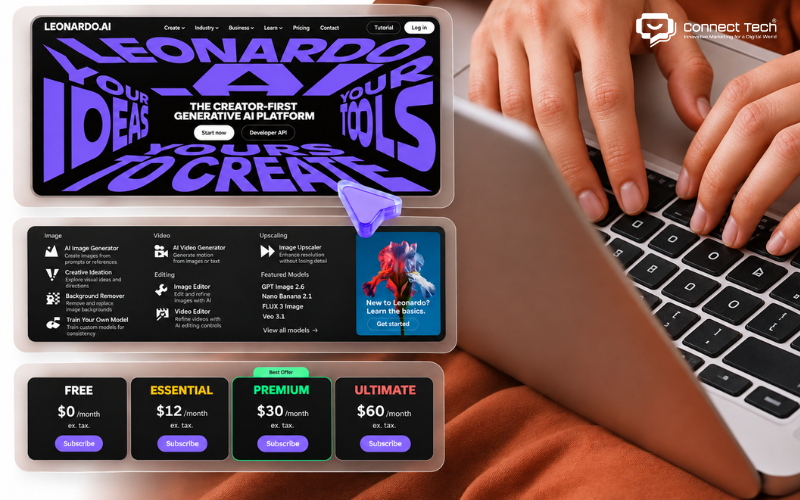
Leonardo.Ai is an AI-powered creative platform known for its tools for character design, concept art, illustrations, and product ideation. It is suitable for both beginners and Designers who want to experiment with different styles within the same project.
For users who want to create AI images from real photos, Leonardo.Ai also offers options for using existing images as references. You can upload a portrait or product photo and describe the new style you want to achieve. However, the generated result may not always preserve every detail of the original image.
Leonardo.Ai's notable features include:
- Image Generation: Creates new images from text prompts.
- Image Guidance: Uses reference images to guide the output.
- Canvas Editing: Edits or expands selected areas of an image.
- Style Presets: Provides predefined visual styles.
- Upscaling: Improves image size and output quality.
Leonardo.Ai's main advantage is its flexibility in experimenting with different styles and combining multiple creative tools. However, beginners may need some time to understand model selection, settings, and token management.
Pricing: Leonardo.Ai offers a Free plan with 150 Fast Tokens per day. The Essential plan costs $12 per month, Premium costs $30 per month, and Ultimate costs $60 per month when billed monthly.
Free users are allowed to use generated images commercially under Leonardo.Ai's terms. However, images created in public mode may be viewed and used by other users according to the platform's permissions. If you need to keep client or brand projects private, consider a paid plan with Private Mode enabled.
4. ChatGPT – AI Image Generator with Conversational Editing
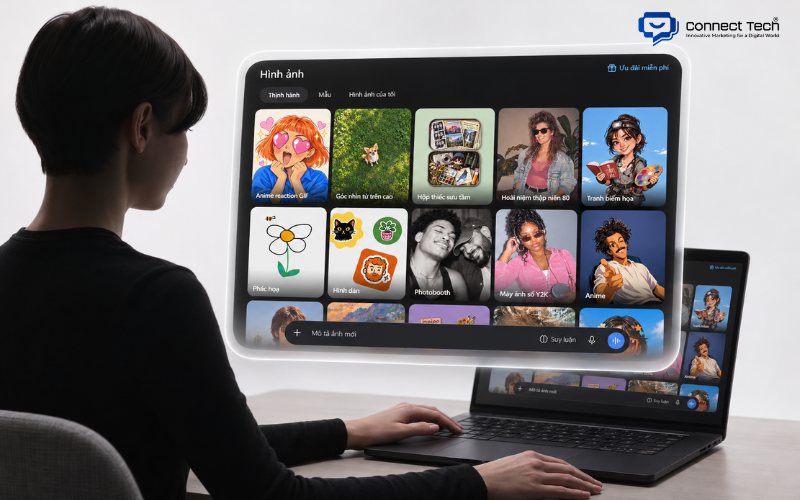
ChatGPT allows users to generate and edit images through natural-language conversations. You do not need to learn complex prompts. Simply describe the image you want to create and continue giving instructions to refine the result.
ChatGPT Images 2.6, introduced by OpenAI on November 4, 2026, improves image generation speed and the consistency of details during editing. The tool supports various image types, including illustrations, realistic photos, banners, product images, and marketing visuals.
One of ChatGPT's biggest advantages is its ability to refine images through multiple conversations. You can ask it to change colors, adjust camera angles, modify backgrounds, or add and remove objects without starting from scratch.
ChatGPT also supports uploading existing images for editing. For example, a Content Creator can upload a product photo and ask the AI to replace the background with a professional photography studio setting.
Some useful features include:
- Generating images from prompts in Vietnamese or English.
- Editing images through conversational instructions.
- Adding, removing, or changing objects within an image.
- Creating images with text or transparent backgrounds.
- Generating animated GIFs with Images 2.6.
ChatGPT is suitable for Content Creators, Marketers, office workers, and anyone who frequently needs to create visual content. It is particularly convenient when you want to refine a design through several steps.
However, AI may still alter certain details unintentionally, especially logos, product information, or small text. Users should carefully review generated images before publishing them on websites or using them in advertising campaigns.
5. Google Gemini – AI Image Generator from Text and Reference Images
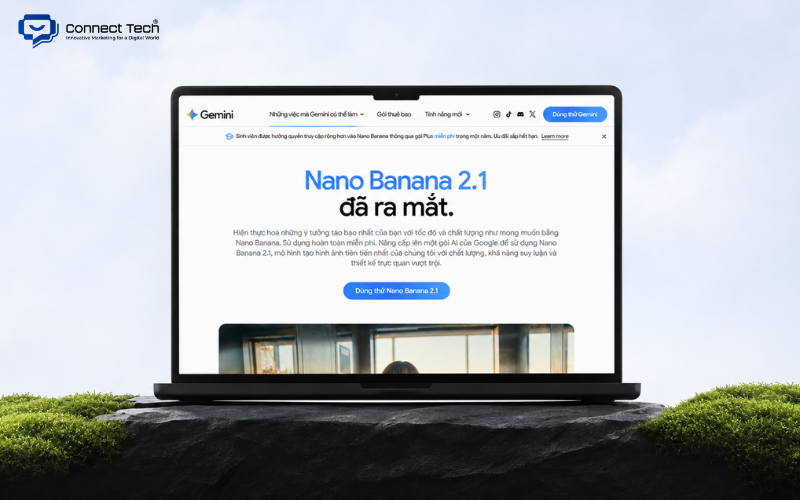
Gemini uses image generation models from Google's Nano Banana family. In an October 2026 update, Google confirmed Nano Banana 2.1 as its latest image generation model and introduced additional capabilities to support business-related visual content.
One of Gemini's strengths is its ability to process multiple details within a prompt and perform image editing tasks using natural language. Users can also provide sample images to guide the style, colors, or background of the generated result.
In certain business-oriented features, Gemini can reference brand identity guidelines, colors, and fonts to create more consistent visuals across campaigns. The availability of these capabilities depends on the version and account permissions.
Gemini is suitable for tasks such as:
- Creating illustrations for website content.
- Changing product image backgrounds.
- Developing alternative advertising visuals.
- Generating images from ideas or reference photos.
- Adjusting image styles based on specific requirements.
Google Gemini offers a simple interface and a strong ability to understand natural-language descriptions. However, when editing real product images, you should carefully check details such as colors, shapes, packaging, and logos to avoid misrepresenting the actual product.
6. Bing Image Creator – Microsoft's Free AI Image Generator
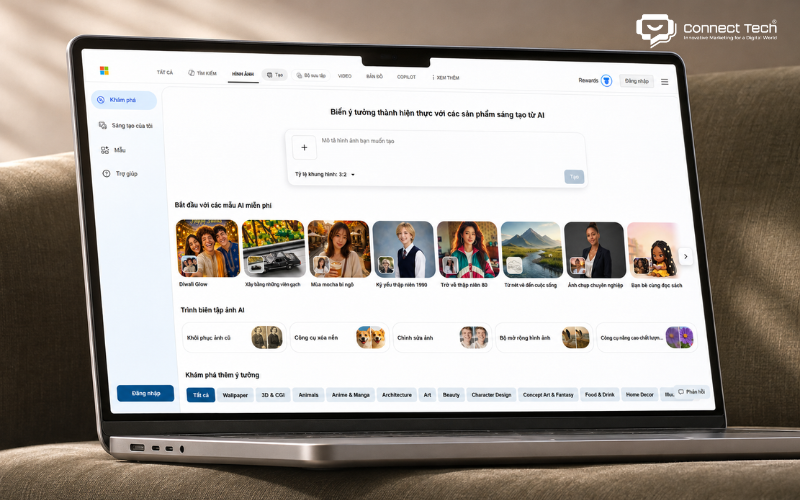
Bing Image Creator is Microsoft's online AI image generation tool that turns written descriptions into images without requiring software installation. It is suitable for beginners who want to experiment with AI image generation without subscribing to a paid plan.
Microsoft offers several model options within the tool, including GPT-4o, DALL·E 3, and MAI-Image-1. Each model has different characteristics in terms of visual style, prompt accuracy, and the number of images generated per request.
For example, you can enter a prompt asking for an image of a cat reading a book in a library, with a 3D cartoon style, warm lighting, and a square aspect ratio. The tool will generate an image based on your description without requiring Photoshop or Illustrator skills.
If you are looking for a free AI image generator website that is easy to use, Bing Image Creator is worth trying. The tool does not require users to configure numerous settings before generating an image.
Bing Image Creator offers two generation modes:
- Fast Creation: Generates images quickly with a limited number of free daily uses.
- Standard Creation: Continues generating images for free at a slower speed after the fast generation quota is exhausted.
According to Microsoft's published policy, users receive 15 free fast generations per day and can continue using Standard Creation afterward. The tool also applies limits to the number of prompts submitted within a 24-hour period.
7. Canva AI – AI Image Generator for Social Media Design
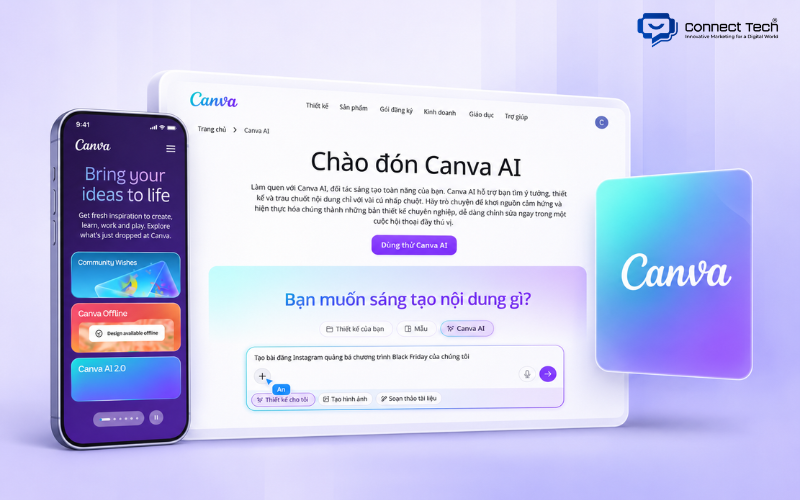
Canva AI helps users generate images from text and continue editing them directly within Canva's design editor. The tool is suitable for people who frequently create posters, banners, thumbnails, Facebook posts, or Instagram content.
Canva combines AI image generation with a collection of design templates, illustrations, fonts, and drag-and-drop editing tools. This allows you to use an AI-generated image as part of a complete design rather than simply generating and downloading a standalone picture.
Canva also supports resizing designs for different platforms. You can use the same image to develop a website banner, Facebook post, or Instagram Story without having to rebuild every design element from scratch.
Canva's useful features include:
- Canva AI: Generates images from text descriptions.
- Magic Edit: Changes selected details within an image.
- Magic Eraser: Removes unwanted objects.
- Background Remover: Separates subjects from their backgrounds.
- Magic Resize: Adjusts designs for different formats and dimensions.
Users looking for a free AI image generator app may consider Canva because it is available both as a website and a mobile application. Its drag-and-drop interface also makes it easier for people without design experience to get started.
Canva's main advantage is its ability to combine multiple design tasks within one platform. However, it may not be the most advanced choice for complex artistic concepts or projects that require precise control over every visual detail through prompts.
8. Adobe Firefly – AI Image Generator for Professional Design and Marketing
Adobe Firefly supports image generation from text, object editing, canvas expansion, and modifications to specific image elements. The tool also integrates with Adobe products such as Photoshop and Adobe Express, allowing users to continue refining designs after generating AI content.
Firefly Image Model 5 expands image generation capabilities with greater detail and natural-language editing tools. Users can describe the image they want to create or request specific changes to an existing photo.
For example, a Designer working on a banner for a furniture brand can use Generative Fill in Photoshop to replace decorative objects, add plants, or extend the space behind a product. This approach saves time when experimenting with different layout options.
Adobe Firefly supports several notable features:
- Text to Image: Generates images from text prompts.
- Generative Fill: Adds, removes, or replaces content within images.
- Generative Expand: Extends images beyond their original boundaries.
- Text to Vector Graphics: Creates vector graphics from text.
- Partner Models: Provides access to selected AI models from other developers.
Adobe develops its own Firefly models with commercial use in mind, using licensed content and public-domain materials. However, when using third-party models within Firefly, you should review the specific terms of those models and the platforms involved.
Pricing: Adobe Firefly offers a free plan with a limited number of daily generations. Firefly Standard costs $9.99 per month, Firefly Pro costs $19.99 per month, and higher-tier plans are available for more frequent usage.
9. Recraft – AI Tool for Vector Images and Brand Graphics
Recraft allows users to generate images from text descriptions, select visual styles, and continue editing the results using graphic design tools. The platform is suitable for creating illustrations that can be incorporated into websites, app interfaces, or marketing materials.
One of Recraft's distinguishing features is its ability to work with vector graphics in supported modes. Unlike raster images, which consist of pixels, vector graphics use lines and shapes that can be resized without the usual loss of visual quality.
For example, a company developing a website can use Recraft to generate a set of icons representing services such as delivery, payment, security, or customer support. A Designer can then adjust the colors and incorporate the graphics into the website interface.
Recraft also develops its own image generation models. Recraft V4.1 Flash, introduced in September 2026, focuses on faster image generation and more efficient design experimentation.
Its notable capabilities include:
- Generating illustrations from text prompts.
- Creating vector graphics and icons in supported modes.
- Adjusting visual styles and colors.
- Producing multiple image variations from a single concept.
- Editing backgrounds, objects, and graphic elements.
- Exporting SVG files when supported by the selected tool and mode.
Pricing: Recraft offers both Free and paid plans. Under its current terms, images generated with the Free plan are owned by Recraft and licensed for personal use only. They cannot be used commercially. Paid plans provide commercial usage rights according to their respective terms.
10. Krea AI – Real-Time AI Image Generation and Editing Platform
Krea provides an environment for generating images using text prompts, reference images, and editing tools. Certain modes can update images as users modify their inputs, making it easier to experiment with compositions and visual styles interactively.
Krea also includes image enhancement tools that can improve sharpness and output dimensions in supported modes. These features are useful when you already have a suitable image but need to refine it for design purposes.
For users who want to generate AI images online, Krea allows many creative tasks to be completed directly in a browser without installing AI models on a computer.
Krea's notable features include:
- Generating images from text and reference images.
- Experimenting with images in real time.
- Choosing from multiple AI models.
- Increasing resolution and enhancing image details.
- Adjusting styles based on reference images.
- Combining multiple creative tools on one platform.
Pricing: Krea currently offers a Free plan with 100 compute units per day. The Basic plan starts at $9 per month and includes 5,000 compute units per month, along with access to more models. Advanced features and resource-intensive models may consume different amounts of compute units.
11. Magnific (Freepik) – AI Image Generator with Multiple Models
One of Magnific's key strengths is that users can choose models from different developers instead of relying on a single image generation technology. The platform supports model families such as Nano Banana, FLUX, Ideogram, GPT Image, Mystic, and other options depending on availability.
Magnific allows users to generate images from prompts or upload reference images. You can describe the subject, style, lighting, composition, and desired dimensions, then select a model to generate the result.
Magnific also provides creative tools for changing backgrounds, removing objects, adjusting aspect ratios, and using reference images to maintain a consistent visual style.
Its main advantages include:
- Generating images with multiple AI models on one platform.
- Using both text prompts and reference images.
- Adjusting styles, compositions, and backgrounds.
- Enhancing image quality.
- Combining multiple image generation and editing tasks.
- Supporting frequent visual content production.
One limitation is that each model has its own credit consumption rules and capabilities. Without checking these requirements, users may consume a significant number of credits when experimenting with high-quality models.
Pricing: Magnific offers a free plan that allows users to generate up to 20 images per day within the supported features. Paid plans provide broader model access, higher generation limits, and commercial usage rights according to the platform's terms.
12. FLUX.2 – Flexible AI Image Generation Models by Black Forest Labs
Unlike platforms with dedicated design interfaces such as Canva or Adobe Firefly, FLUX.2 is a family of AI models. Users can access it through BFL Playground, APIs, or third-party services that integrate these models.
FLUX.2 supports Text-to-Image generation and image editing using reference inputs. In supported versions, users can combine multiple images to create a new result while preserving important elements from the original references.
The FLUX.2 family includes several versions designed for different needs:
- FLUX.2 [max]: Prioritizes high image quality and detailed results.
- FLUX.2 [pro]: Balances image quality, speed, and cost for practical applications.
- FLUX.2 [flex]: Suited to tasks requiring greater control over text and typography.
- FLUX.2 [klein]: Focuses on speed and faster image processing.
- FLUX.2 [dev]: Designed for research, experimentation, and development under a separate license.
FLUX.2 also supports output resolutions of up to 4 megapixels in suitable configurations. Its ability to work with multiple reference images makes it useful for product design, e-commerce imagery, and brand visual development.
FLUX.2's main advantage is its flexibility and the ability to choose models based on specific needs. However, beginners may find it challenging to select the right version, provider, or access method.
Pricing: Black Forest Labs uses pay-as-you-go API pricing. For example, FLUX.2 [pro] starts at $0.03 for the first megapixel of output, excluding additional costs based on resolution and reference images. Certain variants can also be deployed locally under separate licenses, with commercial usage rights varying between versions.
Each AI image generator has its own strengths, so the best choice depends on the type of images you want to create and your budget. Ideogram stands out for text-based posters, Midjourney excels at artistic imagery, Leonardo.Ai supports concept development, while ChatGPT and Gemini offer convenient image generation and editing through natural-language conversations.
For businesses looking to integrate AI into marketing and digital content creation, Connect Tech provides consulting and solutions for Digital Marketing and professional website design tailored to their business goals

Table of Contents