Loading Table of Contents...
Top 14 AI Coding Tools for End-to-End Programming Support
Quick Summary
Collapse
Discover the best AI coding tools, from GitHub Copilot to Cursor and Claude Code. Compare features, free plans, and pricing to find the right tool.
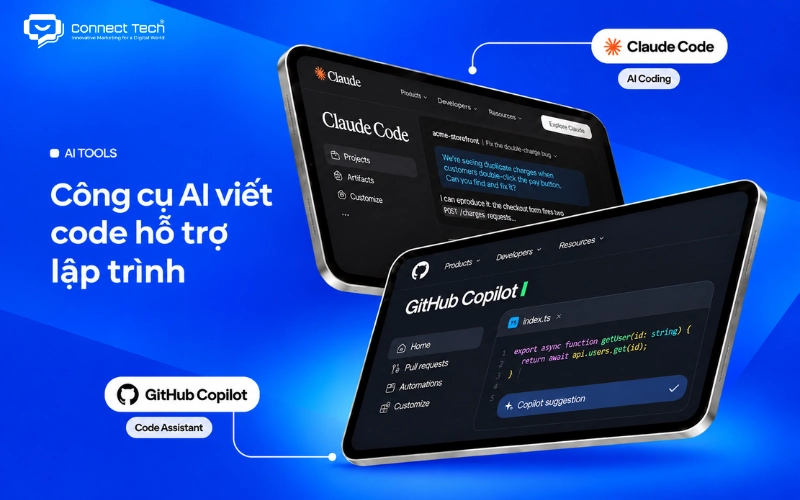
GitHub Copilot, Claude Code, OpenAI Codex, Cursor, and Google Antigravity are among today's most prominent AI coding tools. They can help generate source code, detect errors, edit multiple files, run tests, and develop applications from natural-language instructions.
If you're looking for the right tool for your programming needs, Connect Tech introduces 14 noteworthy options and compares their features, strengths, limitations, pricing, and free-plan restrictions to help you make an informed decision.
|
|
|
|
|
|
|
|
|
|
|
|
|
|
|
|
|
|
|
|
|
|
|
|
|
|
|
|
|
|
|
|
|
|
|
|
|
|
|
|
|
|
|
|
|
|
|
|
|
|
|
|
|
|
|
|
|
|
|
|
|
|
|
|
|
|
|
|
|
|
|
|
|
|
|
|
|
|
|
|
|
|
|
|
|
|
|
|
|
|
Note: Prices were referenced from providers' official websites in November 2026 and are shown in USD. Some services may charge additional API, token, credit, or tax fees. Prices may also vary by region and billing method.
1. Claude Code – An AI Coding Agent for Advanced Development
Claude Code works in terminals, IDEs such as Visual Studio Code, desktop applications, and other supported environments. You can ask it to analyze errors, build features, write tests, or improve your code structure. The AI reads relevant files, suggests changes, and performs the necessary steps within the permissions you grant.
For example, if a Laravel application has a problem with its login process, you can ask Claude Code to inspect the routes, controllers, middleware, and related files. It can analyze the workflow, identify possible causes, and suggest fixes. You still need to review the results before applying them to a live system.
Claude Code also supports Git, pull requests, and connections to external tools through the Model Context Protocol (MCP). These capabilities allow AI to take part in several stages of software development, from understanding requirements to reviewing changes.
Claude Code's main strength is its ability to handle multi-step tasks and understand how different parts of a project relate to one another. However, because it can run commands and change source code, users must manage permissions, monitor results, and control costs.
Claude Code pricing:
- Claude Pro: USD 20/month, includes Claude Code with usage limits.
- Claude Max: from USD 100/month, offers higher usage limits.
- Claude API: charged according to token consumption.

2. GitHub Copilot – An AI Coding Assistant Built into Your IDE
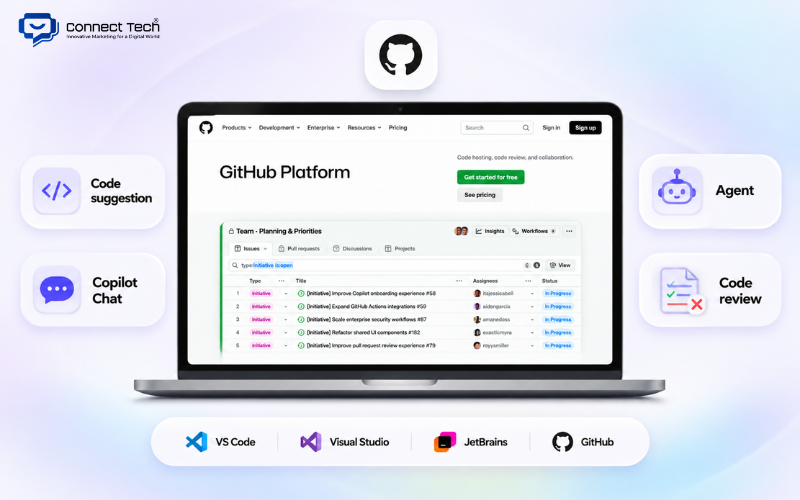
GitHub Copilot is a programming assistant developed by GitHub that suggests source code as you work. It integrates with Visual Studio Code, Visual Studio, JetBrains IDEs, and many other environments, making it suitable for anyone who wants AI assistance without switching from their current editor.
Copilot can suggest the next line of code, complete functions, explain snippets, and help troubleshoot errors. It works with popular programming languages such as Python, JavaScript, TypeScript, Java, PHP, C++, and Go.
For example, when you're building an API with Node.js, Copilot can suggest how to handle requests, validate input data, or write code similar to what already exists in the project. You can also use Copilot Chat to ask about errors or have the AI explain an unfamiliar function.
In addition to code suggestions, GitHub Copilot offers an agent mode and code-review assistance. These features enable AI to take on larger tasks, including editing source code and reviewing changes in a repository.
Copilot's greatest advantage is how naturally it fits into an existing development workflow. However, the quality of its suggestions depends on the context and the user's instructions. Agent tasks and advanced models are also subject to AI credit limits.
If you're looking for free AI coding assistance, you can start with GitHub Copilot Free before deciding whether to upgrade.
GitHub Copilot pricing:
- Free: USD 0, includes 2,000 code completions/month and limited chat and agent usage.
- Pro: USD 10/month.
- Pro+: USD 39/month.
- Max: USD 100/month.
3. OpenAI Codex – AI for Automatically Writing, Fixing, and Testing Code
OpenAI Codex is a coding agent designed to help with software development tasks such as building features, fixing bugs, testing, and reviewing source code. Unlike an AI code generator that only produces snippets from prompts, Codex can work within a project and carry out several steps in sequence.
Codex supports environments such as terminals through Codex CLI, IDEs, desktop applications, and the cloud. Users can describe a task, let the AI analyze the relevant files, and then review the changes it proposes.
For example, suppose you're developing an e-commerce website with Next.js and need to add product filtering. Codex can inspect the component structure, identify which parts need updating, write the filtering logic, and help run tests.
The tool can also work with Git, inspect code changes, and identify potential issues in pull requests. These capabilities are useful when a project contains interconnected features or requires maintenance of an existing codebase.
Codex's main strength is its ability to carry out relatively complete tasks without requiring users to copy individual snippets between a chatbot and an IDE. Its limitation is that AI can still misunderstand requirements, produce incorrect logic, or overlook edge cases. Developers should therefore review the changes and test results.
Pricing and usage limits:
- ChatGPT Free and Go: access to Codex with limited usage allowances.
- ChatGPT Plus: USD 20/month, with higher Codex usage limits and access to Codex Cloud when eligible.
- ChatGPT Pro and business plans: provide options for higher usage needs.
- Codex API: may incur usage-based charges when accessed through the API.

4. Cursor – An AI-Powered Code Editor
Cursor stands out for its Agent Mode, which allows AI to make changes across multiple related files. You can ask it to build a new feature, edit components, improve code structure, or help resolve errors.
For example, if you want to change the layout of a product page in React, you can describe the design you have in mind. Cursor can find the relevant components and suggest edits. You can review each change before accepting it.
Cursor also lets you chat with your codebase, understand unfamiliar sections, and create plans for development tasks. This is particularly useful when taking over an existing project or maintaining a website with many directories.
Cursor's strength is that it brings AI-driven actions into one development environment, reducing the need to switch between an editor and a chatbot. However, users need to learn how to guide its agents, review modified code, and monitor usage.
Cursor pricing:
- Free: USD 0/month, with limited AI requests.
- Plus: USD 8/month, supports Grok models only.
- Premium: USD 30/month.
- Super: USD 100/month.
- Ultra: USD 200/month.
Premium and higher plans allow third-party models, but usage of those models is billed separately.

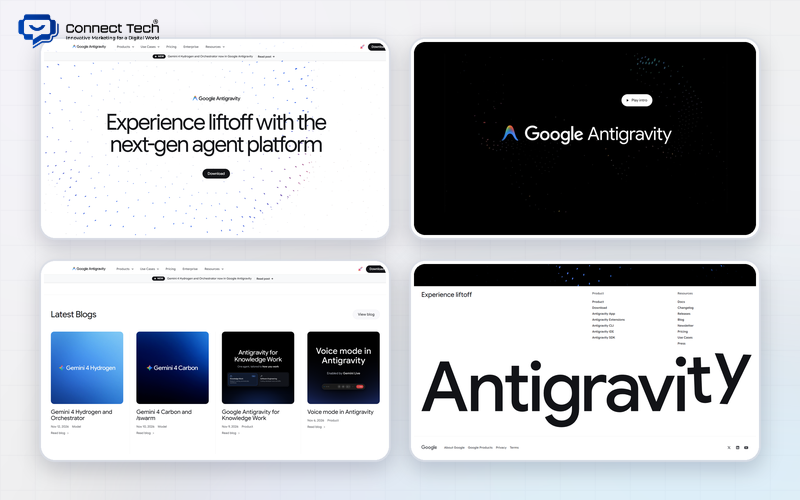
5. Google Antigravity – A Development Environment with AI Agents
Antigravity lets AI analyze requirements, create plans, edit source code, and help verify results. Instead of entering a prompt and receiving only a code snippet, users can follow how an agent handles different parts of a project.
For example, while developing an admin page in React, you can ask AI to create a dashboard with data tables, filters, and charts. An agent can help build the interface components, run the application, and check how the result appears in a browser.
Another notable feature of Antigravity is its ability to work with multiple tasks and AI models. This allows developers to use AI throughout the development process rather than only for searching or explaining code.
Google Antigravity's advantage is its integrated environment with several automation capabilities. However, agent usage limits and model access depend on your plan. Users must also review results before applying changes to the main project.
Google Antigravity pricing:
- Individual: free, with weekly usage limits.
- Google AI Pro: offers higher usage allowances.
- Google AI Ultra: intended for more extensive usage.
- Enterprise: options are available through Google Cloud.
6. JetBrains AI and Junie – Programming Assistants for the JetBrains Ecosystem
JetBrains AI is a collection of AI programming tools integrated into JetBrains IDEs, including IntelliJ IDEA, PyCharm, PhpStorm, and WebStorm. It helps developers get suggestions, understand code, edit source files, and work with AI assistants.
AI Assistant supports common tasks such as code completion, explaining errors, generating documentation, and proposing changes. Junie, meanwhile, is a coding agent that can take on tasks, analyze related files, and help carry out development steps.
If you're looking for AI tools to write Python code, you can combine PyCharm with JetBrains AI features to help write functions, explain errors, and test programs. Developers seeking AI tools for C++ coding can also explore CLion and the AI capabilities supported within that IDE.
For example, a PHP developer using PhpStorm can ask AI to explain a controller in Laravel, suggest code improvements, or help write unit tests. Because these features are integrated into the IDE, developers can continue working within their familiar project structure.
JetBrains AI and Junie's main advantage is their integration with existing professional development tools. However, advanced features may consume AI credits and require an appropriate subscription. IDE licensing fees may also be charged separately.
JetBrains AI pricing:
- AI Free: free, with limited credits.
- AI Pro: from USD 10/user/month.
- AI Ultimate: from USD 30/user/month.
7. Kiro – AI-Assisted Software Development Based on Requirements
Kiro is an AI development environment from AWS, known for its requirements-based approach to software development, also called Spec-driven Development. The tool helps users define features, create plans, and organize tasks before generating source code.
Instead of asking AI to write an entire feature immediately, you can start by describing your goal. Kiro can help turn your requirements into specifications, technical designs, and a list of implementation tasks.
For example, when building an order management system, you can ask Kiro to help define features such as creating orders, updating statuses, managing customers, and assigning employee permissions. After reviewing the documentation, you can ask the AI to work on the corresponding coding tasks.
Kiro also offers automation mechanisms that connect certain development events to predefined checks or actions.
Kiro's main strength is giving development work a clear structure, especially for projects with many business requirements. Its limitation is that creating and reviewing specifications can add unnecessary steps if you only need to fix a small bug.
Kiro pricing:
- Free: 50 credits/month.
- Pro: USD 20/month, includes 1,000 credits.
- Pro+: USD 40/month, includes 2,000 credits.
- Pro Max: USD 100/month, includes 5,000 credits.
8. Cline – An Open-Source AI Coding Agent Supporting Multiple Models
Cline lets you use your own API keys from platforms such as OpenAI, Anthropic, Google, or other supported providers. You can select a model that fits your work and budget rather than relying entirely on a single AI service.
For example, when fixing a bug in a Node.js application, you can ask Cline to inspect related files, analyze error messages, propose changes, and run test commands within the permissions you allow.
Cline also supports the Model Context Protocol (MCP), enabling agents to connect to external tools and data sources. This can be useful for developers who want to customize their programming workflows for a particular project.
Anyone looking for free AI coding tools should note that the Cline software is free, but using an AI model may still cost money. If you connect a paid API, you are charged according to the provider's usage rates.
Cline's strengths are its flexibility, customizability, and control over AI models. Its limitations are that beginners may find API setup, agent configuration, and execution permissions difficult to manage.
Cline pricing:
- Personal: free, open-source software.
- AI inference: charged according to the model and usage.
- Enterprise: custom pricing based on business needs.
9. OpenCode – An Open-Source AI Programming Tool for the Terminal
OpenCode can help search files, analyze repository structure, edit code, and execute commands. Users can connect APIs from different providers or choose a model service that fits their budget.
For example, if you need to restructure a TypeScript project, you can ask OpenCode to find components using a particular interface, update the relevant files, and help check for errors after the changes.
The tool also lets you organize tasks by agent and configure tool permissions. This gives developers control over how much automation they want instead of letting AI perform every action without confirmation.
OpenCode's advantages are its customizability and flexibility in model selection. However, users need a basic understanding of terminals, API keys, and cost management when using paid models.
OpenCode pricing:
- OpenCode software: free and open source.
- Your own API: charged according to the provider.
- OpenCode Go: USD 10/month.
- Higher-allowance model plans: depend on the selected service.
10. Devin Desktop – A Development Environment for Managing Multiple AI Agents
Devin Desktop retains the IDE experience of Windsurf while adding task-management features such as Spaces, Kanban, and Agent Command Center. Users can monitor the work AI is performing without constantly switching between multiple windows.
For example, while developing a web application, you can divide the work into tasks such as fixing interface bugs, updating APIs, and reviewing source code. Supported agents can handle the corresponding tasks while you monitor results and decide which changes to accept.
The tool also supports connections to development workflow components such as GitHub, deployment services, and external tools through MCP.
Devin Desktop's advantage is its ability to organize development processes involving multiple AI tasks. However, this approach may be more complex than necessary for someone who only wants code suggestions or needs to fix a small function.
Devin Desktop should be distinguished from the Devin cloud agent service, as the two products differ in scope and pricing structure.
Devin Desktop pricing:
- Free: USD 0.
- Pro: USD 20/month.
- Max: USD 200/month.
- Teams: plans are available for teams.
11. Replit Agent – Build Applications from Natural-Language Descriptions
Replit combines AI with an online development environment, databases, and deployment tools. You do not need to install and configure an entire development environment on your computer before getting started.
For example, suppose you want to create a task management application with features for adding tasks, changing their status, and searching. You can describe your requirements and have Replit Agent help generate the application's structure and initial interface. Once you see the result, you can request changes to anything that doesn't fit your needs.
Replit also lets users inspect the source code, test the application, and continue developing the project. This makes the platform suitable for both beginners and developers who want to build a prototype quickly.
Replit Agent's main strength is shortening the path from an idea to a usable application. However, complex features still require careful checks of logic, permissions, databases, and security. Operating costs may also increase as an application consumes more cloud resources.
Replit pricing:
- Starter: free, with daily usage limits.
- Core: USD 20/month, or the equivalent of USD 18/month when billed annually.
- Pro: USD 100/month, or the equivalent of USD 90/month when billed annually.
- Enterprise: custom pricing.
12. Lovable – Build Websites and Applications from Prompts
Lovable supports interface creation, adding features, design changes, and application deployment. Users can continue chatting with AI to adjust colors, layouts, forms, or website interactions.
For example, a store that needs a simple customer management system could ask Lovable to create a login page, customer list, add-customer form, and search filters. After receiving the first version, the user can continue refining the interface and functionality.
The platform also supports working with components such as databases, user authentication, and GitHub integration. These capabilities allow projects to develop beyond a static interface design.
Lovable's main strength is its approachable workflow, especially for people who are not familiar with coding. However, automatically generated websites and applications still need to be checked for security, permissions, and scalability before going live.
Lovable pricing:
- Free: free, with daily credits and a monthly limit.
- Pro: from USD 25/month, includes 100 credits/month.
- Business: from USD 50/month.
- Enterprise: custom pricing.
13. Bolt.new – An Online AI Tool for Building Websites and Applications
Bolt can generate an application's structure, interface, and source code from prompts. Users can then ask the AI to fix errors, change layouts, or add functionality without writing every component themselves.
For example, if you're looking for an AI tool to write HTML code for a landing page, Bolt.new may be worth exploring. You can ask it to build a service landing page with a banner, pricing table, contact form, and responsive layout. However, the tool may generate a structured web application project rather than only standalone HTML and CSS files.
Another notable feature is Bolt's integrated preview and deployment functionality. Users can check results directly in the browser and make further changes as needed.
Bolt.new's advantage is its fast, accessible application-building process. Its limitation is that it uses token-based pricing, so long prompts or repeated changes can increase consumption. For larger projects, you still need to evaluate source code, performance, and operating costs.
Bolt.new pricing:
- Free: 1 million tokens/month, limited to 300,000 tokens/day.
- Pro: from USD 25/month, includes 10 million tokens/month.
- Teams: from USD 30/member/month.
14. v0 by Vercel – AI for Building Next.js Interfaces and Applications
v0 can create interface components such as navigation menus, forms, product cards, dashboards, and data tables. The platform can also generate applications with interconnected components, integrate with GitHub, and deploy to Vercel.
For example, when building an online store with Next.js, you can ask v0 to create a product listing page with category filters, search functionality, and a responsive design. The tool can help build an initial interface that you can review and develop further.
v0 also works with interface technologies such as TypeScript, Tailwind CSS, and shadcn/ui. This is useful for developers working in the React ecosystem who want to reduce the time spent building components.
v0's main strength is its ability to generate interfaces and support modern website development workflows. Its limitation is that generated code still requires review for accessibility, performance, technical SEO, and backend logic. In larger projects, components may also need to be reorganized to match the application's architecture.
v0 pricing:
- Free: free, limited to 7 messages/day.
- Plus: from USD 30/user/month.
- Business: from USD 100/user/month.
- Enterprise: custom pricing.
AI coding tools are becoming valuable assistants throughout software development, from suggesting source code to helping complete complex tasks. Claude Code, GitHub Copilot, OpenAI Codex, Cursor, and application-building platforms such as Replit Agent and Lovable each have distinct advantages. However, AI does not replace requirements gathering, testing, security, or system maintenance.
At Connect Tech, we see AI as a tool that supports website development rather than a complete replacement for every technical stage. If you're interested in building a website, you can learn more about AI website design tools and how to choose an approach that fits your goals

Table of Contents