Loading Table of Contents...
What Is Google Ads Display? Secrets to Optimizing Campaigns Effectively
Google Ads Display helps businesses boost brand awareness, reach even more potential customers, expand their overall audience, and drive conversions effectively
Have you ever wondered why ads always appear in front of you on websites, YouTube, or Gmail? That’s thanks to Google Ads Display, a tool that helps businesses leave a mark on their brand, attract potential customers, and expand reach beyond Google Search. Let’s explore how it works with Connect Tech in the following article!
I. What is Google Ads Display?
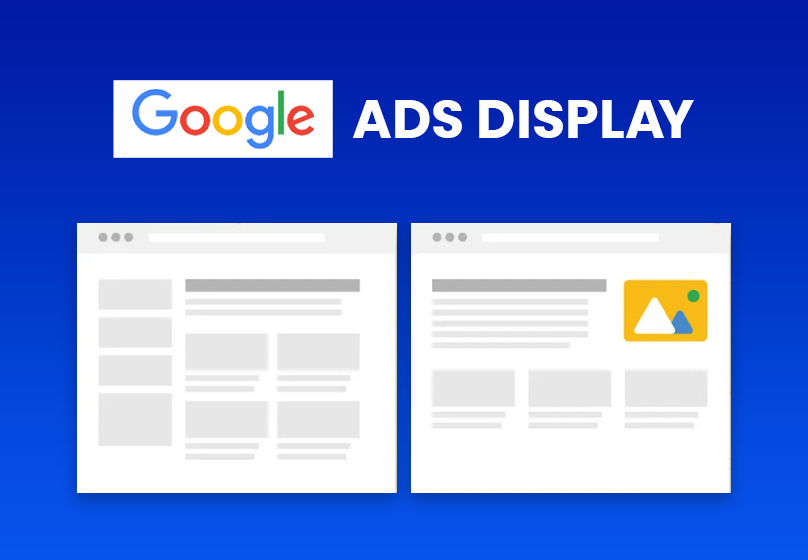
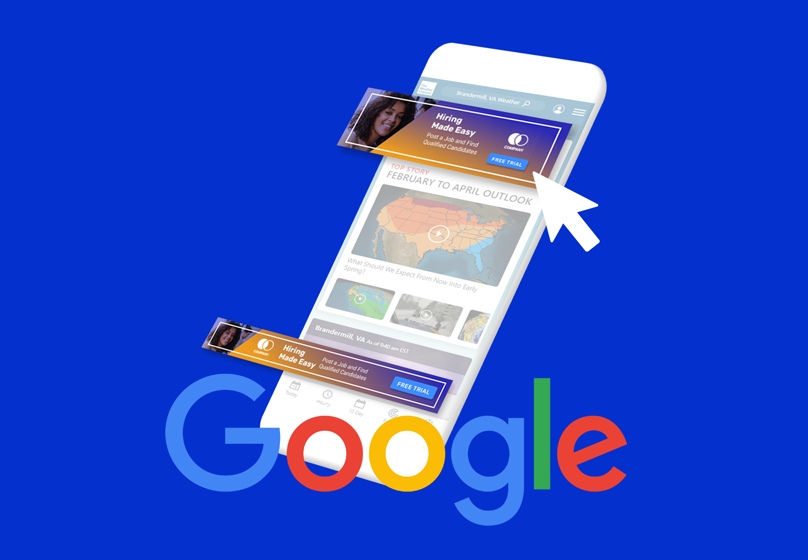
Google Ads Display is a form of online advertising on the Google Display Network (GDN), a network of partner websites, apps, YouTube, and Gmail. Unlike Search ads, which only appear when users search, Display ads are shown as images, videos, or text on websites and apps that potential customers visit.
The main purpose of Google Ads Display is to increase brand awareness, reach potential customers, and perform remarketing. It is an effective tool that allows businesses to appear at the right time, in the right place on the Internet, and expand their reach beyond Google Search.
II. Benefits of Google Ads Display
1. Wide Reach
The Google Display Network (GDN) can reach over 35 million websites and apps, as well as Google products such as YouTube and Gmail. This helps businesses expand their reach beyond Google Search, increasing brand awareness opportunities.
2. Ease of Use
Display campaigns leverage Optimized Targeting to effectively reach potential customers and Smart Bidding to optimize bids using machine learning technology. This allows advertisers to save time and improve campaign performance without excessive manual effort.
3. Cost-Effective and Flexible
Compared to Search ads, Display ads generally have lower costs, making them a more budget-friendly option for businesses of all sizes. Advertisers can choose payment methods such as CPM (cost per mille) or PPC (pay per click) to optimize return on investment. This flexibility allows small businesses to run effective campaigns without overspending, and also makes it ideal for testing new strategies or experimenting with different ad formats and targeting methods.

4. Supports Diverse Ad Formats
The Google Display Network (GDN) allows the use of images, videos, and rich media ads instead of just text like the Search Network. These formats capture viewers’ attention more effectively and make brand messages more engaging.
Using multiple ad formats helps advertisers reach different audiences and improve campaign performance.
5. Effective Remarketing
With remarketing, businesses can show ads to customers who have previously visited their website or shown interest in their products. This is a subtle way to re-engage potential customers and drive conversions.
Read more: What is Google Search Ads? How it works and how to run effective ad campaigns.
III. Types of Ads and Targeting on GDN
1. Types of Ads
- Text Ads: Text-based ads including a headline and two lines of content, similar to Search Network ads.
- Image Ads: Static image ads occupying ad blocks, customizable in layout, background color, and visuals.
- Rich Media Ads: Interactive ads, including animated images or product carousels.
- Video Ads: Placed alongside YouTube videos or GDN partner apps.
- Shopping Ads: Display products directly, optimizing revenue and click-through rates.
- Responsive Ads (RDA & RSA): Automatically adjust ad format and content to fit various placements and devices, saving management time.
2. Targeting Methods
- Placement Targeting: Select specific websites or apps where your ads will appear.
- Contextual Targeting: Use relevant keywords to display ads on suitable pages.
- Topic Targeting: Choose page topics related to your products or services.
- Interest Targeting: Target users based on their behaviors and interests, regardless of page content.
- YouTube Targeting: Display ads on videos or YouTube channels that match the target audience.
- Keyword Targeting: Show ads based on keywords according to audience or content orientation.
- Device Targeting: Target ads according to device type, such as desktop, mobile, TV, or tablet.
- Remarketing: Show ads to users who have previously visited your website, watched videos, or are on your customer email list.
3. Combining Multiple Targeting Methods
Applying multiple targeting methods simultaneously helps ensure ads are shown only to audience groups that meet both criteria, increasing accuracy and campaign effectiveness.
IV. Optimizing Google Ads Display Campaigns
1. Monitor Ad Placements
Regularly review automatic placement reports to identify which websites or apps deliver high performance. Add high-performing placements to managed campaigns and move low-performing ones to “negative placements” to reduce waste.
2. Exclude Irrelevant Categories, Audiences, and Websites
Exclude categories, audiences, websites, and topics unrelated to your products or services. This helps the campaign focus on the right potential customers and improves ad performance.
3. Use Diverse Formats and Extensions
Combine image, video, and responsive ads to fit multiple placements. Add click-to-call extensions when targeting mobile devices to increase conversion potential.
4. Evaluate Performance Across Multiple Criteria
Monitor performance by geographic location, keywords, audiences, and devices. Increase budget for high-performing areas or audience groups and reduce it for parts that do not yield high ROI.

V. Conclusion
Google Ads Display is a powerful tool that helps businesses increase brand awareness, reach potential customers, and perform remarketing effectively. Although it has limitations such as low CTR and targeting challenges, when campaigns are properly optimized, GDN can still deliver high ROI.
Table of Contents
Related news

What Is a Landing Page? Key Differences Between a Landing Page and a Website
What is a landing page? Learn how landing pages work, where they appear, and the key differences between landing pages and websites for marketing success fast!

Website Design Technology: Which Platform Should Your Business Choose?
Explore website design technologies, compare platforms, key criteria, common mistakes, and choose the right solution to scale your business effectively today.
What Are Website and Web App? Detailed Distinction and How to Choose the Right One
Learn the key differences between a Website and Web App. Compare their functions and goals to choose the right digital solution for your business strategy now.
Pros and Cons of CMS Software: Should Businesses Use It for Their Website?
Explore the pros and cons of CMS software for business websites and decide whether CMS or custom development fits your long term growth strategy best today.

What Is Website Structure? Why So Many SEO Websites Stay Messy for Years
Learn what website structure is, why many SEO websites stay messy for years, and how to build a clear, scalable SEO-friendly structure that ranks and converts.
How Website Colors Influence User Emotions
How website colors shape user emotions, trust, and conversion. Learn common mistakes, color psychology, and how to choose colors that drive action growth now