
Loading Table of Contents...
Setting Up an Amazon Seller Account Made Simple – Step-by-Step Guide from A to Z
Quick Summary
Collapse
A complete step-by-step guide for beginners on how to create an Amazon seller account, verify identity & successfully start your e-commerce business on Amazon.
Nowadays, many Vietnamese businesses including small and medium-sized enterprises — are leveraging Amazon to bring their products to the global market, thanks to its massive customer base and efficient sales support system.
However, many people are still hesitant, thinking that setting up an Amazon seller account is too complicated. In reality, if you prepare properly and follow the instructions, you can easily create an account yourself. This article will provide a detailed A-to-Z guide to help you start your global business journey smoothly.
I. Why Should You Create an Amazon Seller Account?
1. Quick Access to Global Customers
- Amazon holds a leading position among international e-commerce platforms, operating in over 18 countries and supporting delivery to more than 185 different countries.
- With its wide coverage and diverse range of products, Amazon offers Vietnamese businesses the opportunity to reach global customers with just a single seller account.
- You can bring Vietnamese products to the world without needing to invest in a complex distribution system.
2. Access to a Massive Global Customer Base
- Amazon has nearly 200 million monthly visitors and over 5.2 billion global visits per year.
- According to market research, up to 89% of U.S. consumers prefer shopping on Amazon over other platforms.
- Being present on Amazon means you're reaching a huge base of potential customers that few other e-commerce platforms can compare with.
3. Optimized System for Sellers
- With the Fulfillment by Amazon (FBA) service, you don't have to worry about warehousing, packaging, or shipping. Amazon handles the entire process for you, helping you save time and optimize resources.
- In addition, the platform provides tools for market research, performance analysis, and professional store management support.
4. Save on Marketing Costs
- Thanks to an intelligent product recommendation system based on keywords and user behavior, you can reach potential customers even without heavy investment in advertising.
- The average cost-per-click (CPC) on Amazon is only about 2,292 VND per click, significantly lower than on popular platforms in Vietnam like Shopee (~3,000 VND).
II. Preparation Before Registration
Before starting the process of creating an Amazon seller account, preparing complete and accurate documents will help increase your chances of being approved on the first attempt. Below are the necessary documents you should prepare in advance:
1. First Identity Verification Documents (SIV)
This is a mandatory step that allows Amazon to verify the personal information of the registrant.
You need to prepare:
- Identity documents: Passport, National ID/Citizen ID, or Driver’s License
- Prepare at least two types of documents to increase the chance of approval.
- The passport must be valid and signed.
- ID/CCCD/Driver’s License must be clearly photographed on both sides.
- Bank statement:
- Must include at least two consecutive transactions
- Issued within the past 180 days
- The account holder's name must match the name used to register on Amazon

2. Second Identity Verification Documents (SPR)
Not every account will require this step, but if Amazon asks for additional verification, you’ll need to prepare:
- Business license (for business accounts):
- Scan or clearly photograph both front and back
- Utility bills, such as:
- Electricity, water, or internet bills
- The bill must be issued within the past 90 days
- Phone bills are not accepted by Amazon
- If the address on the bill does not match the declared address, a rental agreement must be provided
III. Amazon Seller Account Registration Process
Once all necessary documents are prepared, you can start creating your Amazon seller account by following these specific steps:
1. Register for an Account
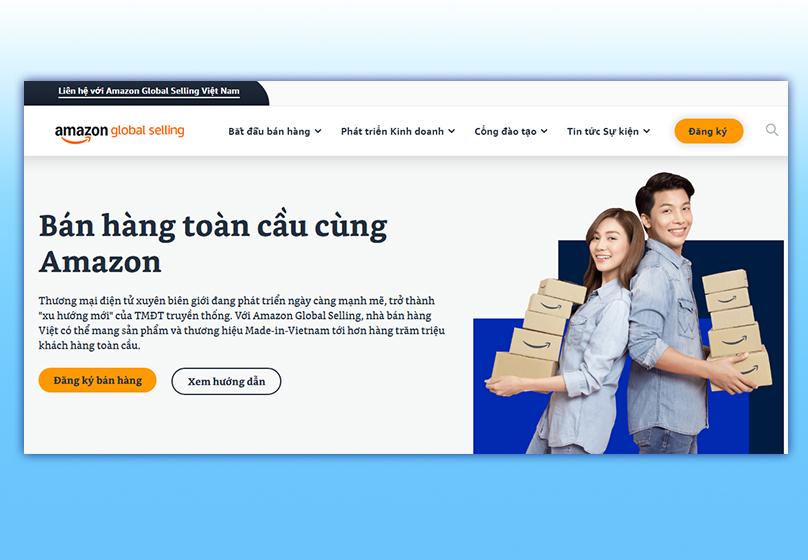
- Step 1: Go to Sell on Amazon and click the “Sign Up” button to begin
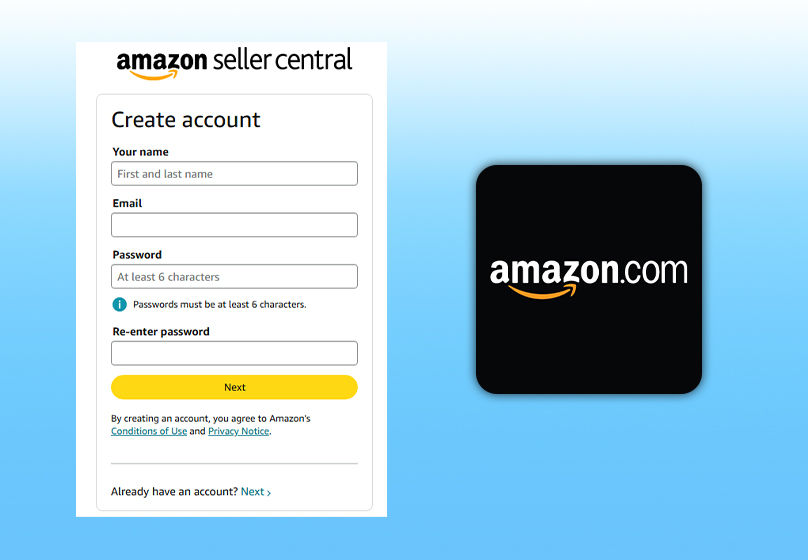
- Step 2: Fill in the required personal information:
- Your name: Full name of the registrant.
- Email: A valid email address to receive the verification code.
- Password: Create a password with a minimum of 6 characters, then confirm it.
- Step 3: Check your inbox for the OTP code sent by Amazon and enter it in the “Enter OTP” field.

- Step 4: Select your preferred language (you can choose Vietnamese to make it easier to operate).

2. First Identity Verification (SIV)
After successfully creating the account, you need to complete identity verification through three steps:
- Step 1: Enter selling information
- Provide details about your business or the individual registrant.
- Declare seller information and the bank account for receiving payments.
- Store name and description.
- Step 2: Submit verification documents
- Identity documents: Passport, National ID/Citizen ID, or Driver’s License.
- Bank statement or international payment card statement (must match the registrant’s name).

- Step 3: Monitor application results
- Amazon will send a response: approval, request for additional documents, or rejection.
- If additional documents are required, carefully check the name, date of birth, and address on your documents.
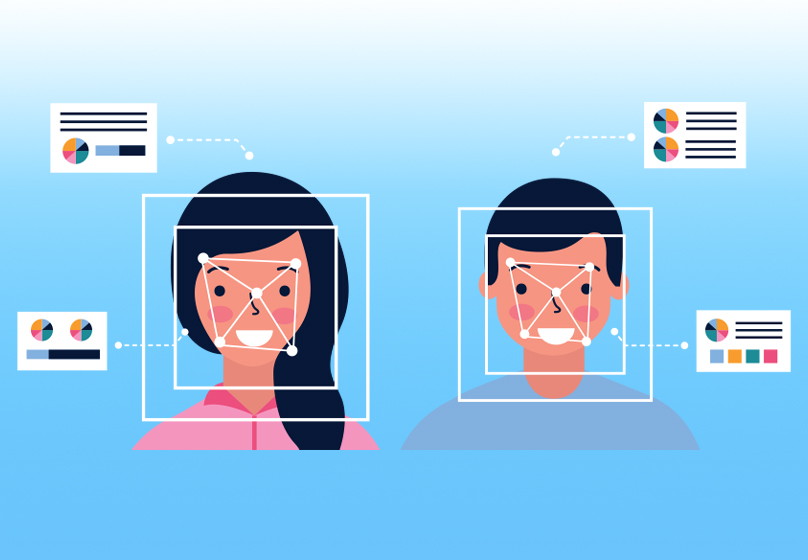
3. Facial Verification
Amazon requires facial verification to ensure the registrant is a real person.
There are three options for this step:
- Take a photo of your face along with your ID using a webcam.
- Record a live video showing your face and the original ID document.
- Interview via video call:
- Choose Vietnamese to be supported by a local agent.
- You can schedule an appointment or join immediately. Processing time is 2–7 days.
4. Address Verification via Postcard (if required)
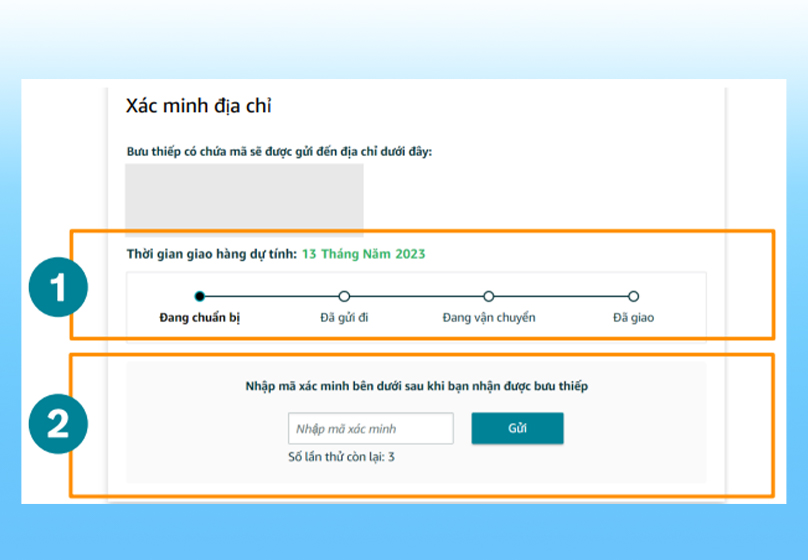
This step is only mandatory if Amazon requests it. They will send a postcard containing an OTP code to the registered address. You will need to:
- Monitor messages and calls to know when to expect the OTP code.
- Enter the OTP code within 10 days from the date of receipt.
5. Complete Account Information
- Step 1: Set up Two-Factor Authentication (2FA)
- Receive OTP via SMS and link an Authenticator app to enhance security.
- Step 2: Second Identity Verification (SPR)
- Complete this step if Amazon requires further verification after initial review.
- Step 3: Tax Interview
- Provide information about your tax classification: Individual or Business.
- If this step is not completed, your listed products will not appear on Amazon.
IV. After the Verification Process Is Complete and Your Account Is Approved
Once your account is approved, you’ll need to complete a few important setup steps on Seller Central — the platform where all your business operations are managed.
1. Access Seller Central and Complete Account Configuration
As soon as your account is approved, you can log in to Seller Central. This is the management hub designed specifically for sellers, offering a full suite of tools including product listing, order tracking, inventory management, and advertising.
Basic setup steps include:
- Fully update your personal or business information to complete your profile.
- Add your payment method and bank account to receive funds.
- Set up your warehouse address (if using the FBM model).
- Add additional users if you have a support team.
2. Prepare Your Storefront and List Your First Product
To get ready for selling, you should:
- Prepare product images, detailed descriptions, and relevant keywords.
- List your products under the correct category, and optimize the title and content to improve visibility in Amazon’s search engine.
- Determine your fulfillment method: FBM (fulfill orders yourself) or FBA (send inventory to Amazon for them to fulfill).
3. Manage Your Sales Activities
Once your store is live, you can:
- Track orders, respond to customers, and handle returns or exchanges.
- Monitor sales performance, view revenue reports, and check inventory levels.
- Consider using Amazon Ads to boost product visibility in the early stages.
V. Conclusion
Creating an Amazon seller account is no longer too difficult for individuals or businesses in Vietnam. As long as you prepare all the required documents, follow each step carefully, and understand the verification requirements, you can confidently open your store and bring your products to the world’s largest e-commerce platform.
To support Vietnamese sellers in their Amazon business journey, Connect Tech offers Amazon Services to help you grow your store with confidence, expand your scale, and improve operational efficiency. Contact us for a free consultation!

Table of Contents



































