Loading Table of Contents...
Instructions for creating Shopee seller channel from A to Z
Step-by-step guide to opening a Shopee store easily, no fees, no experience needed, reaching 45M customers monthly to quickly and effectively boost your sales.
Do you want to start an online business but don’t know which sales channel is effective? With over 45 million visits per month, Shopee is currently the leading e-commerce platform in Vietnam, providing an opportunity to reach millions of potential customers without incurring any fees to open a store. With just a few simple steps, you can create a seller channel on Shopee and start listing products immediately. In this article, we will provide a detailed guide from A to Z on how to create an account, list products, and optimize your store for superior sales.
I. Benefits of creating a Shopee seller channel
1. Access to a huge customer base
Shopee currently has over 45 million visits each month, allowing your products to easily reach customers across the country. This is an opportunity to expand your market and increase brand recognition.
2. Enjoy many promotional programs and subsidies
Shopee frequently organizes discount campaigns, free shipping, and product subsidies, helping you promote your store for free and attract new customers.

3. Easy registration, no fees
No need to rent a space, hire staff, or pay maintenance fees for the store. Just a few registration steps are needed to start selling right away.
4. No business license required
Shopee facilitates individuals or small businesses to open a store and start selling immediately, without the need for complex legal procedures. This helps you save time, costs, and quickly bring your products to market.
5. Diverse product categories and trends
Shopee offers a wide selection:
- Hundreds of categories: fashion, cosmetics, household goods, technology products, and many other fields.
- Easy to choose a segment: suitable for your capital, interests, and business strengths.
- Keep up with trends: constantly updating products according to consumer preferences.
- Increase competitiveness: leverage potential product categories to clearly position the brand in the market.
II. Steps to create a Shopee seller channel
Step 1: Access the Shopee Seller Channel page and select Register.
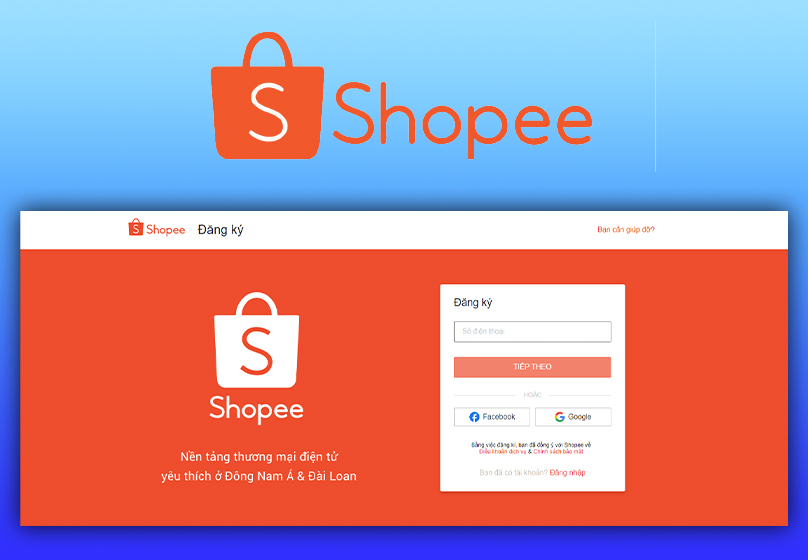
Step 2: Enter your phone number and press Next.
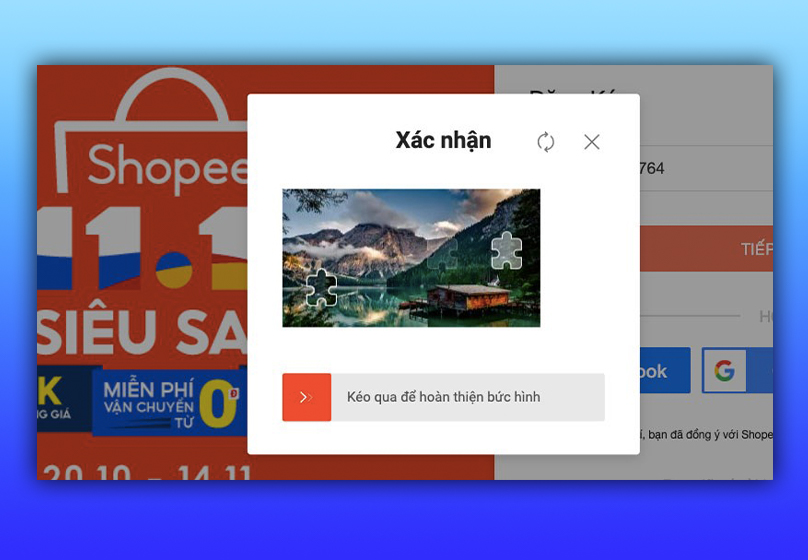
Step 3: Drag the puzzle piece to the right to complete the verification.
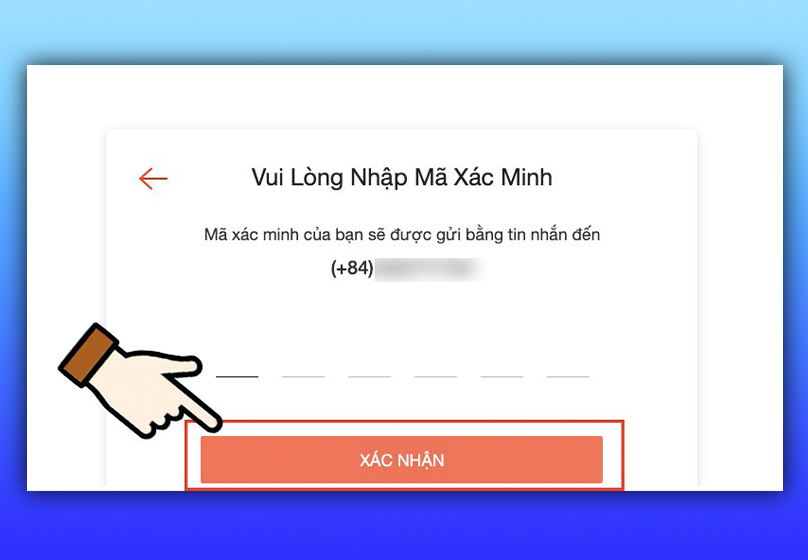
Step 4: Enter the OTP received via SMS/Zalo/call and press Confirm.
Step 5: Set a password of at least 8 characters, including numbers, special characters, uppercase letters, and lowercase letters; avoid using personal information.
III. Guide to listing products on Shopee
Use Seller Center on your computer to easily manage and post products in bulk.
Step 1: Open Seller Center → Add products:
- Log in to your Shopee account on Seller Center.
- Go to Product Management → Add new product.
Step 2: Fill in basic information:
- Product name: follow the formula Brand + Product name + Specifications/Code (eg: “Brand 100% Cotton T-shirt – Model A1”).
- Category & industry: choose exactly so Shopee can classify correctly.
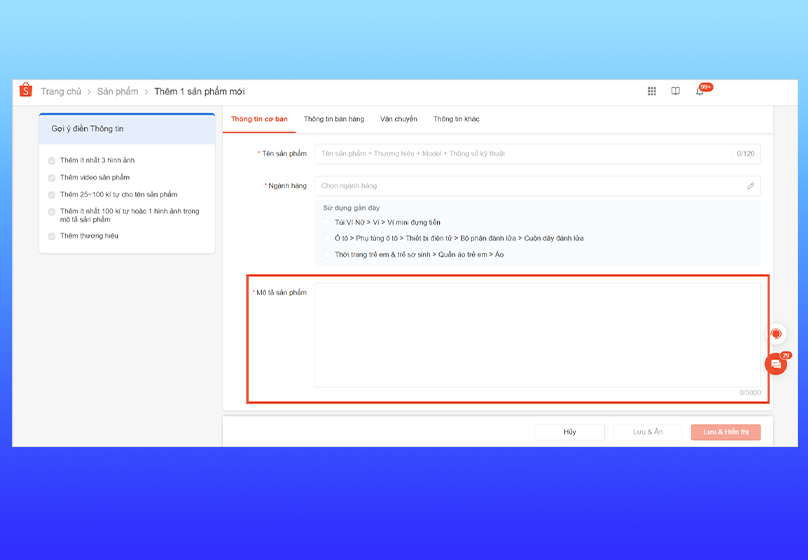
- Short & long description: summarize the benefits in the short part, the detailed part lists the specifications, instructions for use, warranty, gifts, etc. (refer to the technical description below).
- Images & videos: upload high-quality images (see details below). The image file name contains the product keyword.
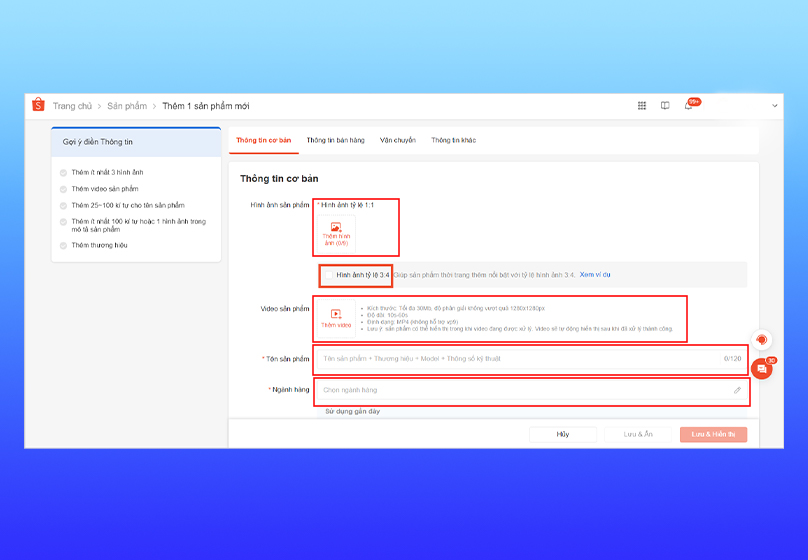
Image/video notes:
- Quantity: upload at least 7 photos (maximum 9 photos) to show multiple angles/product details.
- Image ratio: cover photo should be 1:1; detail photos should be 3:4 to increase visual appeal.
- Video: add a 15–30 second video introducing the product.
- Image checklist: product takes up 40–70% of the frame, clear photo, good lighting, no excessive borders/decorative frames.
Step 3: Complete product description:
- The description section is where you “persuade” customers to buy, so you should include technical specifications, outstanding features, benefits of use, instructions for use, and warranty conditions.
- Use bullets to make it easy for customers to scan information; insert illustrations/detailed photos in the description if necessary.
- Naturally insert relevant keywords (but avoid stuffing). Emphasize commitments (warranty, return, gift) to increase trust.
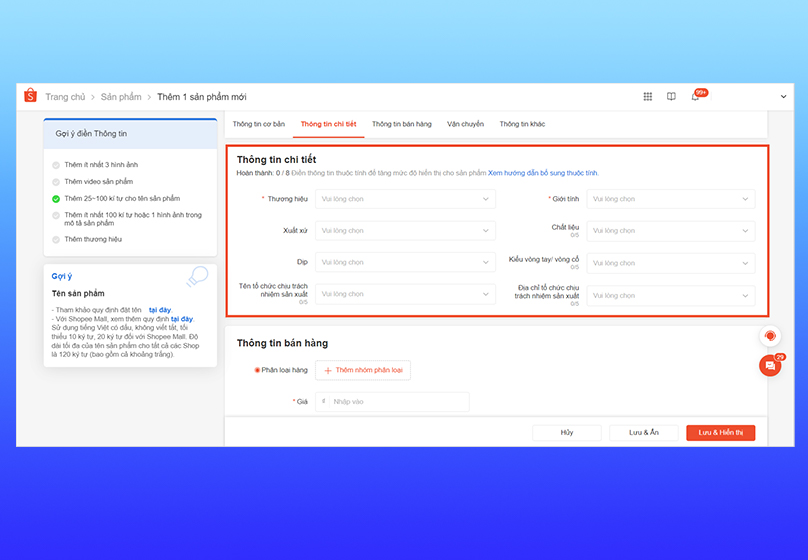
Step 4: Fill in details & attributes:
- Fill in all required attributes (brand, material, size, color, etc.). Fields marked with an asterisk are usually required. This greatly affects the visibility in search filters.
- Choose the right product type in Shopee's category tree for easy searching by customers.
Step 5: Update sales information (price, stock, variation)
- Variations: create up to 2 classification groups (eg color + size). Each classification should have its own SKU and accurate inventory quantity.
- Price & inventory: set competitive prices, update real inventory to avoid overselling.
- Set up "Buy more, get discount" if you want to encourage bulk purchases.
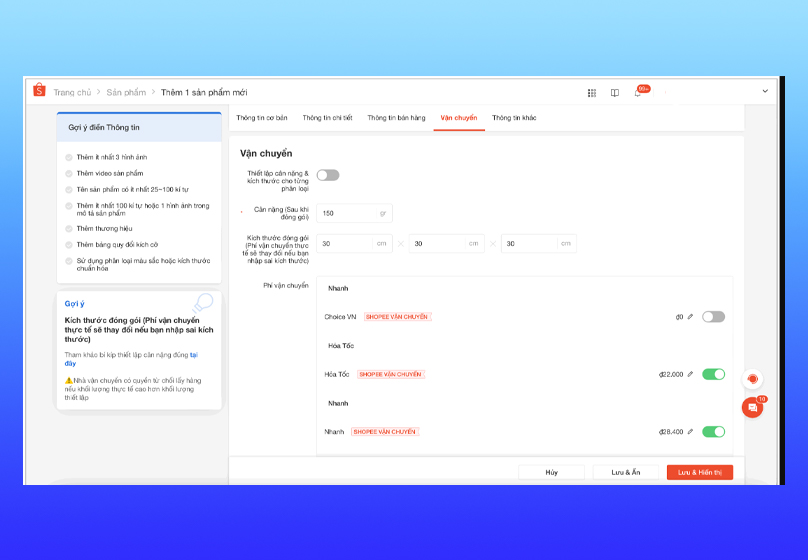
Step 6: Shipping settings:
- Fill in weight & packaging dimensions (recommended: fill in accurately so that shipping costs are calculated correctly). You can enable weight & size settings for each category if the heavy/light variants are different.
- Enable at least 1 shipping unit for Shopee to automatically calculate shipping costs. If desired, link multiple shipping units to optimize customer choices.
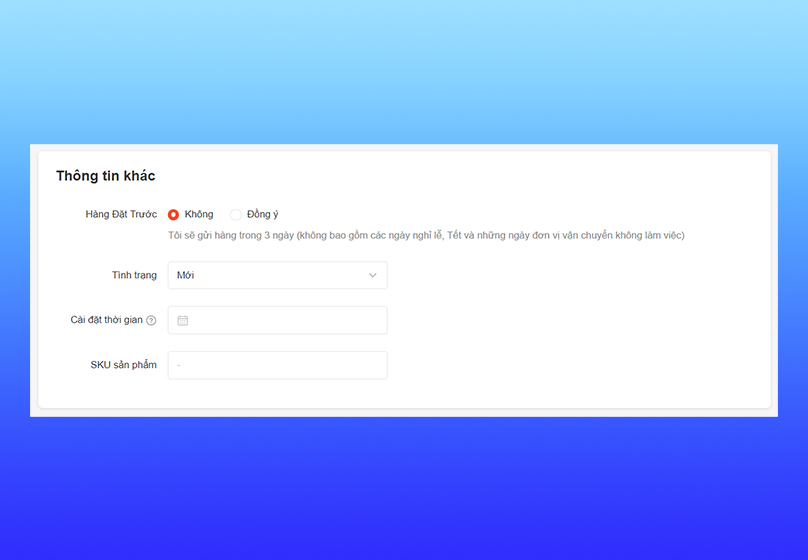
Step 7: Additional settings (optional):
- Pre-order: enable if the product needs preparation time.
- Product status: new/used.
- Schedule posting: if you want to launch during prime time.
- SKU: not required but very useful for inventory management.
Step 8: Check & Save:
- Check everything: name, price, description, image, classification, weight/size, shipping, return policy.
- When sure everything is correct, click Save & Show to make the product appear.
IV. Optimize Shopee store
To create a Shopee store that attracts and retains customers, you need to focus on optimizing everything from images, content to shopping experience.. Use product names containing relevant keywords, detailed and clear descriptions of features and uses. In addition, images should be taken bright, clear and consistent in style to create professionalism.
In addition, you can take advantage of Shopee's free tools such as Shopee Ads or Shopee Live to promote products. Regularly updating new products, quickly replying to customer messages and applying reasonable promotions also help improve reputation and increase the rate of closing orders.

V. Conclusion
Creating a Shopee seller channel is a simple first step but opens up huge online business opportunities. When you understand how to register an account, post products and apply a reasonable optimization strategy, you can completely turn your booth into a stable source of revenue.
Connect Tech provides a complete Shopee sales support service, helping you quickly set up a professional booth, optimize business efficiency and increase outstanding revenue. Contact us now for a free consultation to start your business journey on Shopee.
Read more: Quick and Easy Guide to Deleting Your Shop on Shopee
Table of Contents
Related news

What Is a Landing Page? Key Differences Between a Landing Page and a Website
What is a landing page? Learn how landing pages work, where they appear, and the key differences between landing pages and websites for marketing success fast!

Website Design Technology: Which Platform Should Your Business Choose?
Explore website design technologies, compare platforms, key criteria, common mistakes, and choose the right solution to scale your business effectively today.
What Are Website and Web App? Detailed Distinction and How to Choose the Right One
Learn the key differences between a Website and Web App. Compare their functions and goals to choose the right digital solution for your business strategy now.
Pros and Cons of CMS Software: Should Businesses Use It for Their Website?
Explore the pros and cons of CMS software for business websites and decide whether CMS or custom development fits your long term growth strategy best today.

What Is Website Structure? Why So Many SEO Websites Stay Messy for Years
Learn what website structure is, why many SEO websites stay messy for years, and how to build a clear, scalable SEO-friendly structure that ranks and converts.
How Website Colors Influence User Emotions
How website colors shape user emotions, trust, and conversion. Learn common mistakes, color psychology, and how to choose colors that drive action growth now