Loading Table of Contents...
How to Mute Shopee Live on Mobile & PC
This article provides a detailed guide on how to mute Shopee livestreams on Android, iPhone, and PC, along with flexible tips when no mute button is available.
Livestreaming on Shopee is increasingly attracting more customers as it allows sellers to connect directly with buyers while offering a lively and convenient shopping experience. However, in certain situations such as being in public places, at the office, or simply wanting to browse Shopee quietly the sound from livestreams can become a nuisance.
In this article, we’ll provide a detailed guide on how to mute livestreams on Shopee across different devices. We’ll also suggest alternative solutions in case the interface doesn’t offer a mute button, along with a few tips to help you enjoy a more complete shopping experience.
I. How to Mute Shopee Livestreams
When watching livestreams on Shopee, users can easily control the audio in various ways depending on the device they’re using. Some common methods include adjusting the system volume on your phone or computer, or simply using headphones without turning on the sound.
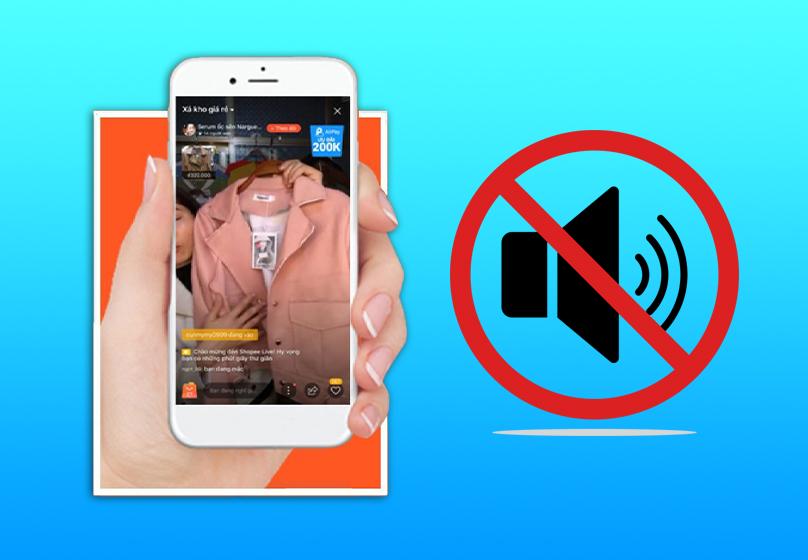
However, not all livestreams come with a built-in mute button. This may be due to the app version, interface design, or the way the seller has configured the livestream session. In such cases, you can flexibly apply alternative methods to avoid disrupting your experience.
Additionally, it’s important to distinguish between the roles of viewers and sellers (livestreamers). Viewers have the right to control audio based on personal preference, while sellers need to maintain sound to convey product information, interact with customers, and uphold professionalism during the livestream.
II. How to Mute Shopee Livestreams on Different Devices
1. On Android Phones
If you’re using an Android phone to watch Shopee livestreams, muting the sound is quite straightforward:
- Open the Shopee app and navigate to the Livestream section as usual.
- You can use the volume down button on your phone or drag the volume slider to the lowest level.
- Additionally, some Android models offer a “Silent” or “Do Not Disturb” mode, which you can activate to mute all system sounds without needing to adjust anything within the app.
2. On iPhone (iOS)
iPhone users can also easily mute the sound when watching Shopee livestreams:
- Open the Shopee app and select the livestream you want to watch.
- You can use the volume down button to mute the sound.
- Additionally, enabling “Silent Mode” in the settings is an effective way to ensure no sound is played during livestream viewing.
3. On Computer / Laptop
If you’re watching Shopee livestreams on a computer or laptop via a web browser:
- Go to the Shopee website and open the livestream as usual.
- You can use the volume keys on your keyboard to lower or completely mute the sound.
- Another method is to mute the browser tab by right-clicking on the Shopee tab → select “Mute site” or “Mute tab.”
- If you’re using headphones, simply avoid turning on the sound or unplug the headphones to prevent audio from playing through external speakers.
Read more: What Is Shopee Coins Cashback? Guide to Earning & Using Coins Effectively
III. Alternative Solutions When Livestreams Don’t Have a Dedicated Mute Button
In some cases, the Shopee livestream interface doesn’t display a separate mute button. This can make it difficult for users who want to watch livestreams in silence. However, you can still apply the following alternative methods to control the sound in your own way:
- Adjust the system volume: This is the simplest and most effective method. On mobile devices, just use the volume down button or drag the volume slider to the lowest level. On computers, you can use volume shortcut keys or click the speaker icon on the taskbar to mute the sound.
- Mute the Shopee app entirely (on Android/iOS): Some smartphones allow you to mute sound for individual apps. Go to Settings → Sound → App Management → select Shopee → turn off sound. Depending on your device, this feature may be located under “Notifications” or “App Permissions.”
- Use headphones and keep the volume off: If you’re using headphones, simply avoid turning up the volume or unplug them to prevent sound from playing through external speakers. This is a quick and convenient option when you don’t want to make too many adjustments.
- On computers: mute the browser tab or use extensions
- Right-click on the Shopee tab → select “Mute site” or “Mute tab” to mute sound only in that tab.
- Additionally, you can install browser extensions like Volume Master or Audio Channel to manage volume more precisely for each tab or application.

IV. Important Notes & Situational Considerations
While muting the sound during Shopee livestreams offers convenience in many scenarios, there are a few important points to keep in mind to avoid negatively impacting your shopping experience:
- Mandatory audio: Some flash sales, new product launches, or limited-time promotions require listening in order not to miss discount codes, sale start times, or instructions.
- Reduced interactive experience: Muting the sound means you won’t hear advice, answers to questions, or insights shared by the seller.
- For sellers: Livestreams without sound or with poor audio quality can undermine professionalism and affect order conversion rates.
- Check after muting: Don’t forget to turn the sound back on to avoid mistaking the livestream for being broken or “contentless.”

V. Conclusion
Muting the sound while watching Shopee livestreams may seem simple, but it offers clear convenience in many real-life situations—from maintaining silence in public spaces, avoiding disturbing those around you, to focusing on product visuals without being distracted by audio.
Depending on the device you’re using—whether it’s an Android phone, iPhone, or computer—there are flexible ways to control the sound. Even when the livestream interface doesn’t support a dedicated mute button, you can still apply alternative solutions such as adjusting system volume, muting browser tabs, or enabling silent mode.
We hope this article has helped you understand the various methods to mute Shopee livestreams, allowing for a more private, proactive, and pleasant shopping experience. If you found it helpful, don’t hesitate to share it with your friends!
Table of Contents
Related news

What Is a Landing Page? Key Differences Between a Landing Page and a Website
What is a landing page? Learn how landing pages work, where they appear, and the key differences between landing pages and websites for marketing success fast!

Website Design Technology: Which Platform Should Your Business Choose?
Explore website design technologies, compare platforms, key criteria, common mistakes, and choose the right solution to scale your business effectively today.

What Are Website and Web App? Detailed Distinction and How to Choose the Right One
Learn the key differences between a Website and Web App. Compare their functions and goals to choose the right digital solution for your business strategy now.

Pros and Cons of CMS Software: Should Businesses Use It for Their Website?
Explore the pros and cons of CMS software for business websites and decide whether CMS or custom development fits your long term growth strategy best today.

What Is Website Structure? Why So Many SEO Websites Stay Messy for Years
Learn what website structure is, why many SEO websites stay messy for years, and how to build a clear, scalable SEO-friendly structure that ranks and converts.
How Website Colors Influence User Emotions
How website colors shape user emotions, trust, and conversion. Learn common mistakes, color psychology, and how to choose colors that drive action growth now