Loading Table of Contents...
What is usability? How to optimize it for more conversions
What is usability? Explore 5 core usability factors, usability testing, and mobile usability optimization to help business websites increase conversions.
Usability describes how easily and smoothly users can interact with a website or digital application. An intuitive platform not only helps customers achieve their goals faster but can also directly support higher conversion rates for businesses.
This article takes an in-depth look at what usability is, the five core attributes of usability, effective testing methods, and ways to optimize the mobile experience so you can build a more sustainable digital platform.
What is usability and why should businesses care about it?
Usability is a measure of how easily, efficiently, and satisfactorily users can interact with a digital interface such as a website or application. A platform with high usability allows customers to achieve their goals quickly without spending unnecessary time learning how the system works.
From a business perspective, usability helps remove technical barriers throughout the customer journey. Eliminating these obstacles makes it easier for consumers to complete a payment or leave their contact information as a lead. A smoothly functioning system can therefore directly support conversion rates and generate tangible business value.
Conversely, many brands waste marketing budgets by directing customers to websites that look attractive but are difficult to use. A poor experience can cause visitors to leave immediately and turn to competitors. For this reason, investing in usability optimization is essential for businesses that want to retain potential customers.
The difference between usability, UX, and accessibility
Although these three concepts frequently appear together in product development discussions, each serves a different purpose and addresses a different aspect of the user experience.
|
|
|
|
|
|
|
|
|
|
|
|
5 core usability attributes according to Jakob Nielsen
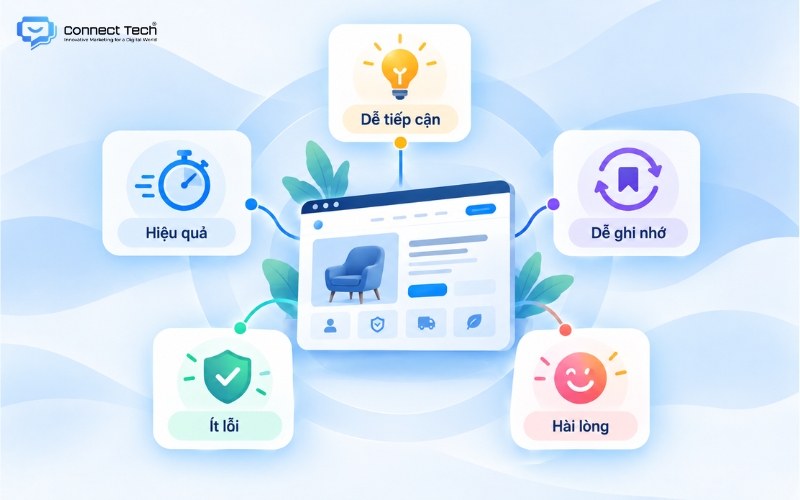
To evaluate whether a website or application is genuinely user-friendly, designers commonly use a framework consisting of five widely recognized usability attributes.
Learnability
First-time users should be able to understand and become familiar with basic functions as quickly as possible.
An intuitive interface uses familiar icons and a clear navigation structure to guide customers without requiring separate instructions.
Making the system easy to understand from the very first interaction creates a positive impression and encourages users to spend more time exploring the brand.
Efficiency
Efficiency measures how quickly users can complete specific goals, such as finding a product or checking out, once they have become familiar with the system.
Unnecessary steps should be reduced as much as possible so customers can save valuable time when shopping online.
A highly efficient website not only creates greater convenience but can also encourage repeat purchases.
Memorability
A well-designed system allows customers to return after a long period of inactivity and still use its core functions without having to learn the process again from the beginning.
Consistency in colors, typography, and layout helps users remember the website structure more easily.
This sense of familiarity creates confidence and encourages customers to return to the platform.
Errors
This attribute reflects how often users make mistakes while interacting with the system and how effectively the platform helps them recover.
Professional websites often provide protective mechanisms such as undo functions, automatic data saving, or clear error messages written in simple, user-friendly language.
Effective error management prevents users from becoming confused or frustrated after an accidental action, helping maintain a smooth experience and protect conversion opportunities.
Satisfaction
The user’s sense of comfort, enjoyment, and satisfaction throughout their interaction with the system is the ultimate goal of usability design.
A smooth experience does more than solve functional needs. It can also strengthen the perceived value of the brand.
A satisfied user may naturally become a brand advocate and recommend the product to others in their community.
|
Who is Jakob Nielsen? In 1993, he published the influential book Usability Engineering, which defined and systematized these five core usability attributes and provided designers around the world with a framework for improving digital products. |
What is usability testing and how does the process work?
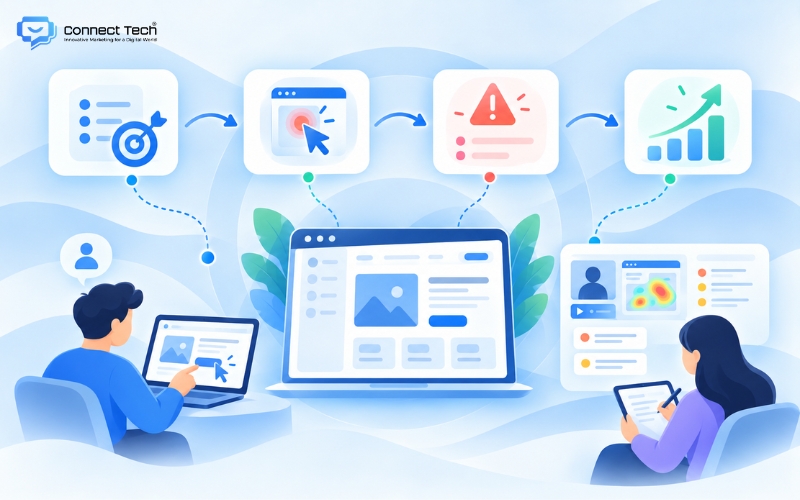
Usability testing is the process of evaluating usability by asking a representative group of users to complete specific tasks on a website prototype while UX specialists observe and record their responses.
This direct research method allows development teams to view the product from the perspective of real users rather than relying on internal assumptions.
The process begins by clearly identifying business objectives and selecting the right group of potential customers to participate in the test.
The research team then creates realistic task scenarios. For example, participants may be asked to find a size M shirt and complete the checkout process.
Finally, specialists compile behavioral data, analyze the root causes of user errors, and recommend the most appropriate interface adjustments.
The primary purpose of usability testing is to identify bottlenecks and confusing elements in the design before the system is released to the market.
Fixing usability problems during the development stage helps businesses reduce risk and optimize operating costs.
More importantly, launching a smooth and easy-to-use platform from day one helps protect brand credibility and increase the likelihood of building long-term customer loyalty.
What is mobile usability? A guide to evaluating your website
Mobile usability refers to how user-friendly, responsive, and smooth a website is when customers access it through smartphones or tablets.
As mobile shopping becomes increasingly dominant, a platform that does not work effectively on smaller screens can immediately reduce a business’s conversion rate.
Mobile usability can also affect a website’s SEO performance on Google Search.
Google considers mobile experience signals, including metrics associated with Core Web Vitals, when evaluating web pages. Optimizing the mobile interface can therefore support organic search visibility and help businesses reduce their dependence on paid advertising.
To evaluate mobile usability, website managers can use Google Search Console to review detailed reports about interface and usability issues.
Particular attention should also be paid to responsive behavior so that content can adapt appropriately to different device sizes.
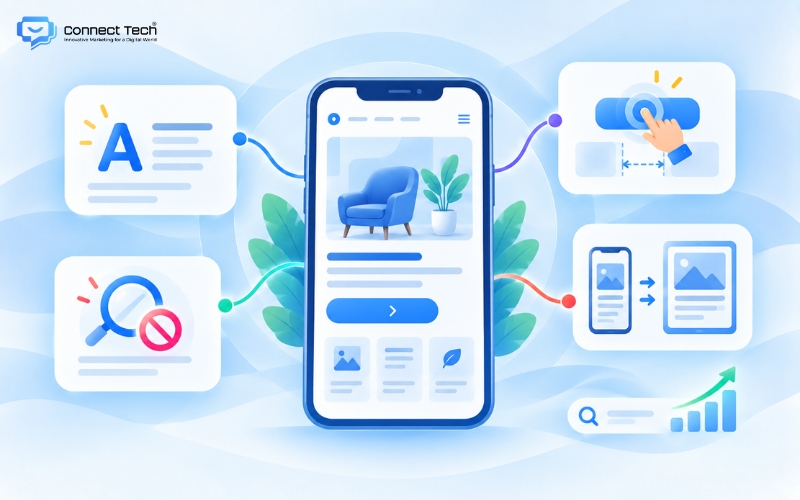
You can also evaluate the website from the customer’s perspective by checking several basic criteria: Is the text large enough to read comfortably? Do users need to zoom in? Is there enough space between buttons for users to tap the correct one accurately?
These simple checks can help determine whether the website is displaying and functioning effectively for mobile users.
Checklist of common usability issues that reduce conversions
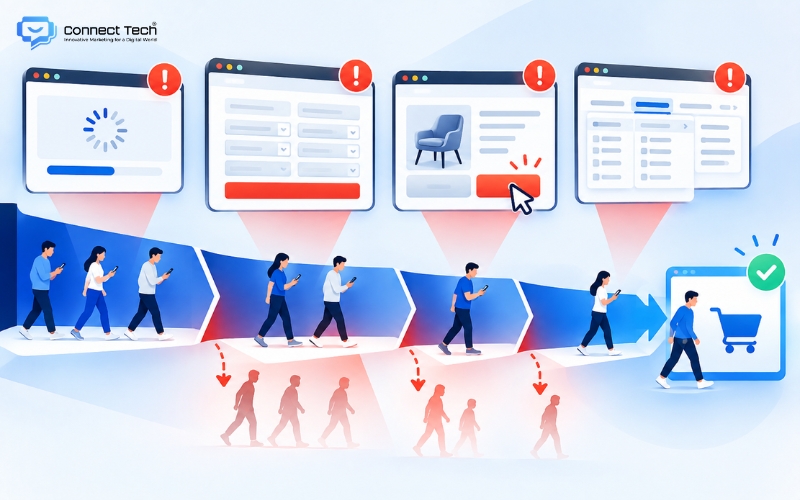
Technical problems that may appear minor can quietly reduce revenue and weaken customer trust in the brand.
- Slow page loading speed: When the shopping experience is interrupted by loading indicators and delayed content, customers may immediately leave and move to a platform that responds faster.
- Complicated information collection forms: An unnecessarily long form that requires too much personal information can make users hesitant. Businesses should request only the information genuinely required for consultation so customers feel more comfortable and confident when submitting their details.
- Unclear or closely positioned call-to-action buttons: Customers may become frustrated when they cannot find the action they need or repeatedly tap the wrong button. A CTA with strong visual contrast and clear wording can guide users through the conversion process more effectively.
- Complicated navigation: Users become confused when important information is hidden within an unclear hierarchy. A complicated menu can quickly reduce customer patience and cause them to abandon a purchase because they cannot find the product they are looking for.
In summary, understanding what usability is gives businesses a stronger foundation for understanding and improving consumer behavior in digital environments. Usability optimization is not simply a technical task; it is the process of creating effective experiences that can turn every website visit into a genuine business opportunity.
If you are looking for a partner to build an SEO-friendly website that is optimized for conversions and easy to scale in the future, contact Connect Tech to receive the most suitable technology solution.
Connect Tech provides custom website design solutions that combine technology, SEO, and Digital Marketing so websites can grow alongside the business. Contact Connect Tech for advice on a solution that fits your business model and objectives.
Connect Tech - Web Design Agency
Innovative Marketing for a Digital World
Hotline: 077 317 5996
Email: info@connecttech.vn
Table of Contents
Related news

Top 15 web design fonts for SEO and better UX/UI
Explore the best web design fonts for 2026. Learn how to choose commonly used fonts that improve UX/UI and support Vietnamese characters correctly.

What is a wireframe? Wireframe vs mockup explained
What is a wireframe? Learn the difference between wireframes and mockups and why structural sketches help businesses improve user experience.

What is usability? How to optimize it for more conversions
What is usability? Explore 5 core usability factors, usability testing, and mobile usability optimization to help business websites increase conversions.

Interior website design services optimized for conversions
Connect Tech provides premium SEO-friendly interior website design with optimized UI/UX and page speed to improve customer conversion rates.

Professional cosmetics website design to grow revenue
SEO-friendly cosmetics website design with optimized UX/UI to own customer data, build trust, and grow revenue. Get expert advice today!

What you need to know when designing a website professionally
What you need to know when designing a website: goals, UX/UI, SEO, speed, security, technology, and effective long-term operations.