
Loading Table of Contents...
What is Conversion Tracking? A detailed guide on how to set up and optimize your ad campaigns effectively
Quick Summary
Collapse
Conversion tracking helps businesses monitor user actions after ads, optimize campaigns, allocate budgets efficiently, and boost conversion rates effectively.
Conversion tracking helps businesses accurately monitor user behavior after they interact with an ad — from clicks and sign-ups to actual purchases. This allows you to optimize campaigns, allocate budgets efficiently, and increase profits intelligently.
In this article, we’ll explore what conversion tracking is and how to set it up so you can take full control of your marketing data.
I. What is Conversion Tracking?
Conversion tracking is the process of monitoring and measuring user actions after they engage with your ads or marketing content.
In other words, it helps you determine whether users perform the desired actions — such as making a purchase, signing up, filling out a form, or clicking the “contact now” button.
In the field of online advertising, a “conversion” is the ultimate goal that a business wants to achieve from its visitors. Conversion tracking helps you understand the customer journey, identify which ad sources deliver results, and optimize marketing costs more effectively.
II. Benefits of Conversion Tracking
- Measure campaign performance: Track the exact number of users who complete valuable actions (such as purchases, form submissions, or phone calls) to evaluate the effectiveness of each campaign and keyword.
- Determine ROI and optimize spending: Calculate your return on investment (ROI), identify which channels generate the most conversions, and allocate budgets more efficiently while reducing wasted costs.
- Understand the customer journey: Analyze user behavior from the first interaction to the final conversion, helping you identify strengths and weaknesses in the buying process.
- Automate optimization with Smart Bidding: Use machine learning to automatically adjust bids based on conversion probability, saving time and maximizing ad performance.
- Optimize ads based on real data: Use conversion data to refine ad content, bidding strategies, and target audiences — improving overall marketing effectiveness.
Read more: What is Google Ads? A Detailed Guide on How to Run and Optimize Campaigns Effectively

III. Types of Actions You Can Track
1. Website Actions
This is the most common type of conversion in tracking. Website actions can include:
- Making a purchase or completing checkout.
- Subscribing to newsletters or submitting inquiry forms.
- Clicking buttons such as “Contact Us” or “Book Now.”
- Downloading materials like catalogs or eBooks.
Tracking these actions helps you understand how users interact with your website, allowing you to optimize layout, content, and the customer journey to increase conversion rates.
2. Phone Calls
Conversion tracking also enables you to monitor phone calls generated directly from ads or your website.
These insights reveal which ads drive the most calls, along with the time and location of customer inquiries — valuable data for improving your customer service strategy and local marketing performance.
3. App Installs / In-App Actions
For businesses with mobile applications, conversion tracking allows you to measure app installs and post-install actions such as:
- Creating an account.
- Purchasing in-app services.
- Completing tasks, watching videos, or adding products to the cart.
Tracking in-app behavior helps you assess the effectiveness of your mobile ad campaigns and refine remarketing strategies to improve long-term user retention.
4. Import – Offline Conversions
Not all conversions happen online. Conversion tracking also supports importing offline conversion data, for example:
- Customers visiting your physical store after seeing an ad.
- Transactions completed via phone calls or in-person meetings.
By syncing data from your CRM or sales system, you can gain a more comprehensive view of your marketing performance — including conversions that occur outside the online environment.
5. Local Actions – In-Store Activities
For businesses with physical locations or branches, conversion tracking can also monitor local actions such as:
- Getting directions to the store from an ad.
- Visiting a location after viewing an ad.
- Calling or clicking the website link of the nearest branch.
This type of tracking is especially useful for retailers, spas, restaurants, or showrooms, as it allows you to accurately measure how online advertising drives real-world visits.
IV. How to Set Up Conversion Tracking in Google Search Autopilot
- Step 1: Log in to your Google Search Autopilot account and switch to Expert Mode.
- Step 2: Go to Tools & Settings → Measurement → Conversions.
- Step 3: Click + New Conversion Action and select the type of action you want to track: website, app, phone call, local action, or import.
- Step 4: Enter the conversion action details (name, type, and value).
- Step 5: Configure the conversion value, conversion window, and attribution model that align with your campaign goals.
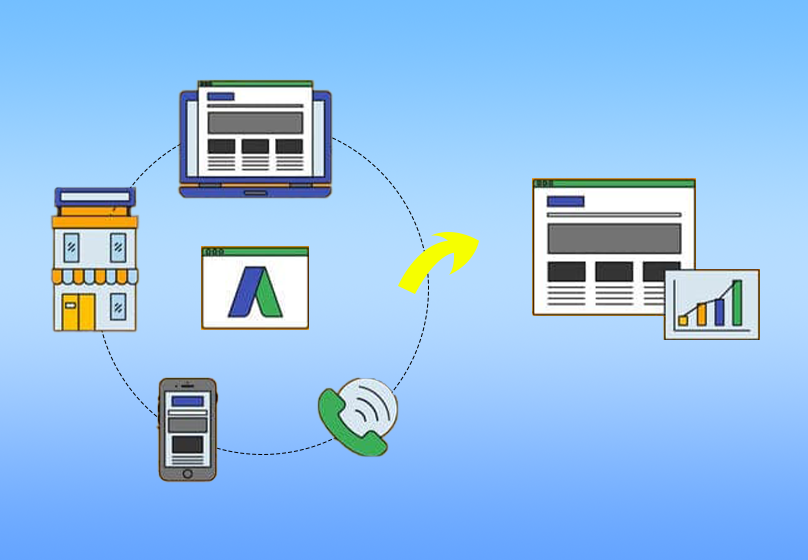
- Step 6: Click Create & Continue, then copy the tracking tag provided by Google.
- Step 7: Paste the Global Site Tag (gtag.js) into the section of your website, and the Event Snippet onto the thank-you page or the page where the desired action is completed.
- Step 8: Use Tag Assistant to verify that the tracking code is functioning correctly, then monitor the data in Reports → Conversions.
V. How to Track Conversions with Google Tag Manager (GTM)
Google Tag Manager (GTM) is a tool that allows you to implement tracking codes flexibly without directly modifying your website’s source code. It’s especially useful for managing multiple tracking tags, such as Google Ads, Google Analytics, or Meta Pixel.
1. Create a GTM Account and Install the Code on Your Website
Go to https://tagmanager.google.com, sign in with your Google account, then create a new account and container.
Select “Web” as the container type, then copy the two code snippets provided by GTM:
section of your website.
- One snippet should be placed in the
- The other should be placed immediately after the opening
Once completed, GTM will be active and ready to add tracking tags.
2. Connect Google Analytics
- In the GTM interface, select “Tags” → “New” → “Tag Configuration” → “Google Analytics: GA4 Configuration.”
- Enter your Measurement ID from your Google Analytics account, choose the “All Pages” trigger, then save and publish the tag.
3. Create Tags and Triggers
- Create a new tag in GTM by selecting “Tags” → “New.”
- In the “Tag Configuration” section, choose “Google Ads Conversion Tracking” and enter your Conversion ID and Conversion Label from your Google Ads account.
- Next, select the appropriate Trigger, such as “Form Submission,” “Page View,” or “Button Click,” depending on the action you want to track.
- Save the tag once completed.
4. Test Using Preview Mode
- Select “Preview” in GTM and enter your website URL to launch the testing mode.
- Perform the conversion action (such as submitting a form or making a purchase) to verify whether the tag is triggered.
- If the tag shows “Fired” in the preview interface, it means the setup is working correctly.
5. Set Up Goals in Google Analytics
- Go to Google Analytics → “Admin” → “Goals” (or “Events” in GA4).
- Create a goal corresponding to the action you configured in GTM—for example, viewing a thank-you page, submitting a form, or clicking the purchase button.
- Check the data in the “Conversions” report to confirm that conversions are being recorded properly.
VI. Conclusion
Conversion tracking is not just a supporting tool—it is a core foundation that enables businesses to measure, analyze, and optimize advertising performance.
By accurately tracking user behavior and campaign outcomes, you can allocate your budget more intelligently, increase your conversion rate, and maximize overall profitability.

Table of Contents



































