
6. Support a Comprehensive Marketing Strategy
Shopping Ads can be combined with Performance Max, Remarketing, or Video Ads campaigns, helping businesses expand their customer base and enhance brand visibility across Google’s entire ecosystem.
Read more: What Is Google Ads Display? Secrets to Optimizing Campaigns Effectively
III. How to Run Shopping Ads Effectively
To achieve maximum effectiveness with your Shopping Ads campaigns, you need to ensure that all prerequisites are properly set up, campaigns are configured correctly, and optimization is carried out continuously during operation. Below is a detailed guide to help you launch and manage Google Shopping Ads professionally.
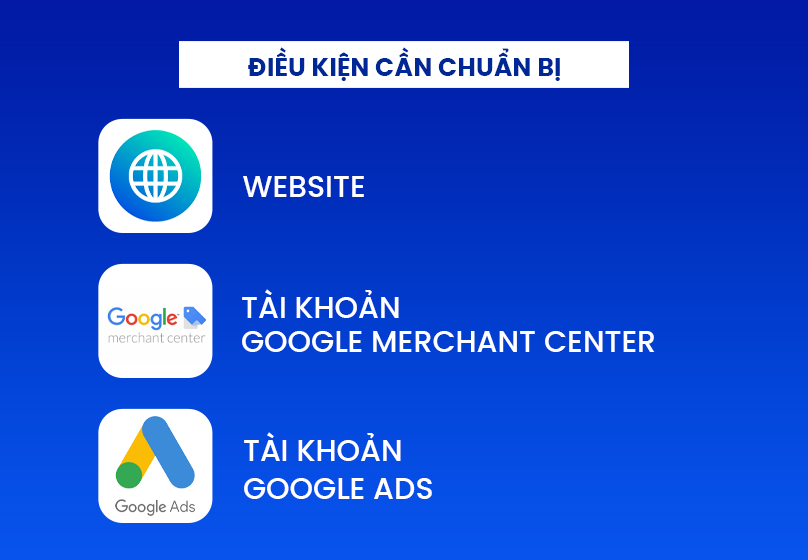
1. Prerequisites
Before running Shopping Ads, businesses must meet a few basic requirements:
- A compliant e-commerce website: Your website must have an HTTPS security certificate, an integrated shopping cart, clear product information, and transparent purchasing policies.
- Google Merchant Center account: This is where you upload and manage your product data (feed), including titles, descriptions, images, prices, stock status, and brand details.
- Google Ads account: Used to create, configure, and manage advertising campaigns. The Merchant Center must be linked to your Google Ads account to synchronize and display product data.
2. Steps to Set Up a Shopping Ads Campaign
- Create a Merchant Center account → upload your product feed (a file containing detailed product data).
- Link Merchant Center to your Google Ads account so Google can access your product data.
- In Google Ads, create a new campaign and select the “Shopping Campaign” type.
- Choose the list of products you want to advertise, then set appropriate budgets and bids for each product group.
- Monitor performance through key metrics such as impressions, CTR, CPC, CPA, and revenue to optimize your campaign.
3. Tips to Optimize Shopping Ads Campaigns
- Use high-quality, clear, and properly scaled images to attract more clicks.
- Optimize product titles: include relevant keywords, brand names, or key features (e.g., “Nike Air Zoom Men’s Running Shoes – Lightweight, Cushioned”).
- Organize product groups logically: categorize by brand, category, price, or profit margin to manage budgets more effectively.
- Remove low-performing products and focus your budget on best-sellers.
- Track key metrics such as CTR, CPC, ROAS, and CPA to adjust bids or budgets promptly.
IV. Tips to Optimize Shopping Ads
To ensure your Google Shopping Ads campaigns achieve maximum performance and maintain a competitive advantage, advertisers must focus on continuous optimization. Below are key strategies to help you improve campaign efficiency and reduce advertising costs.
1. Optimize Your Product Feed
The product feed is the core of Shopping Ads. Make sure titles, descriptions, and product attributes (brand, color, size, material, etc.) are clearly and accurately presented.
Add natural, product-related keywords so Google can better understand and match your products with relevant searches.
Highlight unique features or key benefits of your product (e.g., “100% cotton – breathable all day”).
2. Monitor and Update Regularly
Always ensure that the data in your Merchant Center is synchronized with your website — including stock status, pricing, and promotional offers. Failure to update promptly can result in your ads being disapproved or experiencing lower performance.
3. Conduct A/B Testing
Experiment with different images, titles, and descriptions to determine which variations capture attention and deliver the highest conversion rates.
4. Combine Performance Max and Remarketing
Leverage Performance Max to expand your ad reach across multiple Google channels (Search, Display, YouTube, Discovery, etc.), and use Remarketing to re-engage visitors who have previously interacted with your website — increasing the likelihood of repeat purchases.

5. Allocate Budget Flexibly
Monitor the performance of each product group, then prioritize budget allocation for those with higher profitability or stronger conversion rates. This approach helps you invest wisely and maximize your advertising returns.
V. Conclusion
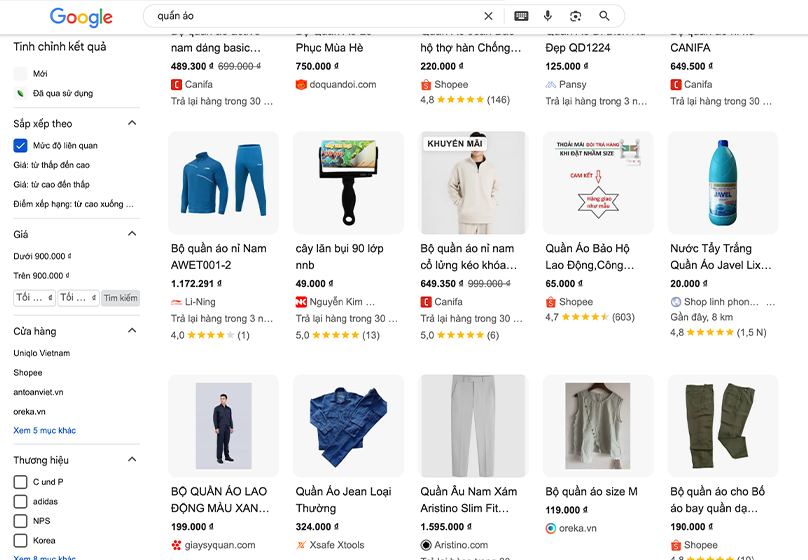
In summary, Shopping Ads are among the most powerful and effective advertising tools for e-commerce businesses today. With the ability to display products visually — complete with images, prices, and brand names right on Google — this format helps businesses attract customers at the perfect time: when they’re ready to make a purchase.
Understanding how Shopping Ads work and knowing how to optimize campaigns are the keys to achieving sustainable revenue growth, cost efficiency, and improved overall marketing performance.
Let Connect Tech help you launch your Google Shopping Ads today — bringing your products closer to millions of potential customers on Google and turning every search into a real sales opportunity.